
Fabien Pinckaers has just presented Odoo 20 at the Odoo Experience keynote in Brussels. The 20.0 branch was already on GitHub, and Odoo 20 is now available to install. Below, all the new features we saw in the keynote, with screenshots from the session and the Contaldia filter (Spanish accounting first).
keynote OX 2026
Unveiling Odoo 20 · Brussels
Custom / user / month
(yearly; Light user €7.90)
16:00 · Contaldia course
live updates
Website, CRM and activities
The interface barely changes compared to 19. What does change is the sales trail: a website visitor enters the CRM as a lead, along with the pages they viewed.
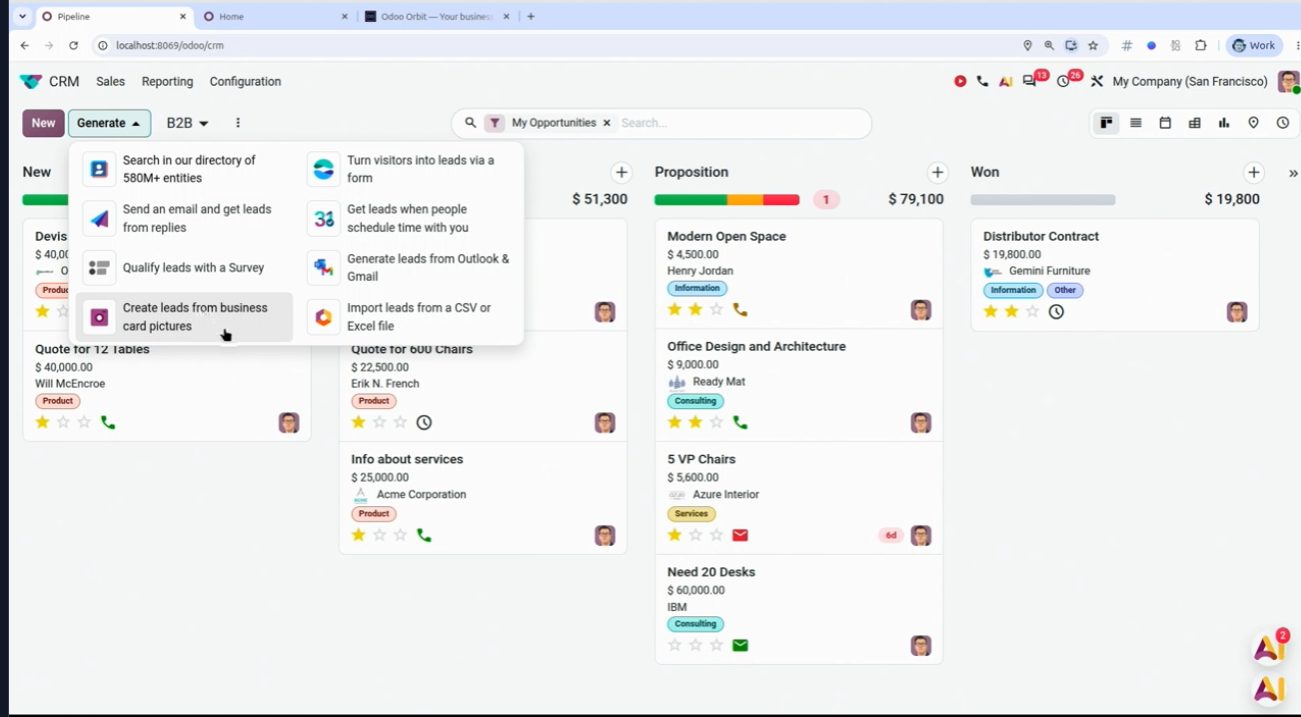
Website: the visitor enters the CRM with the pages viewed. OX 2026.
CRM activities look cleaner: fewer clicks to see what is pending with each contact.
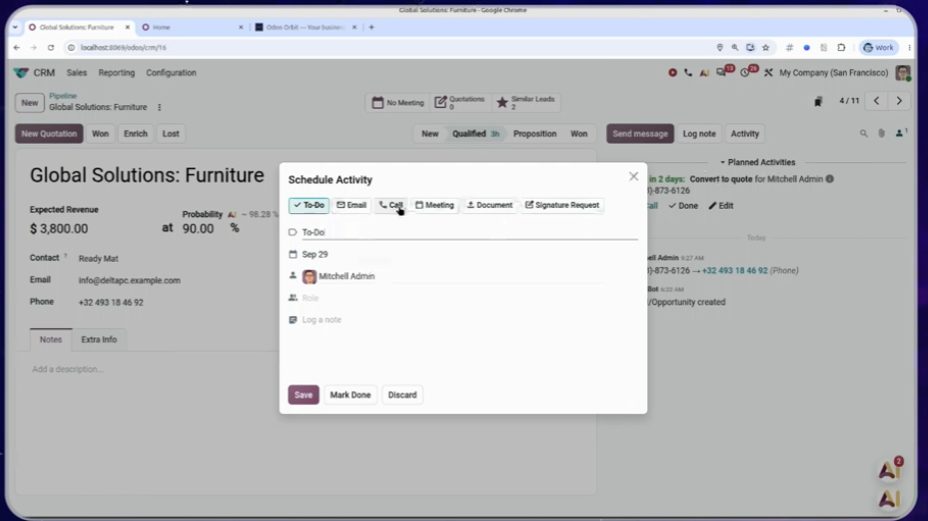
Improved activities. OX 2026.
The CRM connects to Gmail or Outlook. The salesperson's email lives right next to the lead, with no copying and pasting.
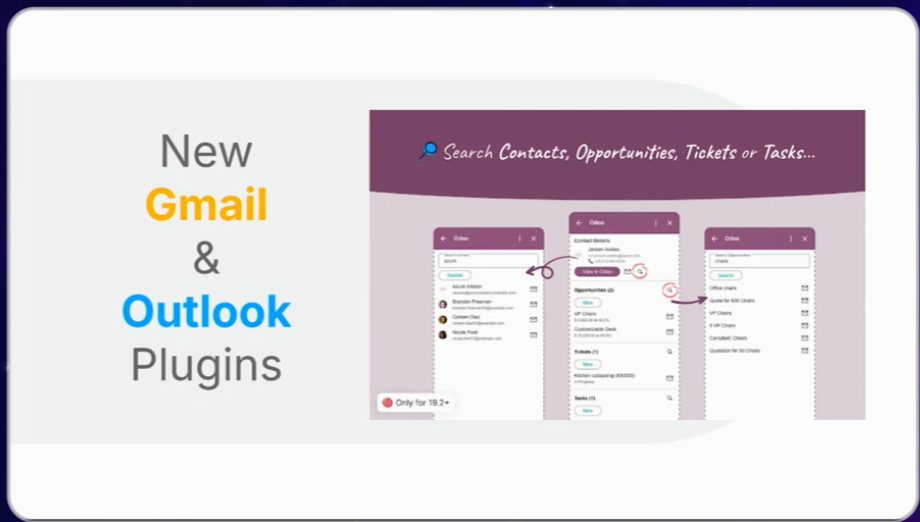
Gmail / Outlook connection. OX 2026.
VoIP: a phone system inside Odoo
Odoo 20 comes with its own phone system: you buy the number, call from the contact record and, when you hang up, the transcript is saved. Useful for sales follow-up; it does not replace a carrier phone system if you already have one.
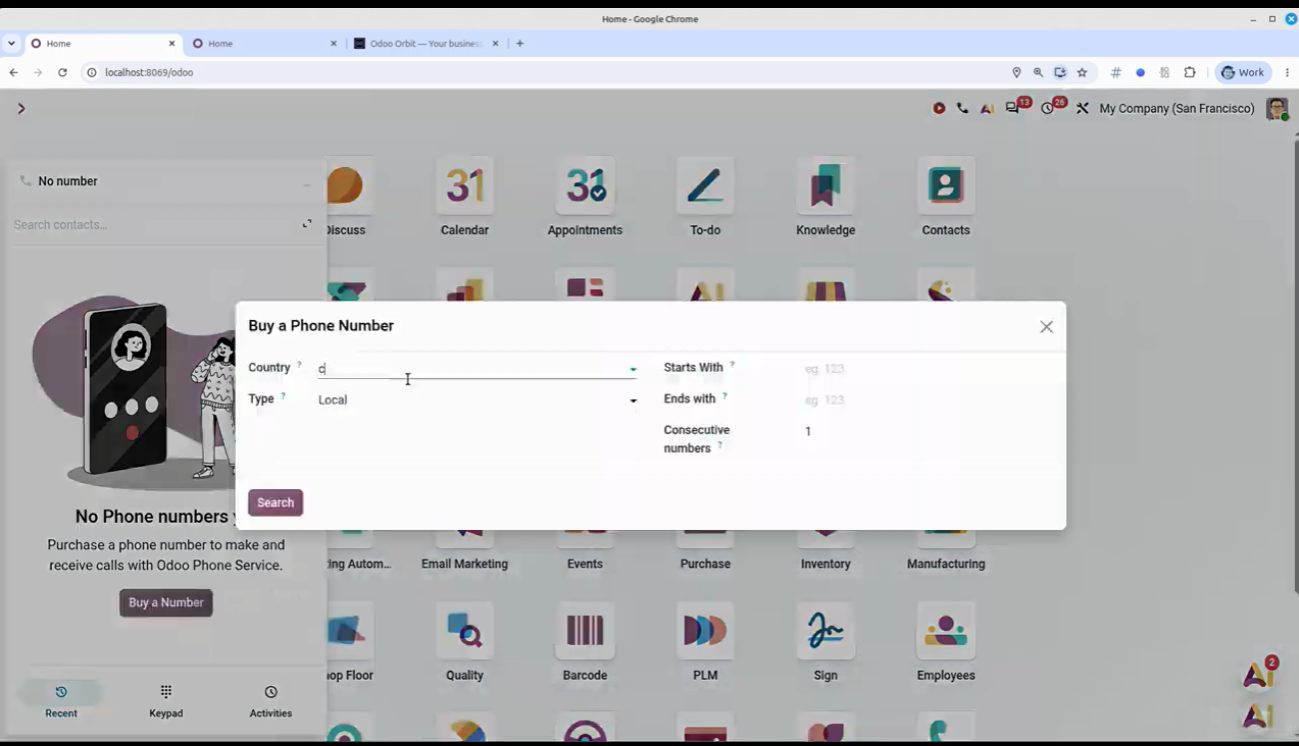
Alta de número VoIP desde Odoo. Keynote OX 2026.
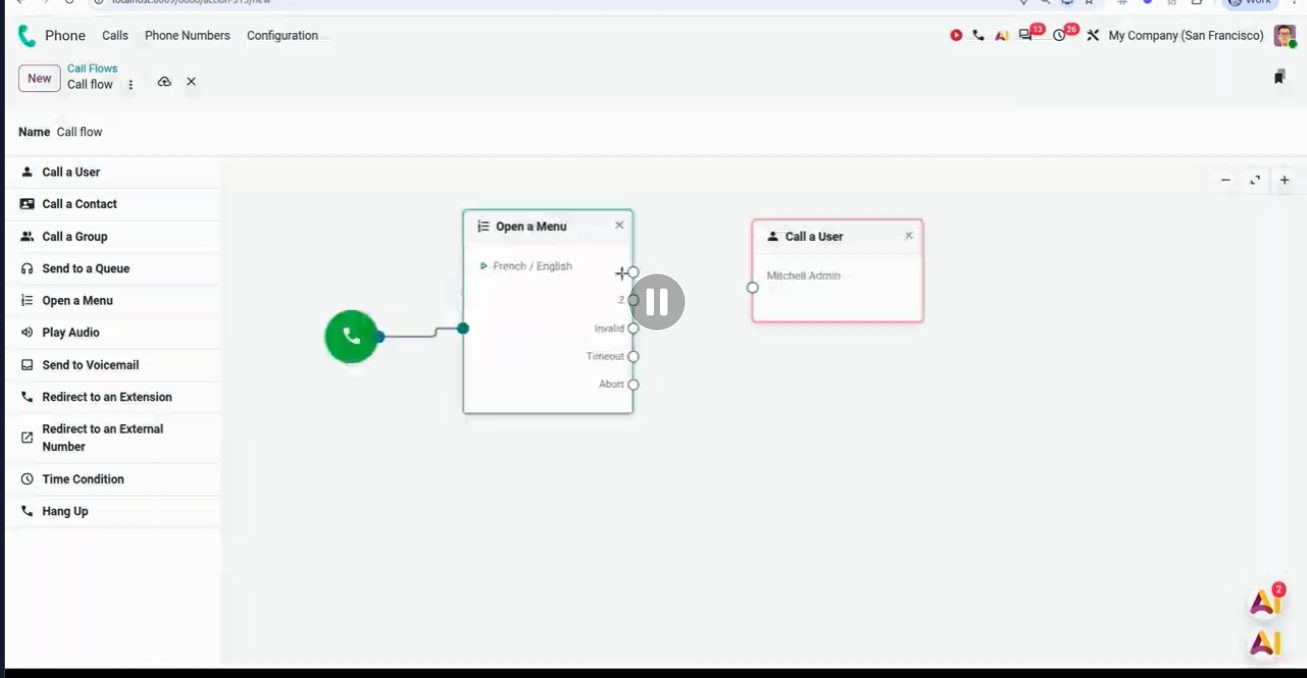
Flujos de llamada en la centralita. Keynote OX 2026.
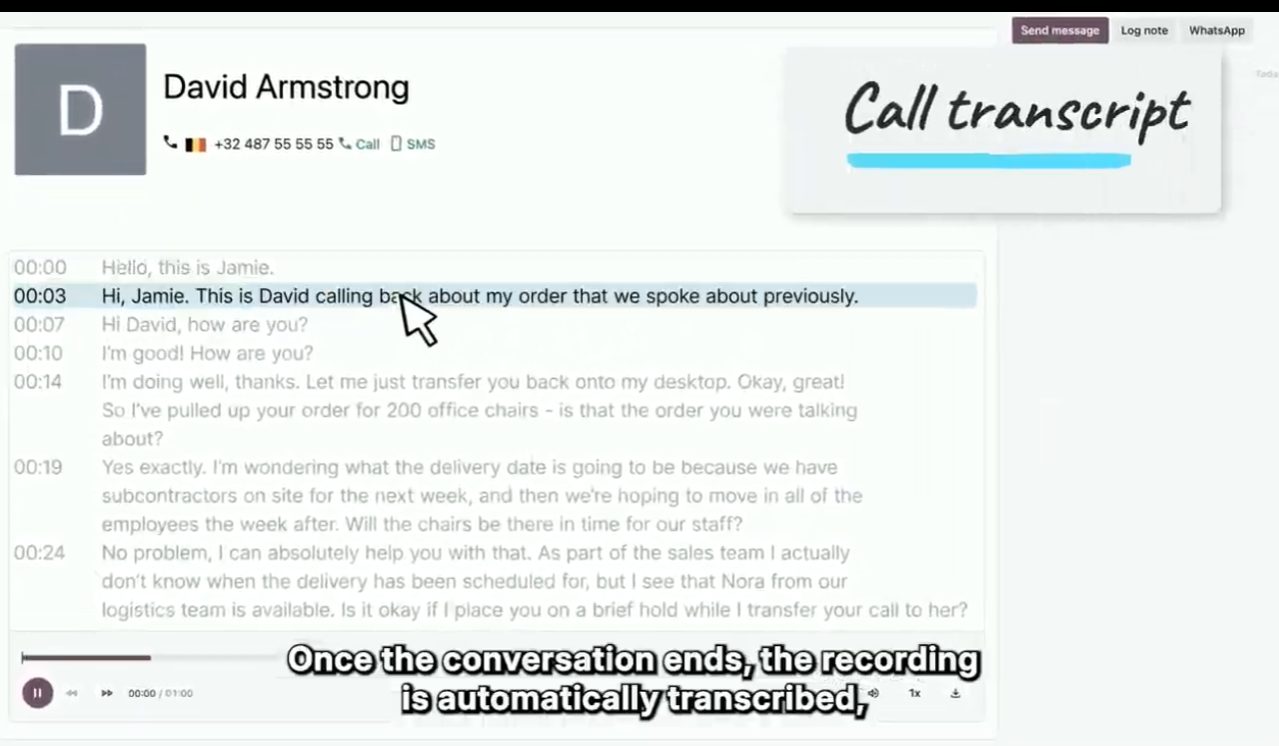
Transcript when you hang up. Demo figures.
Sales: header, templates and photos in the quotation
The order header comes with smart buttons and filters. Less back and forth to see deliveries, invoices and what is still missing.
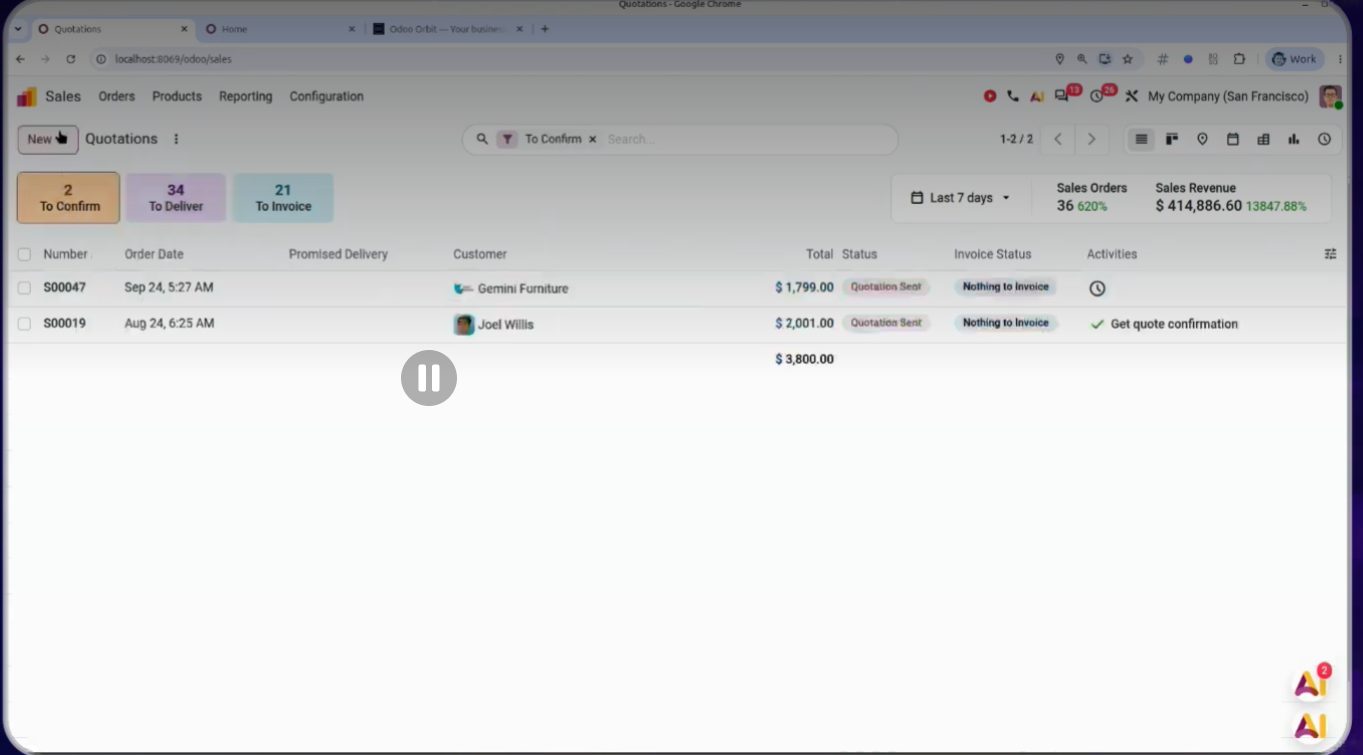
Pedido de venta: smart buttons y filtros. Keynote OX 2026.
You can save multi-product templates by choosing a section of the quotation. And product photos are included in the PDF.
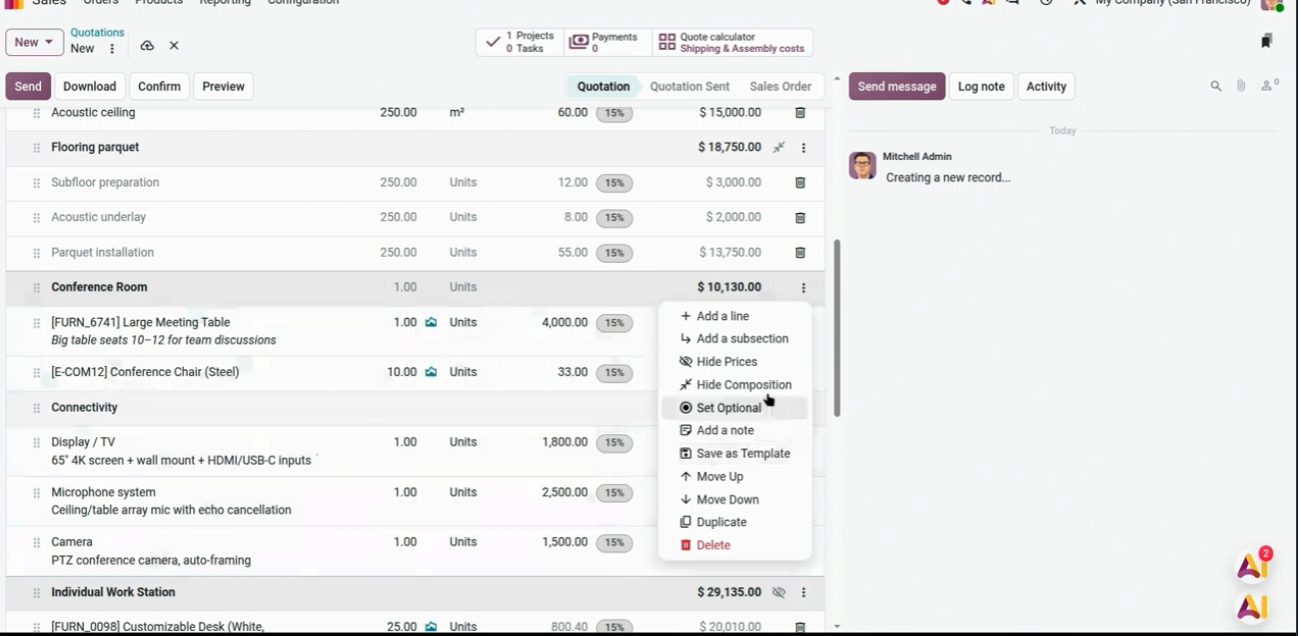
Guardar plantilla por sección. Keynote OX 2026.
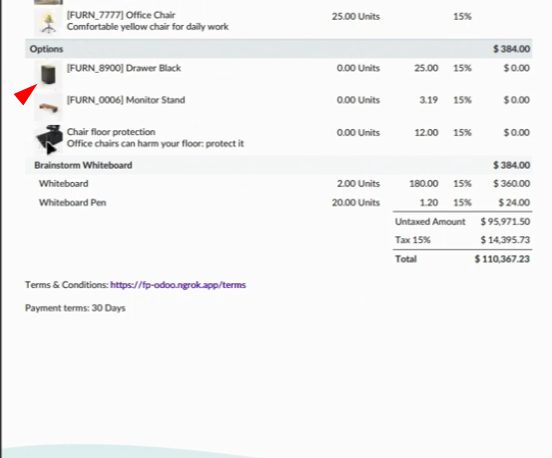
Product photos in the quotation. OX 2026.
Projects: from a PDF or an email to tasks
You upload a project PDF (or an email) and the AI builds the project with its tasks. In the keynote they started from an RFP. It is a draft: it needs to be reviewed before assigning it to a team.
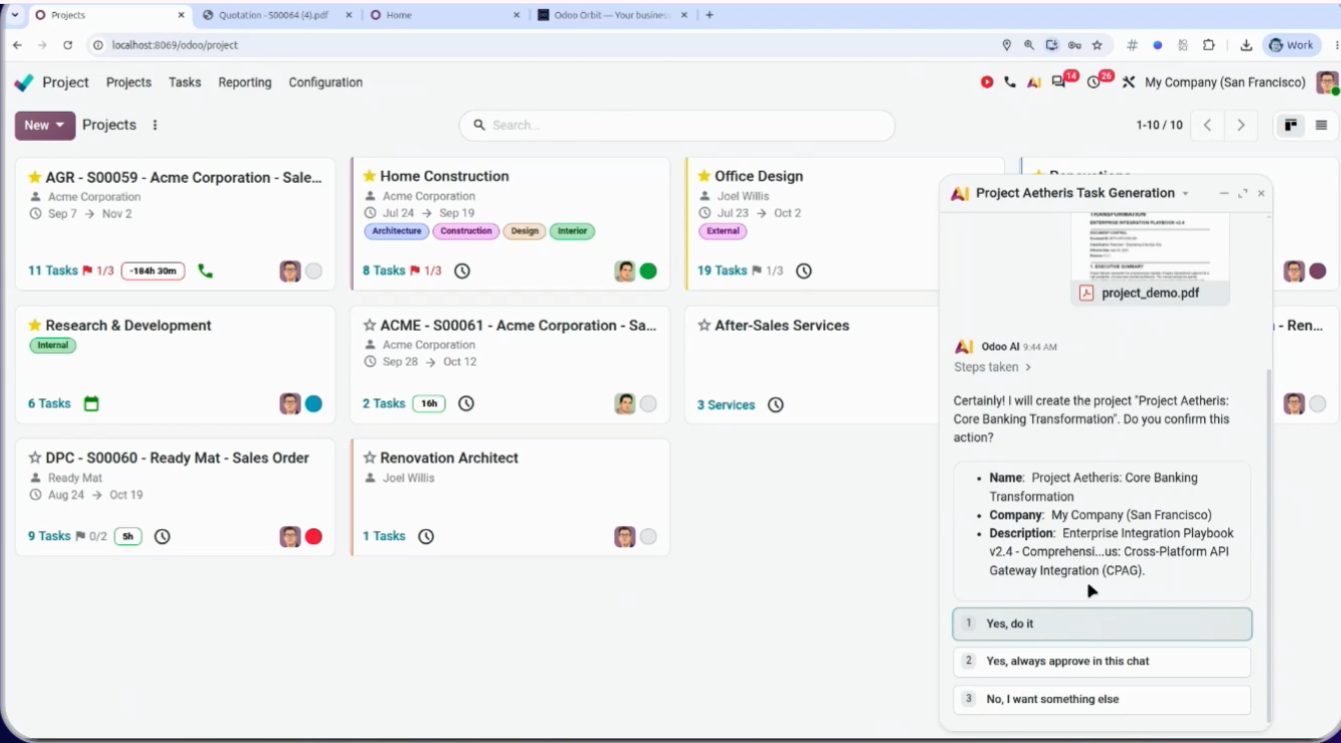
From an RFP PDF to a project with tasks. Demo.
Timesheets: editable grid and services + materials
Timesheets are entered in an editable on-screen grid. Simpler than the line-by-line timesheet of earlier versions.
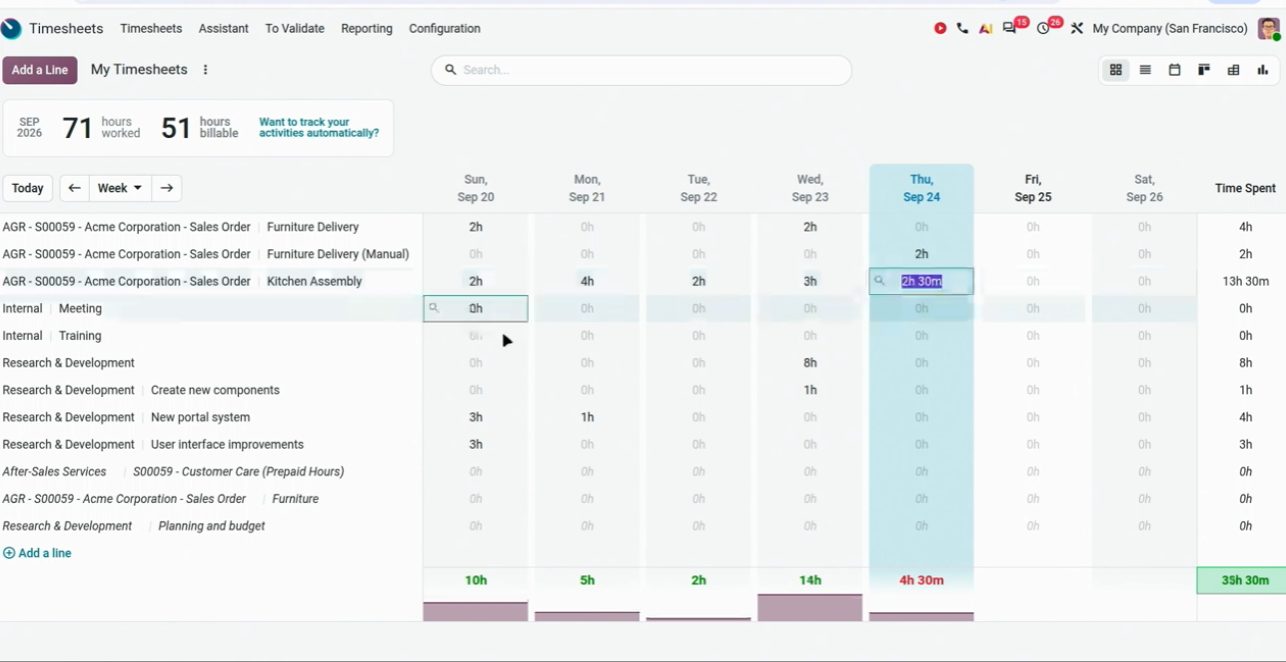
Editable hours grid. OX 2026.
Services and materials are logged faster, with a widget and AI. Fewer clicks for a mixed timesheet (time + materials).
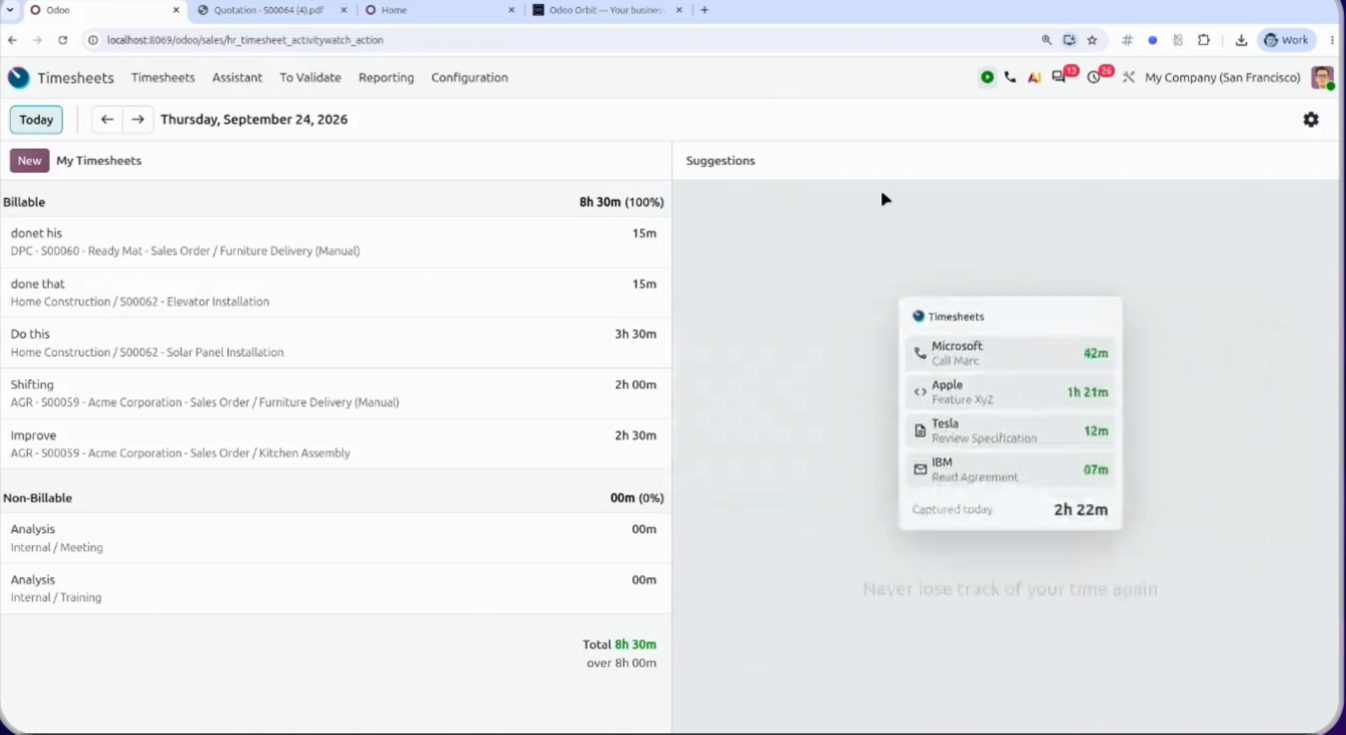
Registro de servicios y materiales. Keynote OX 2026.
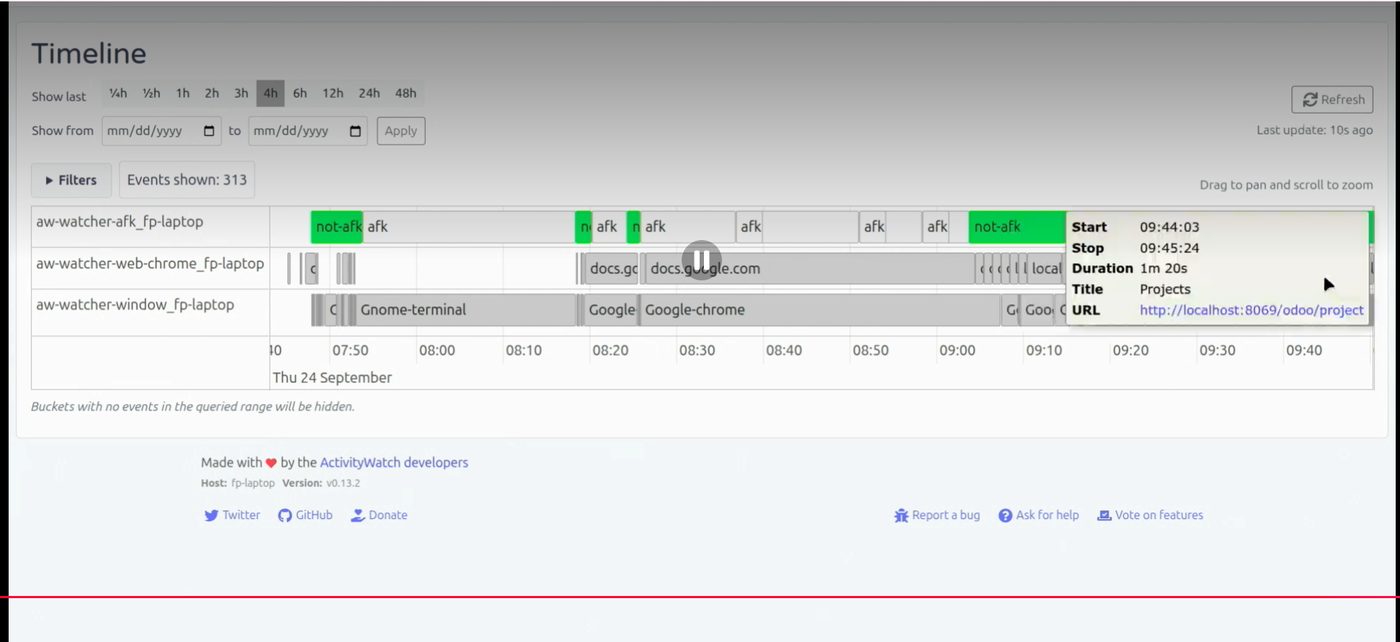
Widget + AI in the timesheet. OX 2026.
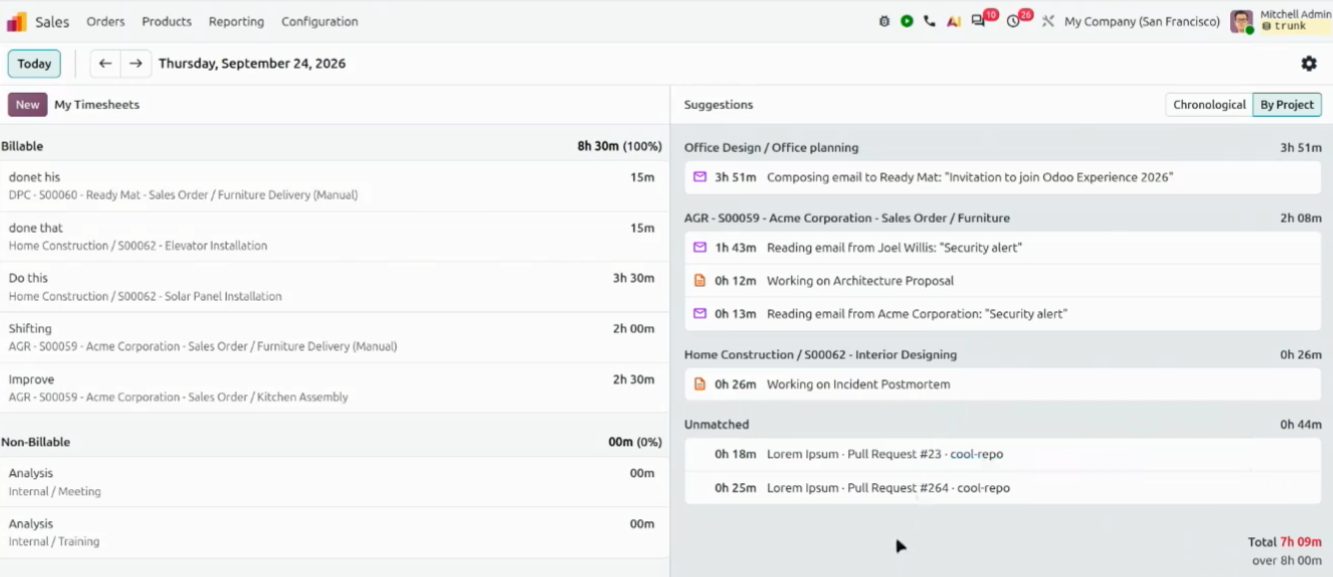
Timesheet view. OX 2026.
Purchasing and inventory: min-max and replenishment
Fabien dedicated a segment to purchasing automation: rules, price agreements and replenishment. Four paths on one slide; in the demo, price negotiation with AI.
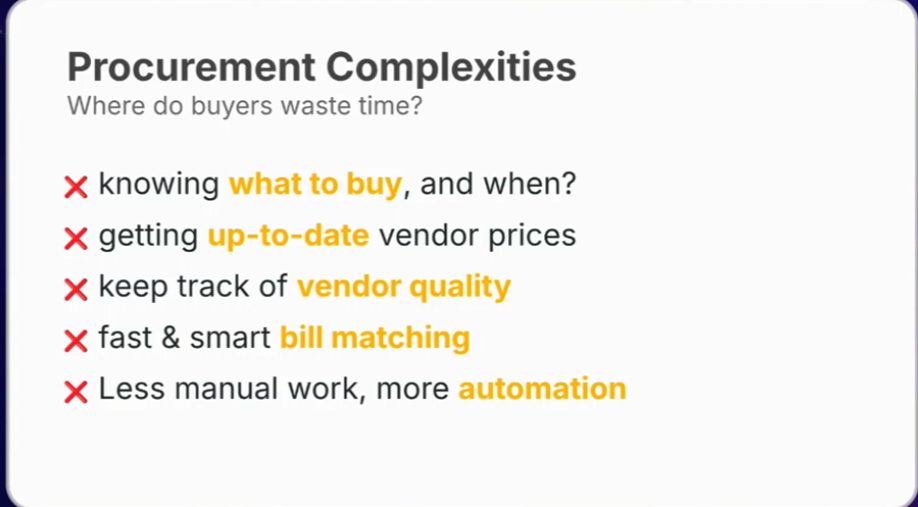
Purchasing slide. OX 2026.
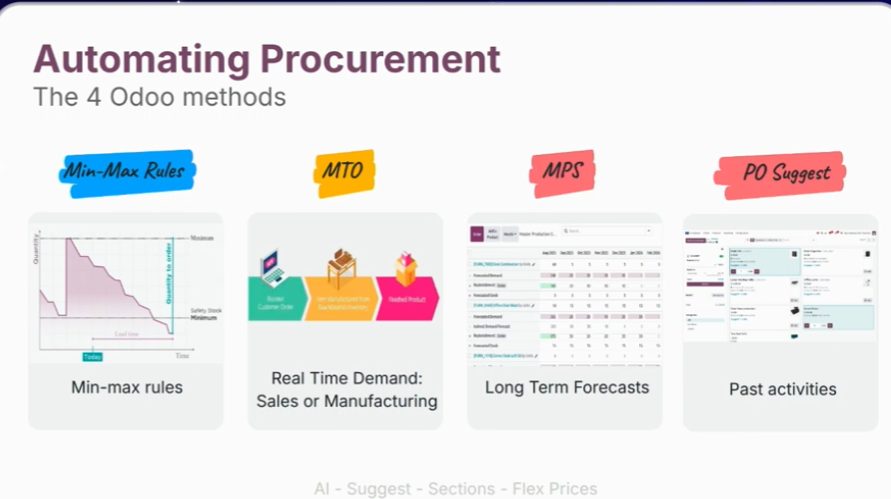
Cuatro vías de automatizar compras. Keynote OX 2026.
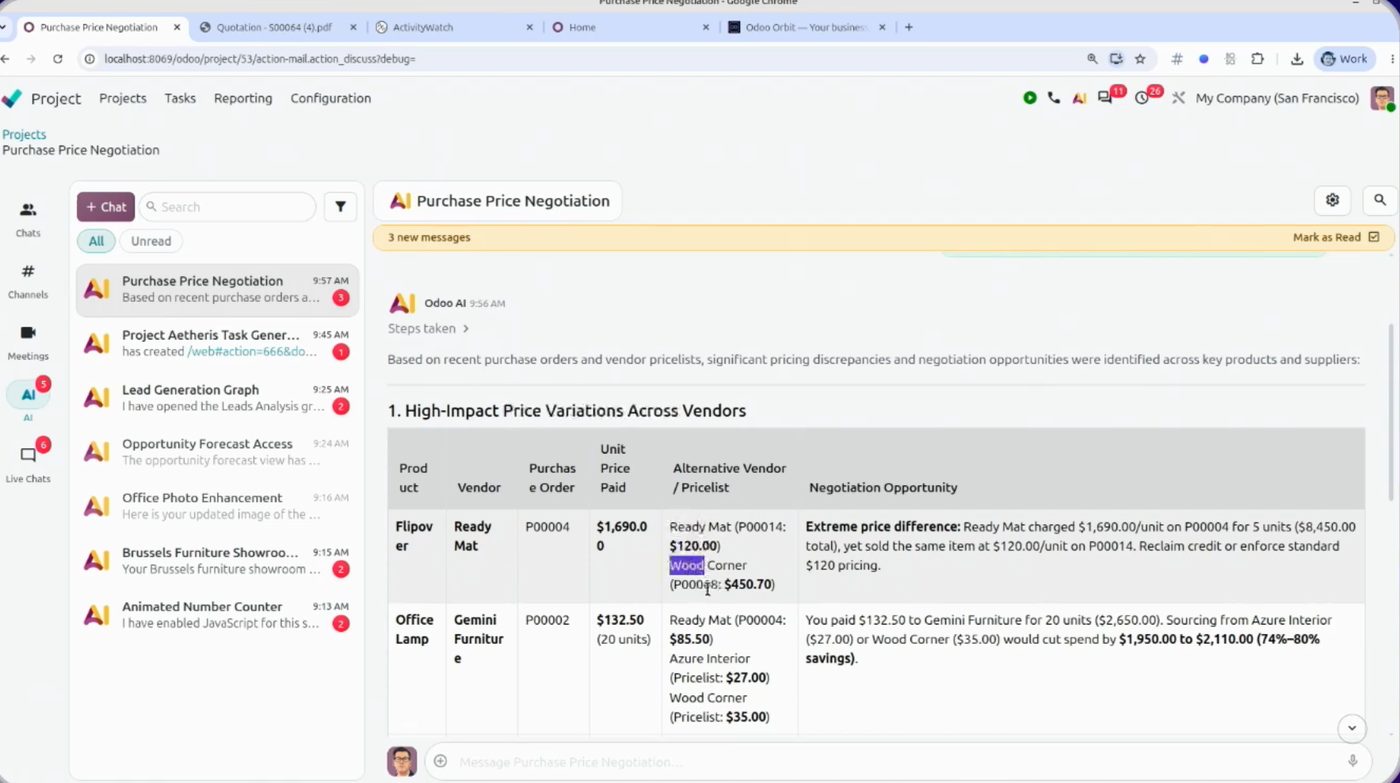
Purchase negotiation with AI. Figures from the demo.
Min-max inventory rules work more automatically. Fewer stockouts if the product master data is well maintained.
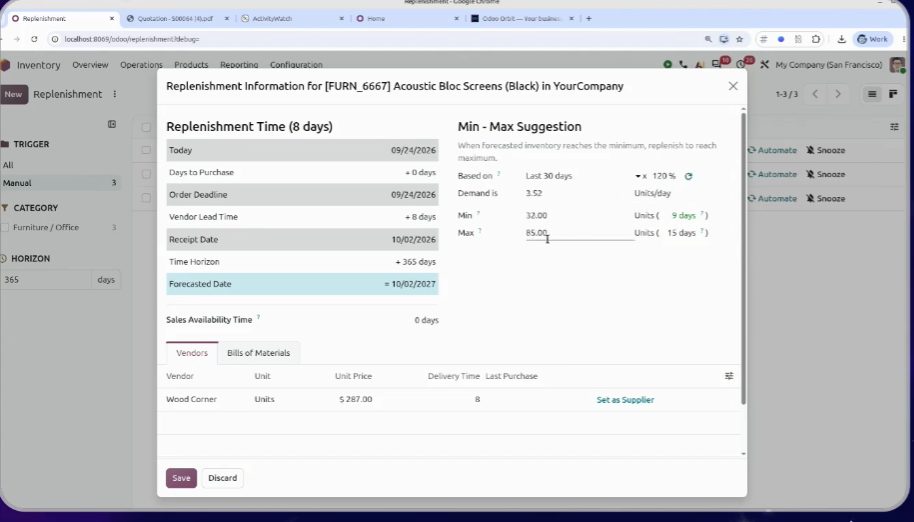
Replenishment min-max. OX 2026.
Manufacturing: new bill of materials, kanban and barcode
New bill of materials (BoM). Clearer for assembling or disassembling a product.
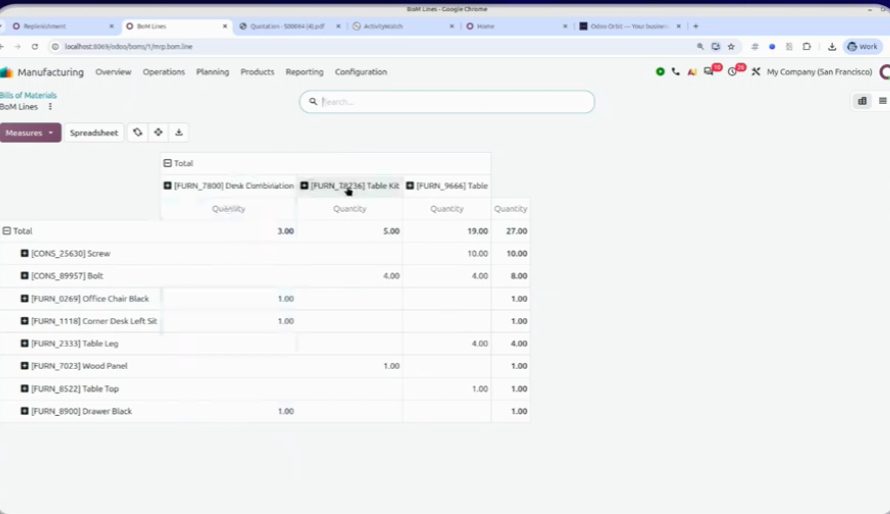
Bills of materials. OX 2026.
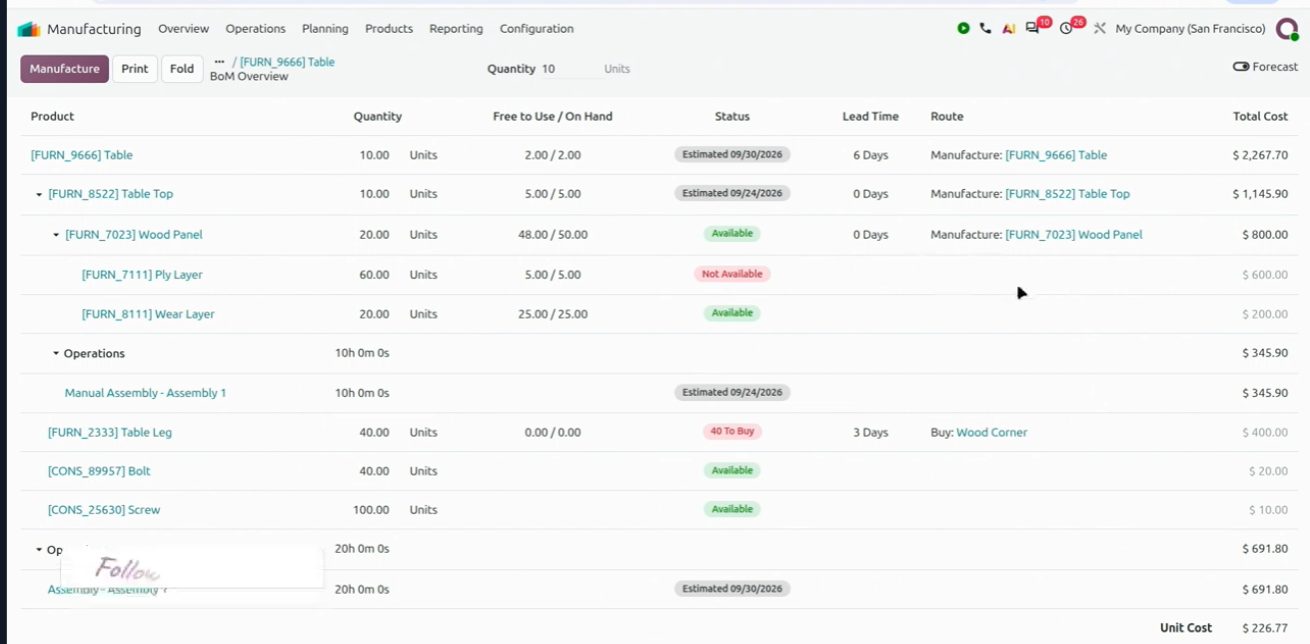
BoM on screen. OX 2026.
Manufacturing order kanban and more barcode use: almost the whole shop floor can be ticked off with the scanner.
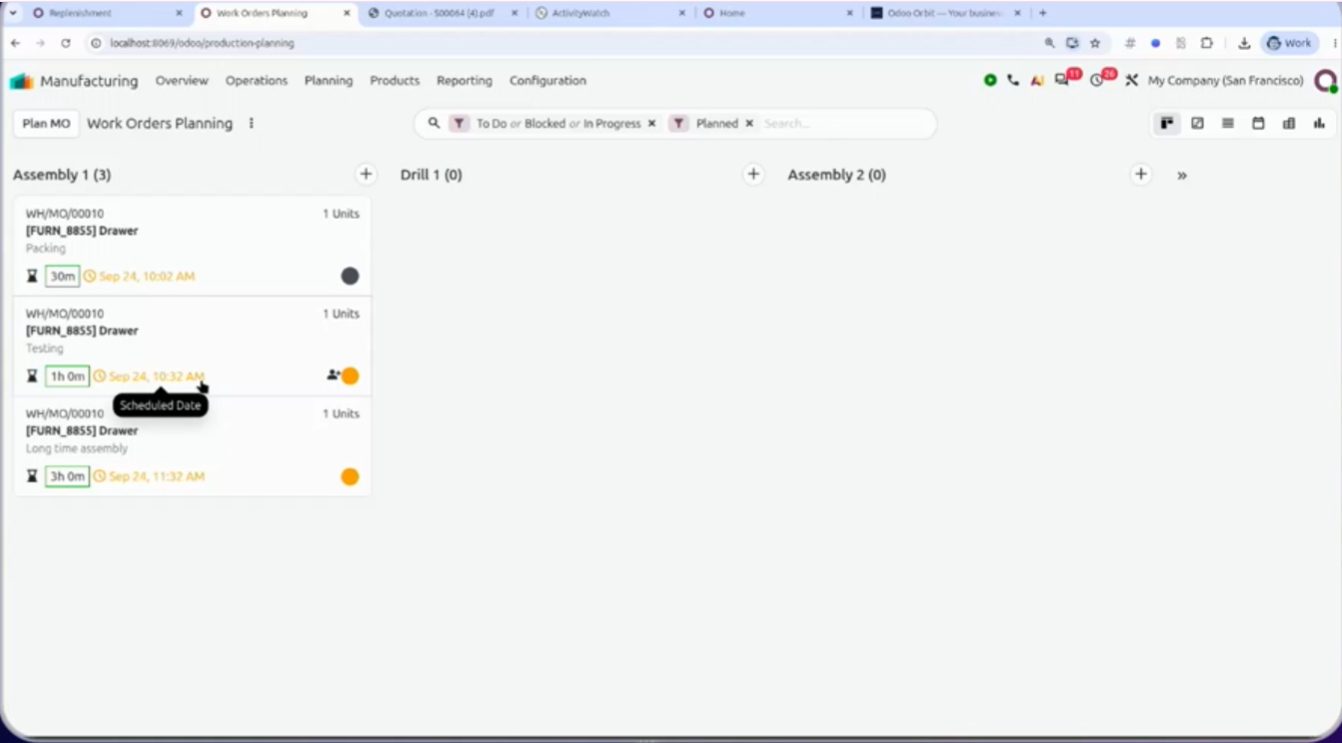
Vista kanban de fabricación. Keynote OX 2026.
Barcode on the shop floor. OX 2026.
HR: AI-powered job openings (the demo salary is from Brussels)
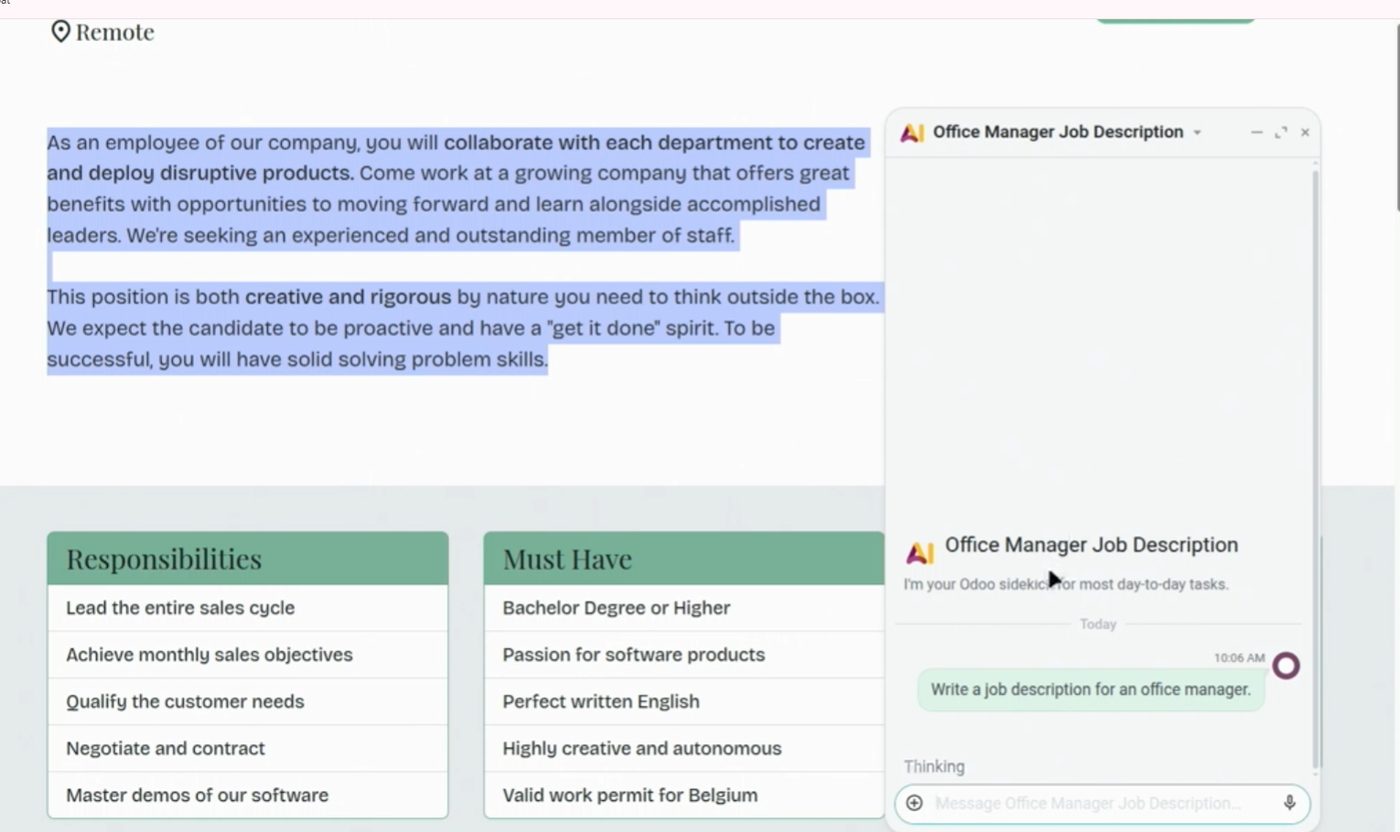
AI helps you create job openings and write the job posting. From recruitment you can launch onboarding in the employee app.
Job opening generated with AI. OX 2026.
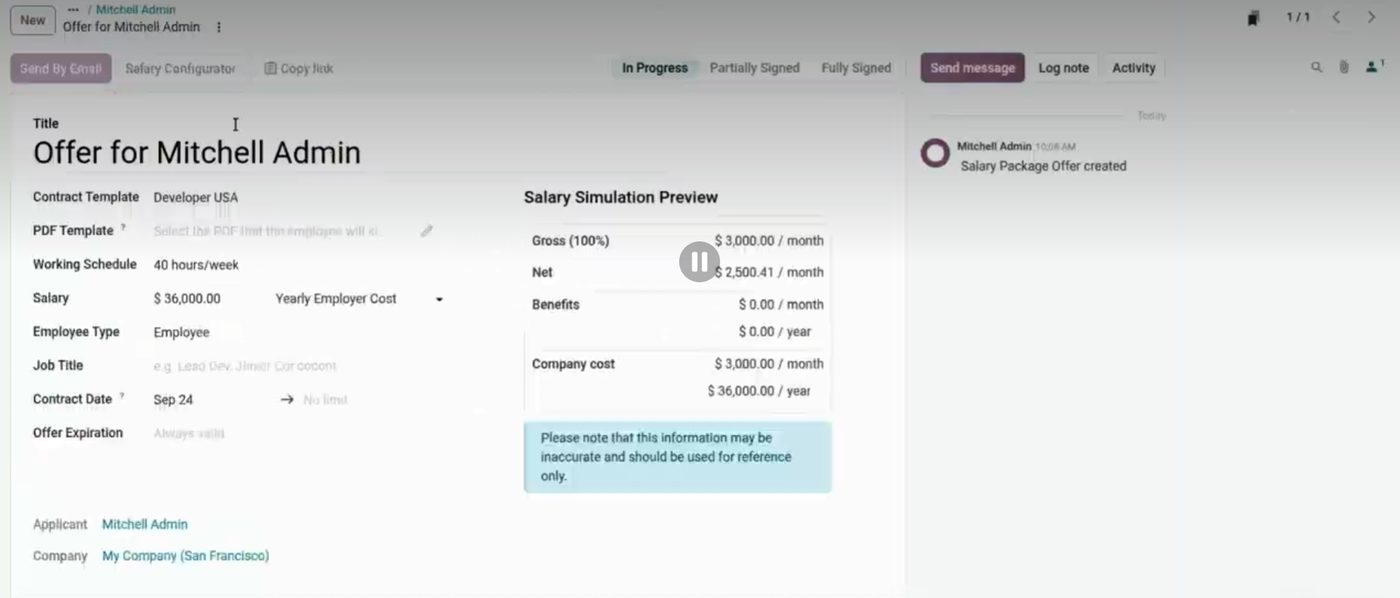
The job posting can fill in the salary based on Brussels payrolls. It is not adapted to Spanish labor law: do not use it to calculate compensation here.
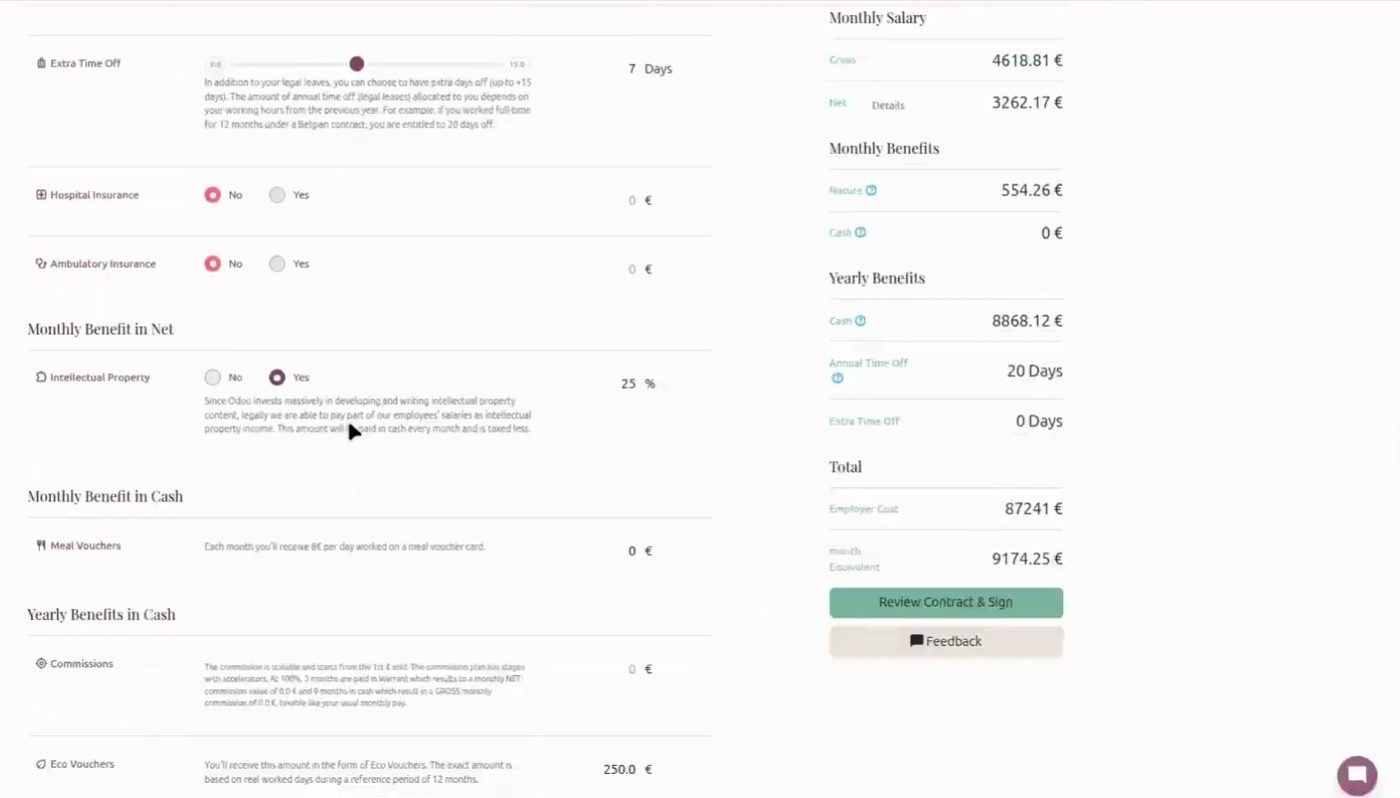
Salary proposed from Belgian payrolls. Not valid for Spain.
Accounting: dashboard, bills, assets and SEPA
The long keynote block. The Accounting dashboard kicks off, with a month-by-month breakdown and smart buttons. Fewer clicks to get to what's pending.
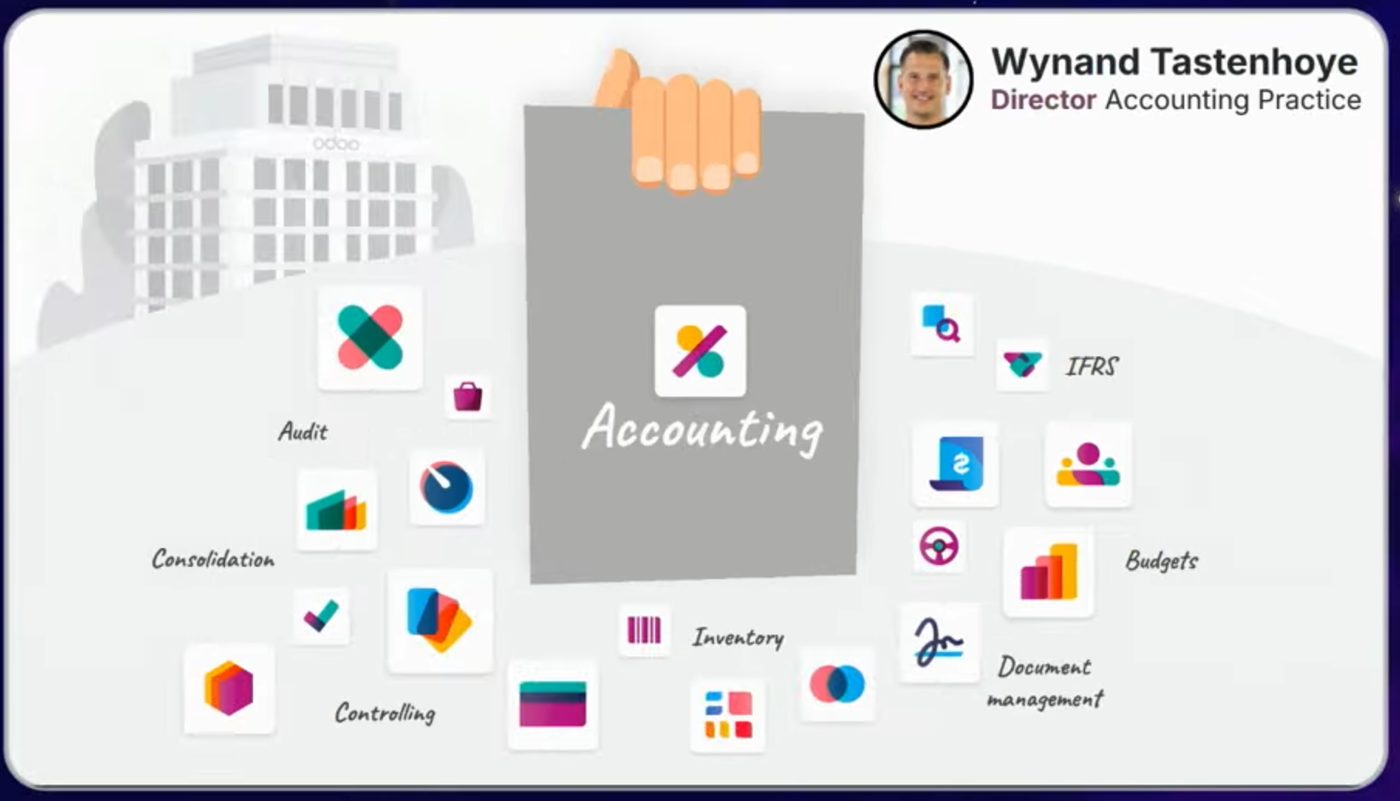
Arranque del bloque de contabilidad. Keynote OX 2026.
Diapositiva de Accounting + IA. Keynote OX 2026.
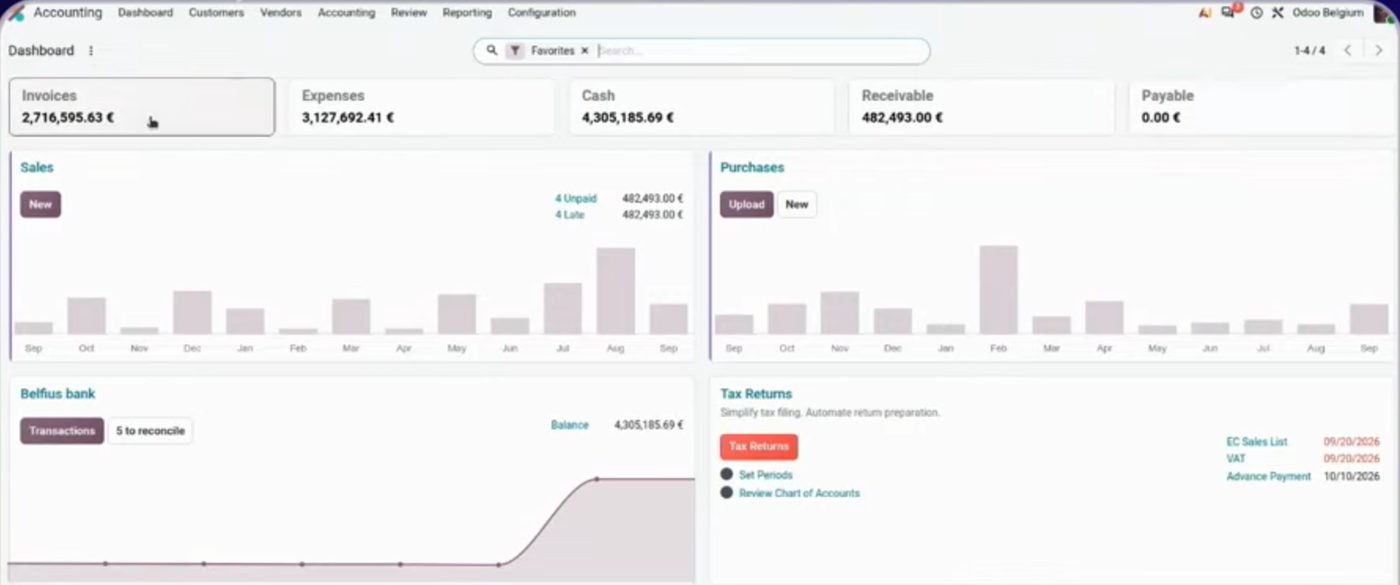
Accounting dashboard: monthly bars, alerts and shortcuts.
Vendor bills: they are posted using the last three as a pattern, without manually editing each line. The AI suggests analytics and, if there is a fleet, assigns the expense to the vehicle.

Vendor bills posted. OX 2026.
The Peppol electronic invoice carries more information than a PDF and improves the way Odoo analyzes invoices. In Spain we don't use Peppol: here we continue with AEAT / Verifactu electronic invoicing when applicable, not with the Belgian circuit used in the demo.
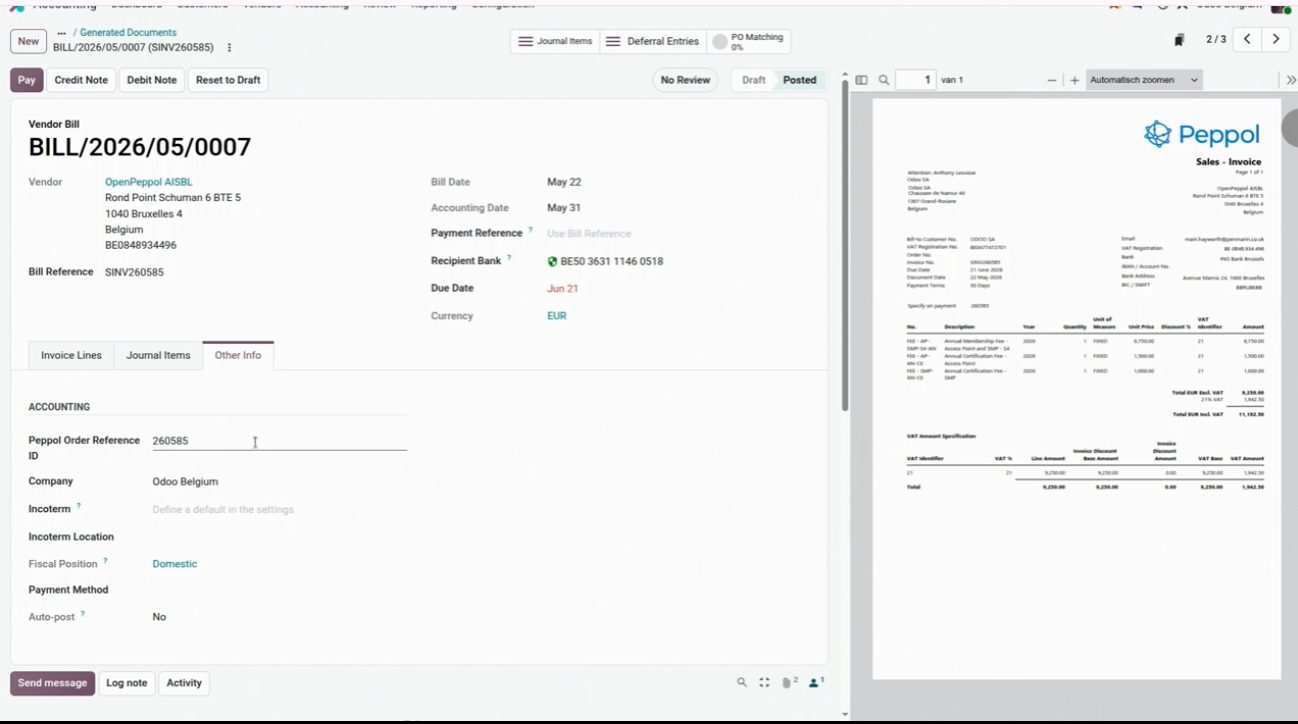
Peppol in the demo. Spain doesn't use that circuit.
Assets: useful life can be changed from the bill itself. If the asset is linked, you no longer have to cancel it to edit the journal entry.
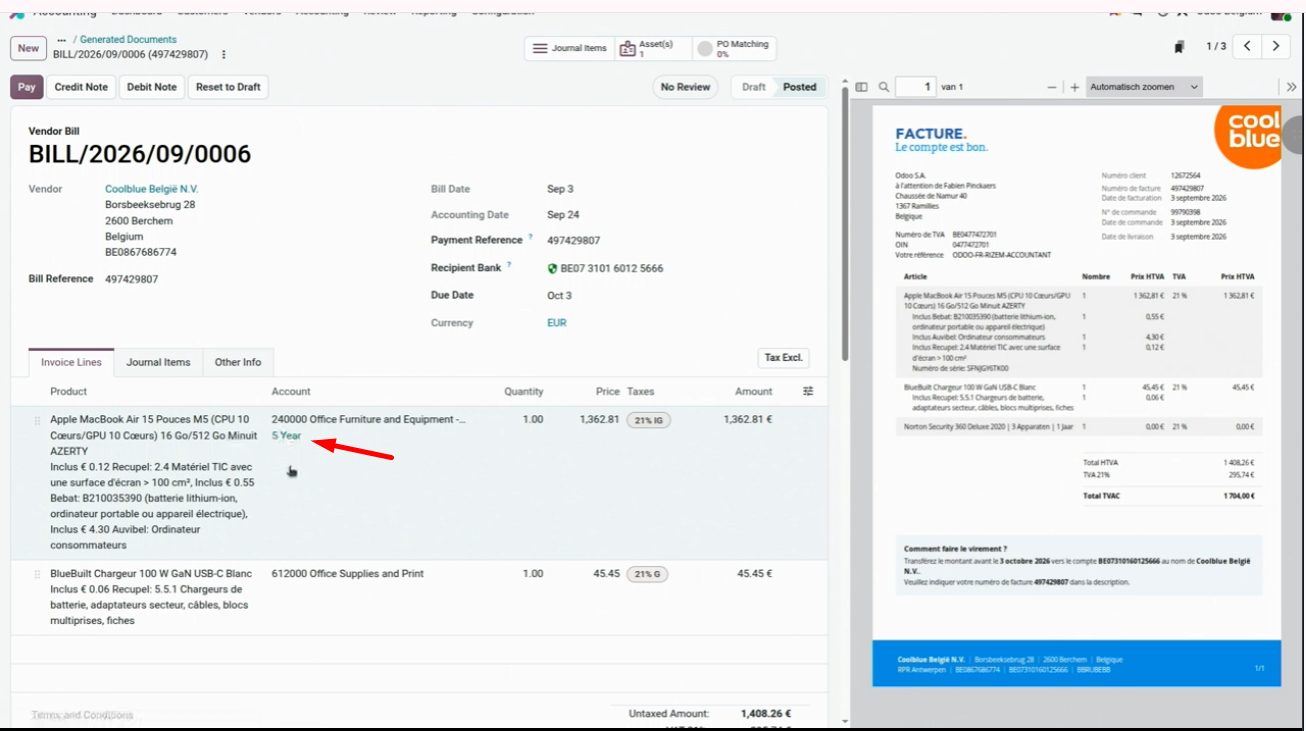
Asset creation from the bill. Depreciation years editable in the same flow.
One click merges several purchase lines into one. You can also split the entry if you want to post several assets, each on its own line.
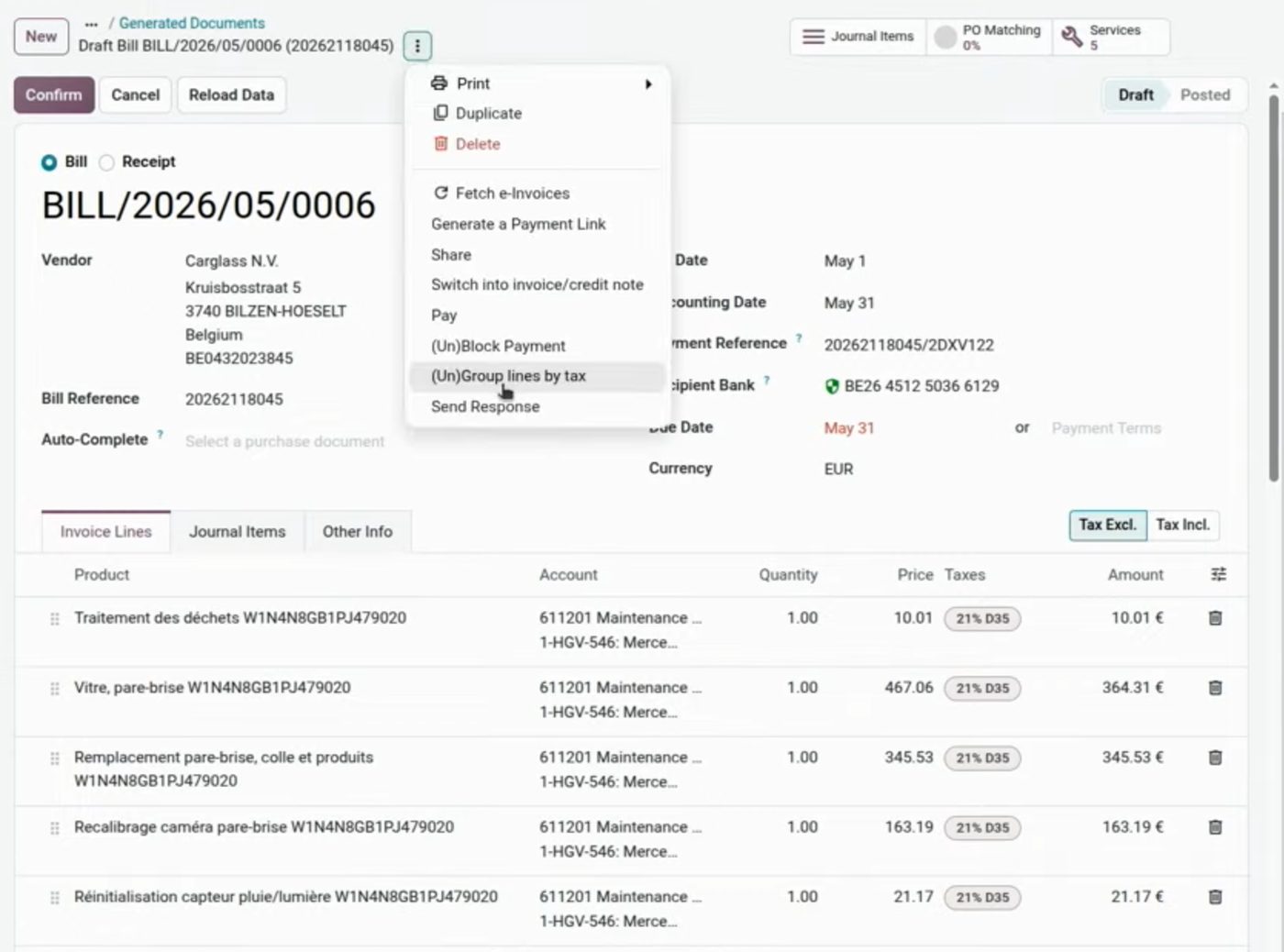
Line merge on the purchase bill. OX 2026 keynote.
Payments connected to the bank: you pay invoices and generate SEPA collection and payment batches, uploaded to the bank from Odoo. We'll see it in the October 1 course with the Spanish banking circuit. The demo is Belgian.
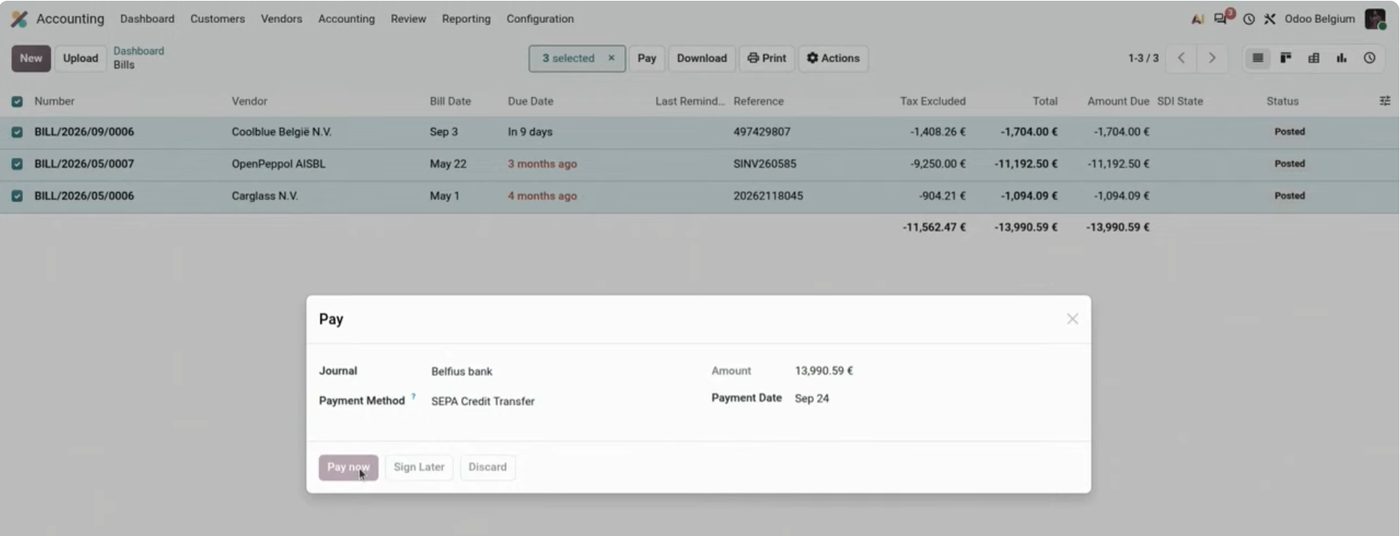
SEPA batch from Payments. The demo is Belgian.
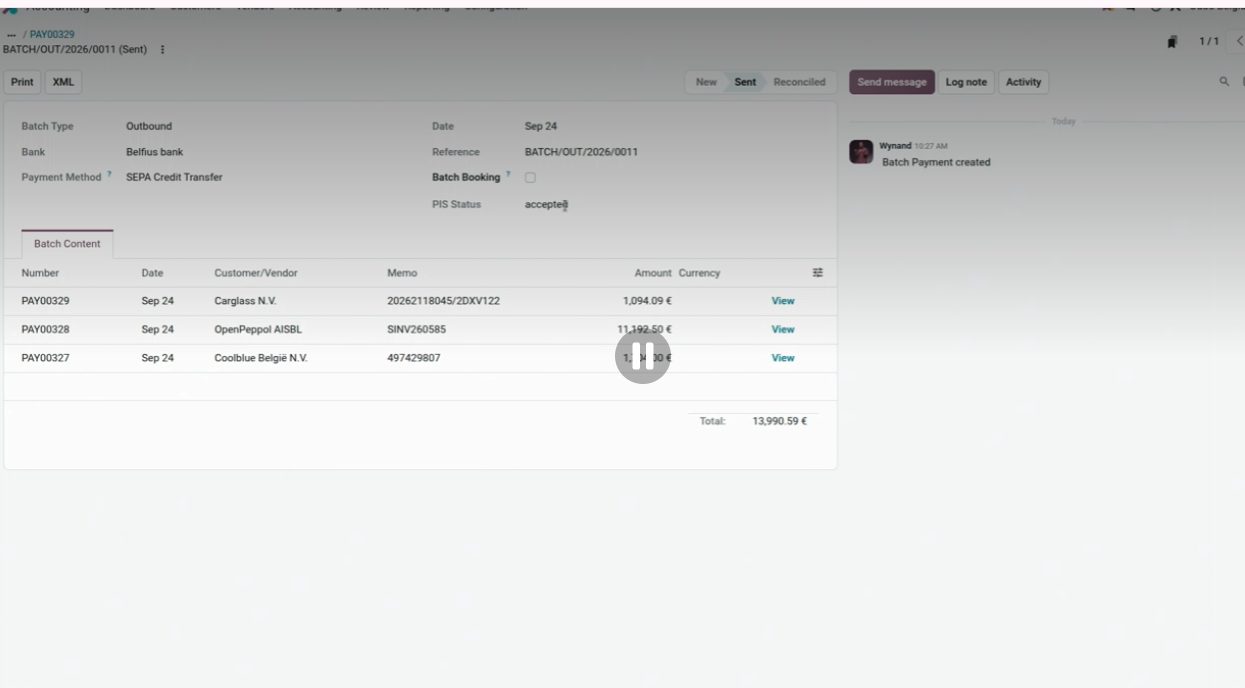
Batch generated and ready for the bank. OX 2026.
Accounting AI: a CFO report in seconds
There is an AI assistant for each area. The Accounting one generates a commented P&L (margins, costs, “red flags”) from a prompt. In the keynote it appeared in seconds. It doesn't replace the closing or the 303: it's a draft for the CFO. At Contaldia we have Aibecor, an AI created by tax advisors who are experts in Odoo; we'll be presenting it soon in a webinar.
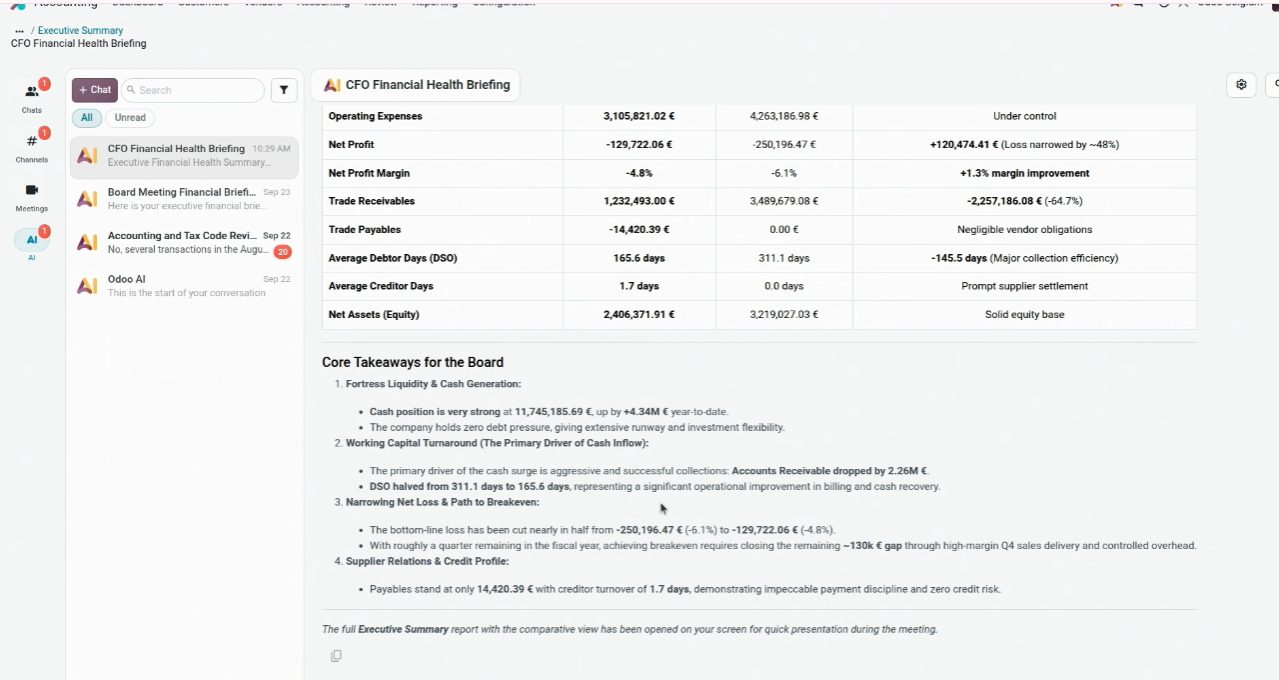
One assistant per area. OX 2026.
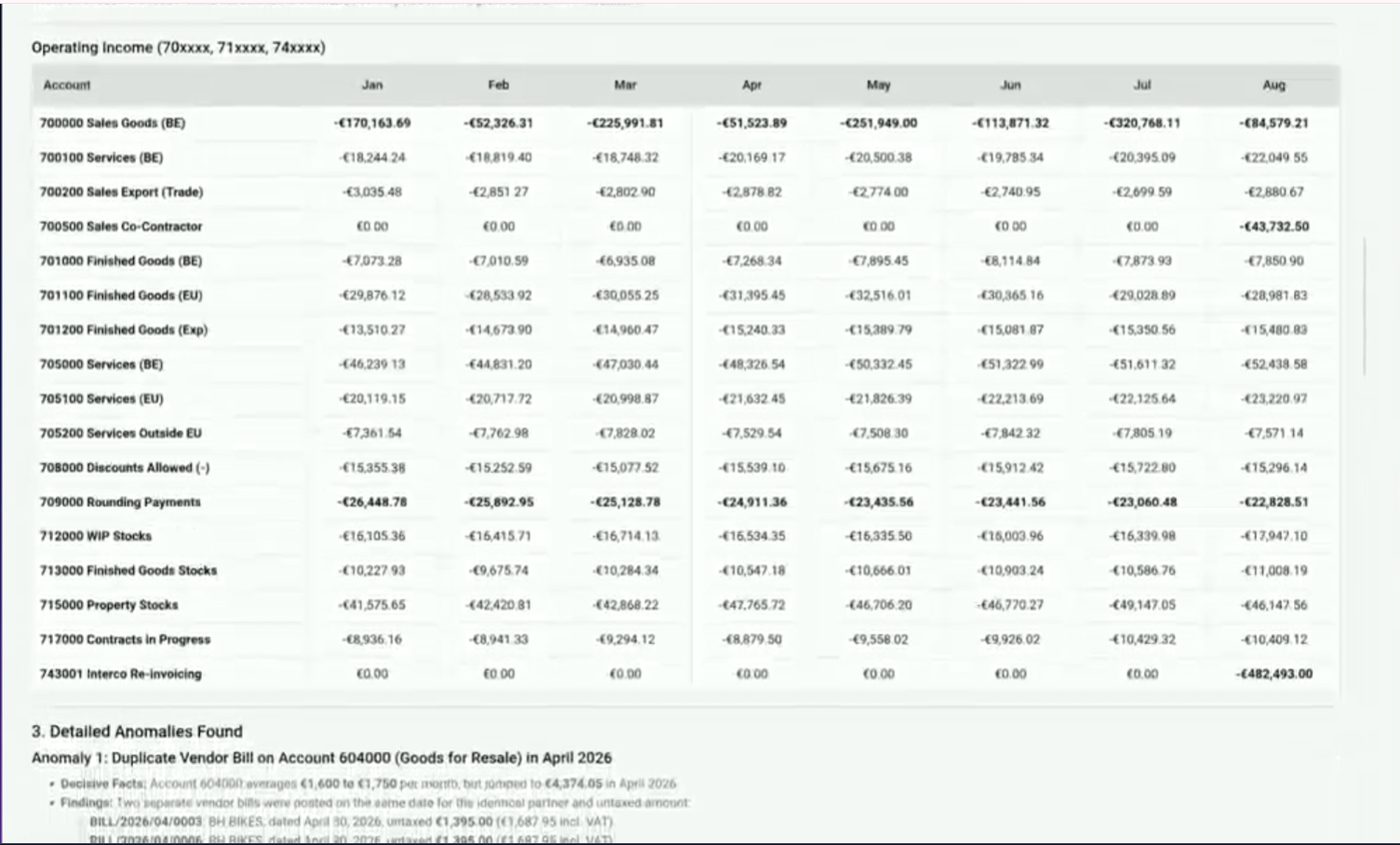
P&L generated by the Accounting assistant. Demo figures.
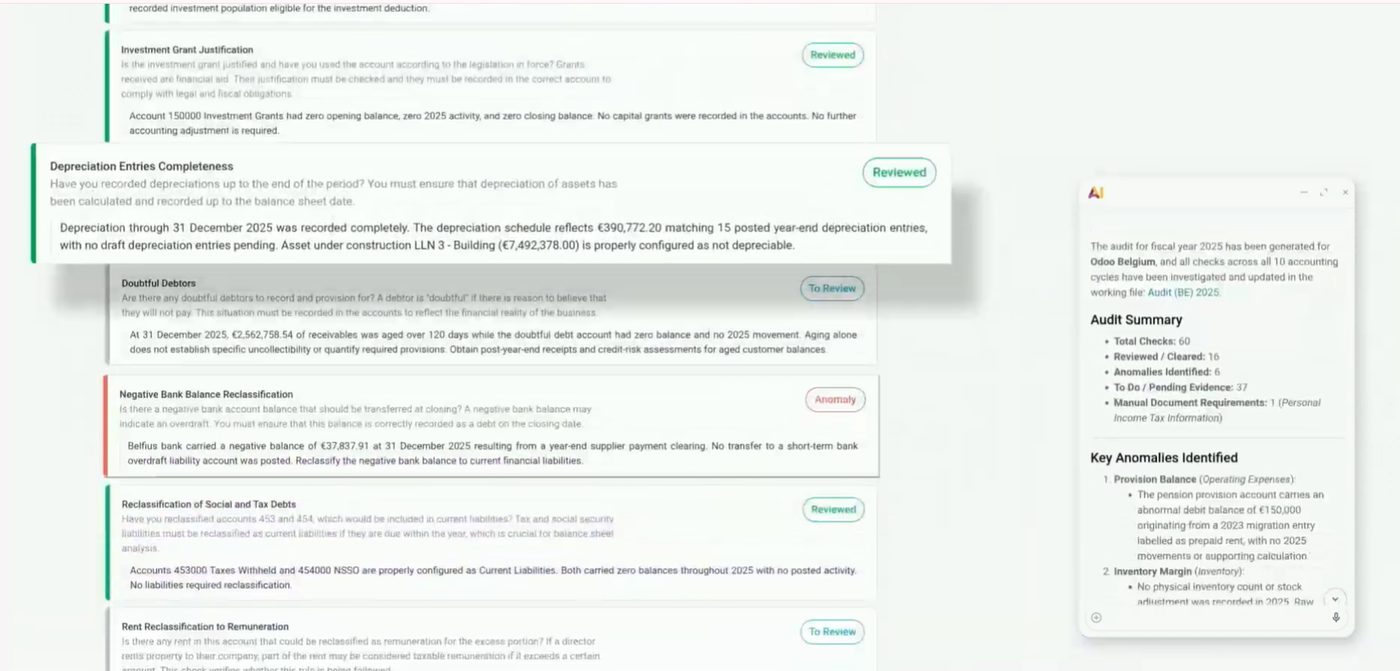
Commented report (margins and alerts). Demo.
Reports in multiple currencies, with the exchange rate at a given date. And consolidation / intercompany reconciliation in fewer steps than in 19. A major new feature if the group operates in more than one currency.
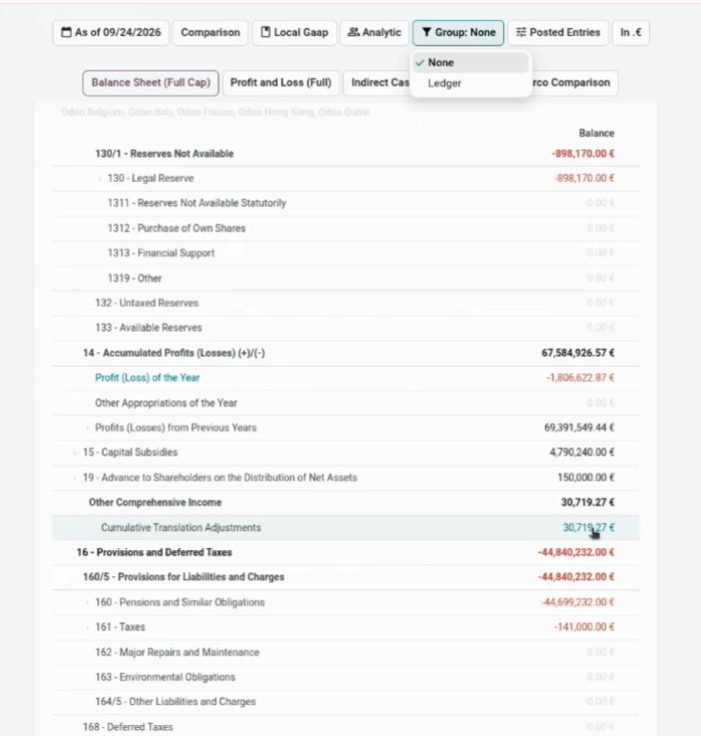
Currency selector in reports.
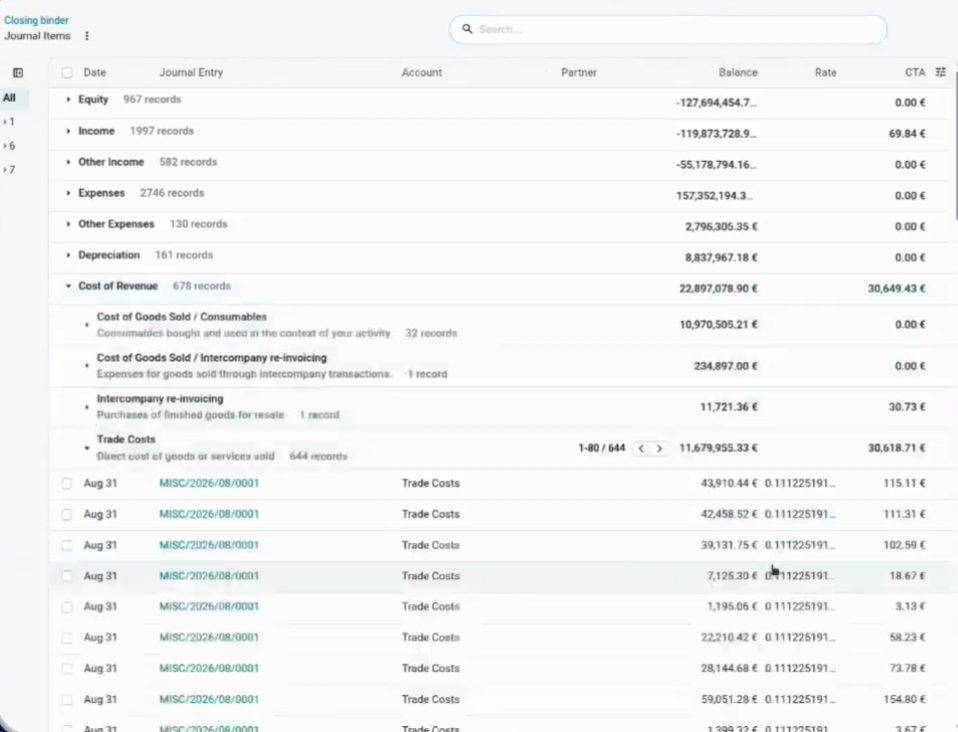
Tipo de cambio a una fecha. Keynote OX 2026.
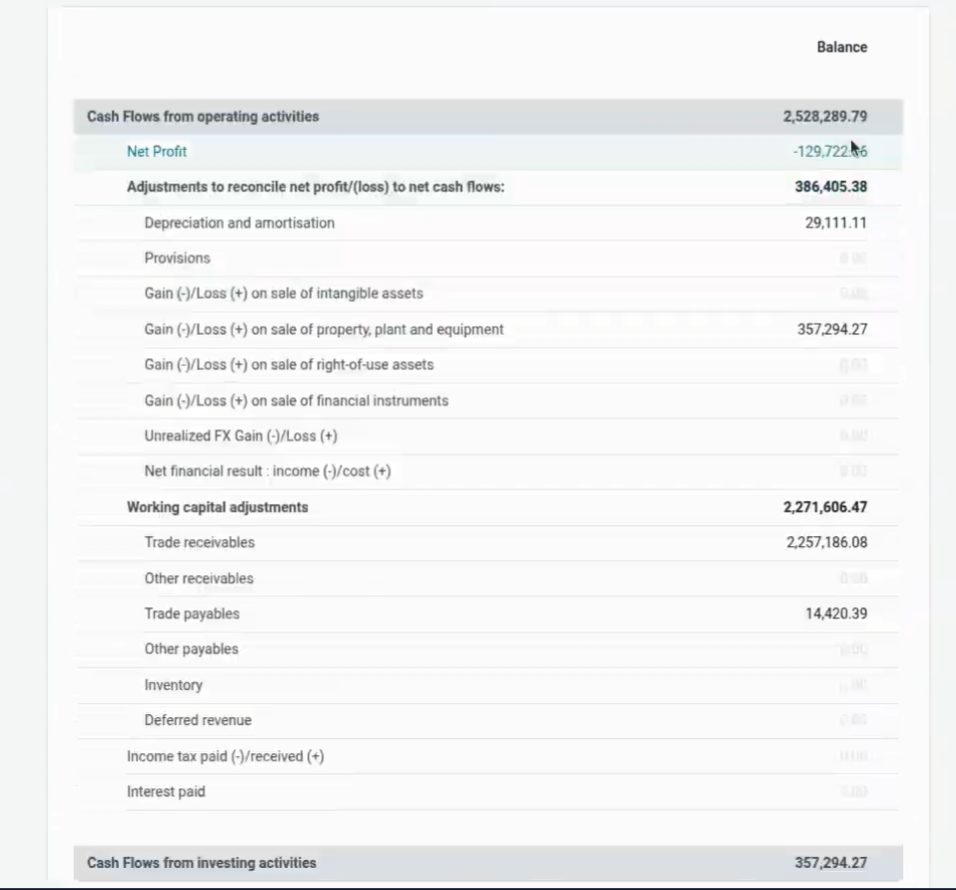
Misma cuenta en otra moneda. Keynote OX 2026.
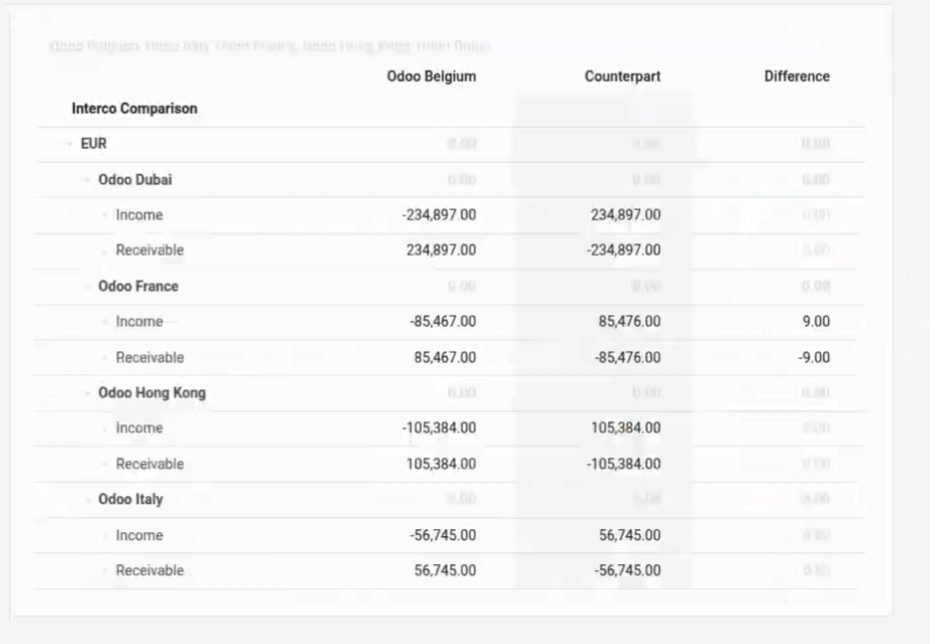
Company groups to consolidate. The demo uses US + BE; the pattern is the same for a Spanish group.
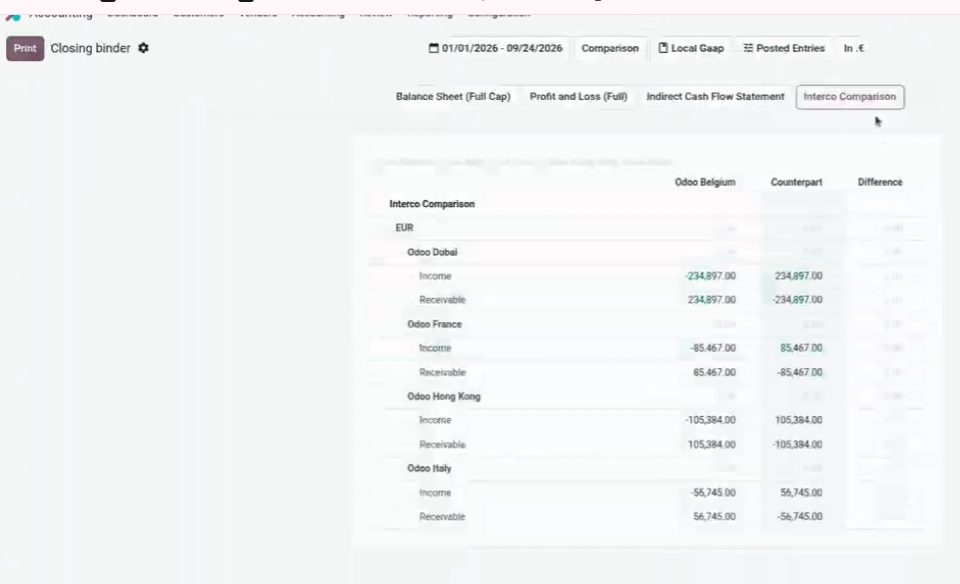
Conciliación / consolidación simplificada. Keynote OX 2026.
Restaurant POS: floor plan, allergies, offers and QR ordering
Floor plan that's easier to design. Reservations with each guest's allergies or conditions. Check-in on arrival at the table.
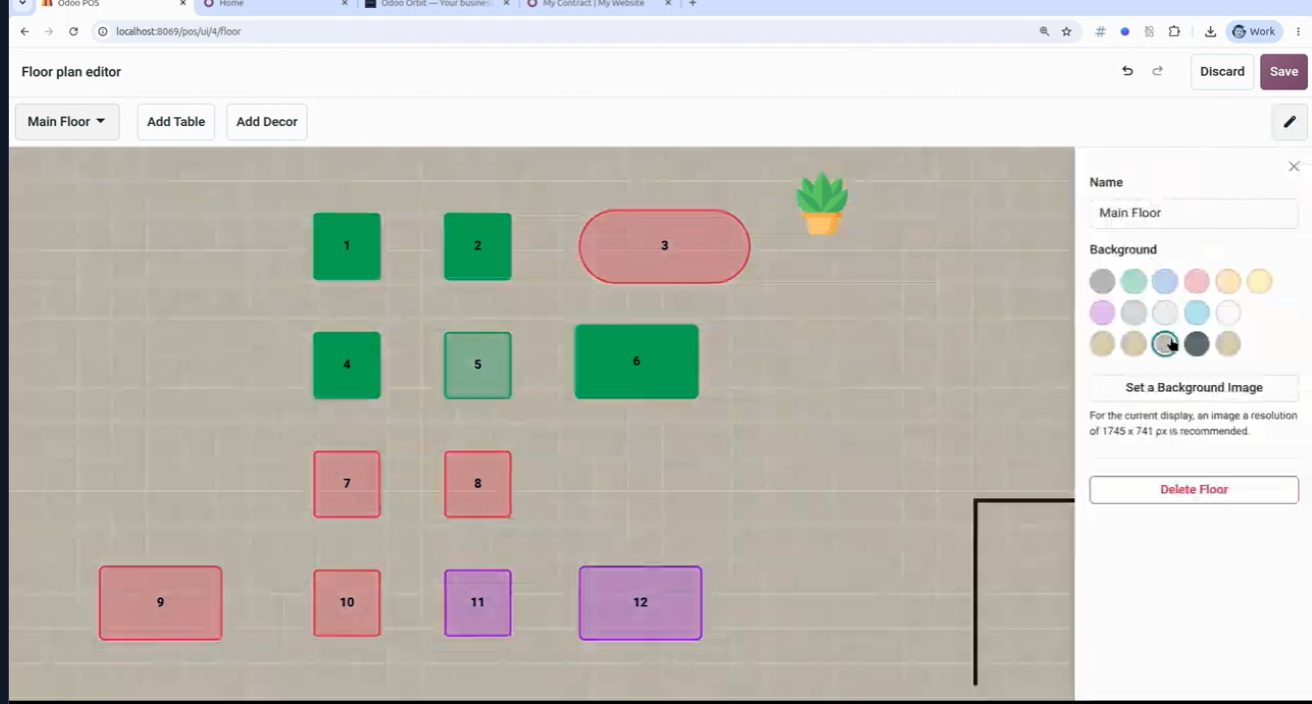
Floor plan del restaurante. Keynote OX 2026.
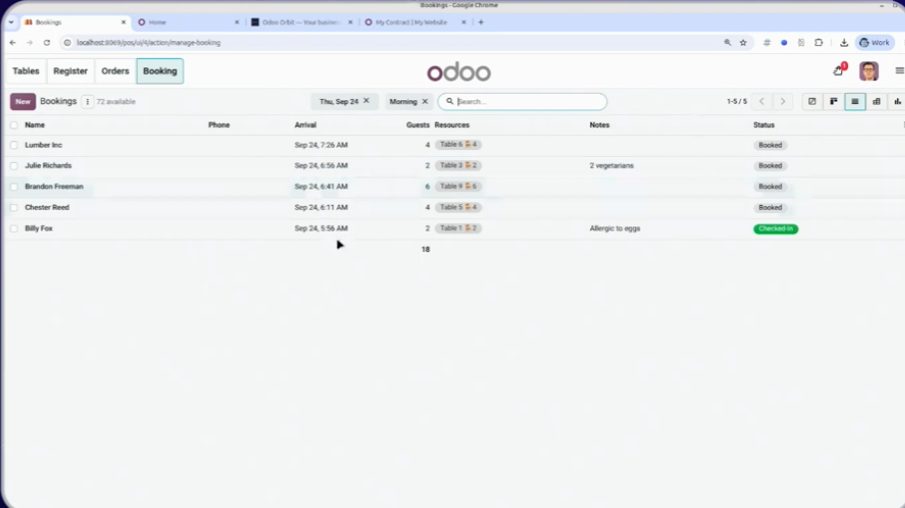
Guest allergies and conditions. OX 2026.
The POS detects offers and asks whether you want to apply them. The kiosk lets customers order from the table via QR code (mobile menu), for takeout or dine-in, and pay.
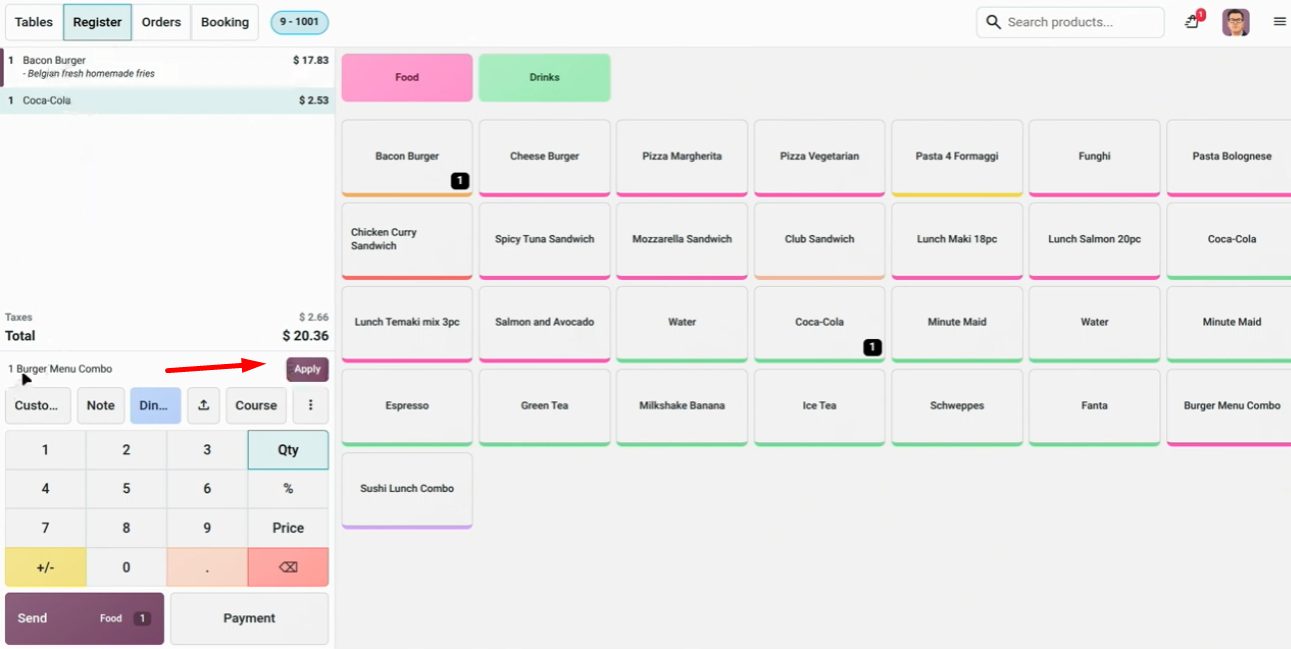
Oferta detectada en el ticket. Keynote OX 2026.
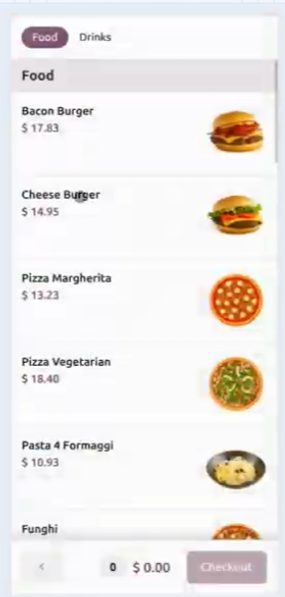
Table QR: kiosk-style menu.
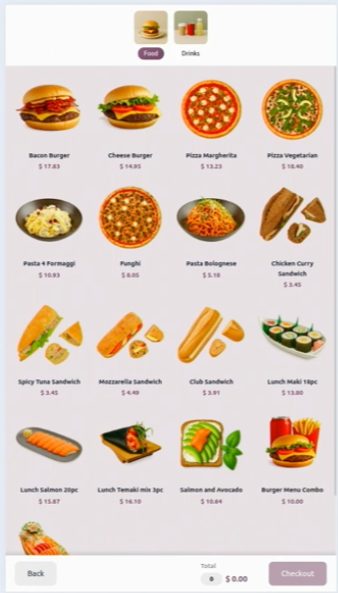
Mobile menu screen. OX 2026.
Reports: AI-powered pivots and spreadsheet dashboards
New pivot tables, created with AI, editable and savable. Fully dynamic. The dashboard remains a spreadsheet inside Odoo.
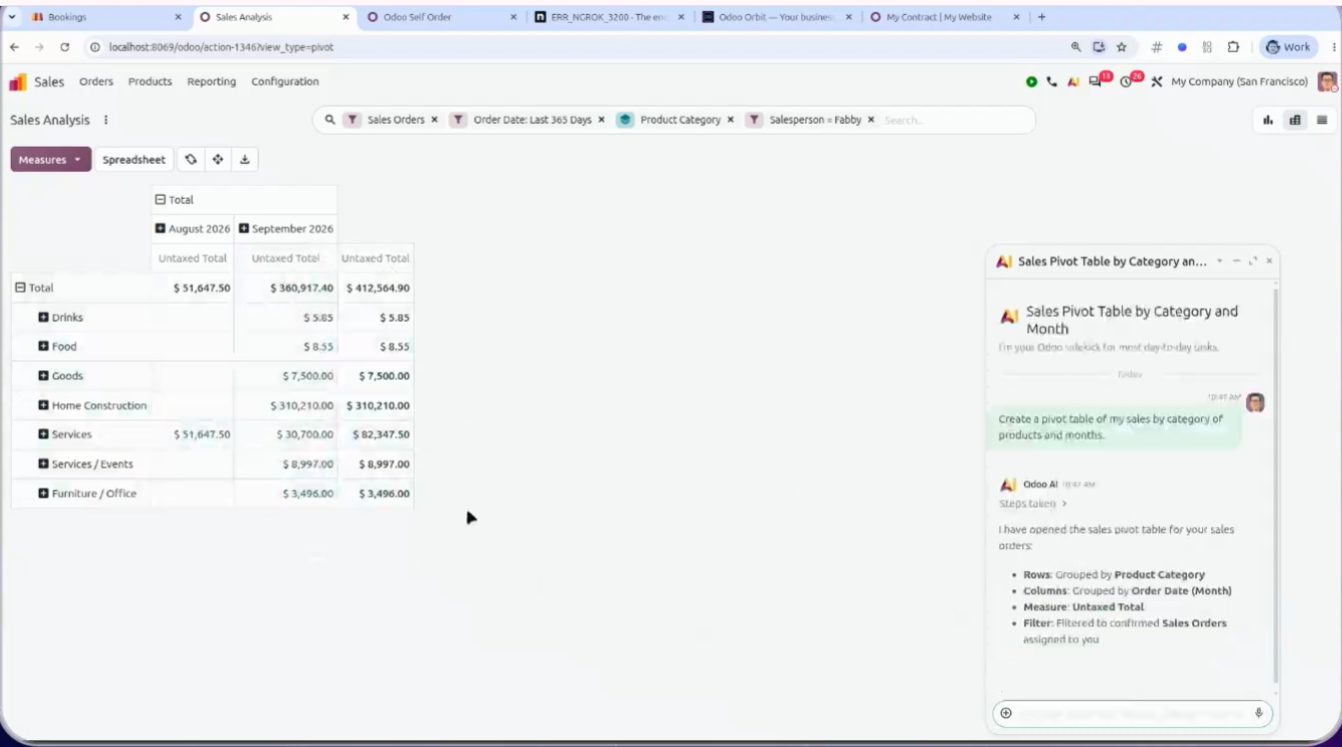
Pivot asked in natural language. It can be saved and reopened.
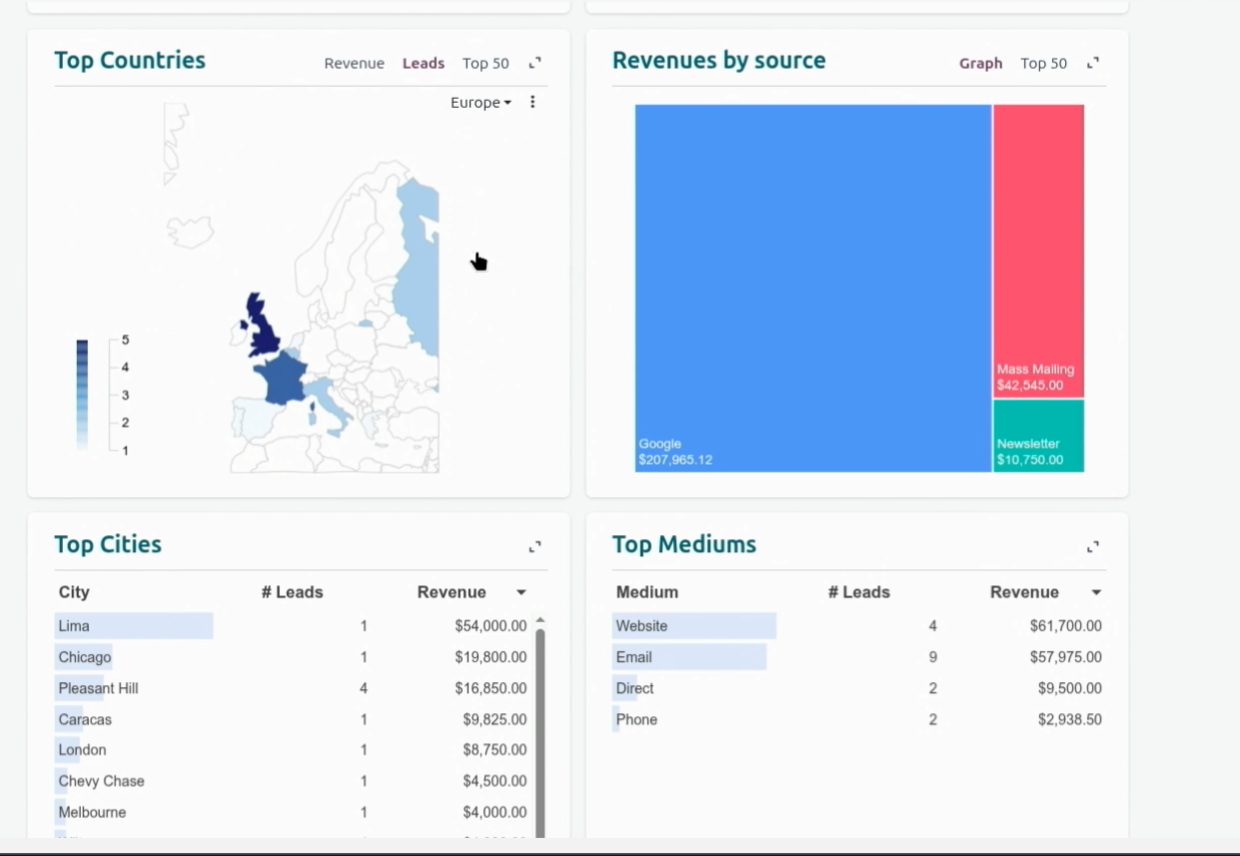
El dashboard es un spreadsheet de Odoo. Keynote OX 2026.
Native MCP: Claude, Gemini or ChatGPT connected to the ERP
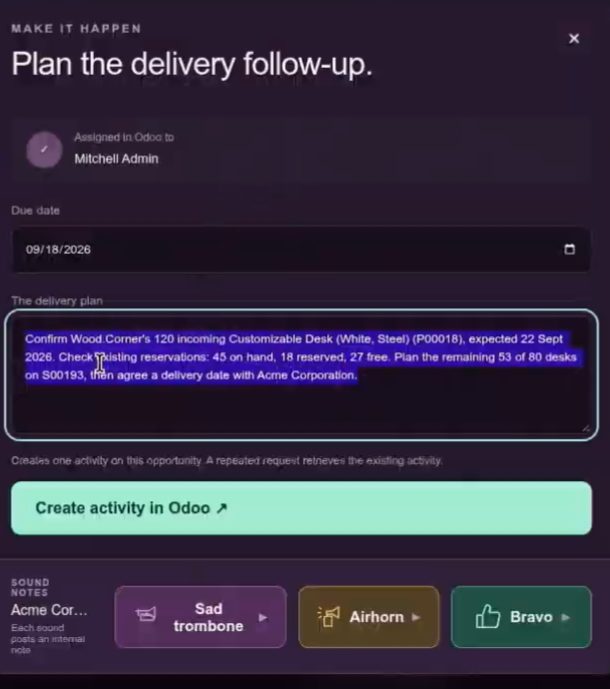
Odoo 20 includes a native MCP server. Claude, Gemini or ChatGPT connect to the ERP without a third-party connector. In the keynote, Fabien built with Claude (he said in two hours) a dashboard with data by country, featuring the avatar of Antony, Odoo's virtual CFO: alerts to the CEO, cash and margins.
Native MCP: the AI client talks to Odoo. OX 2026 keynote.
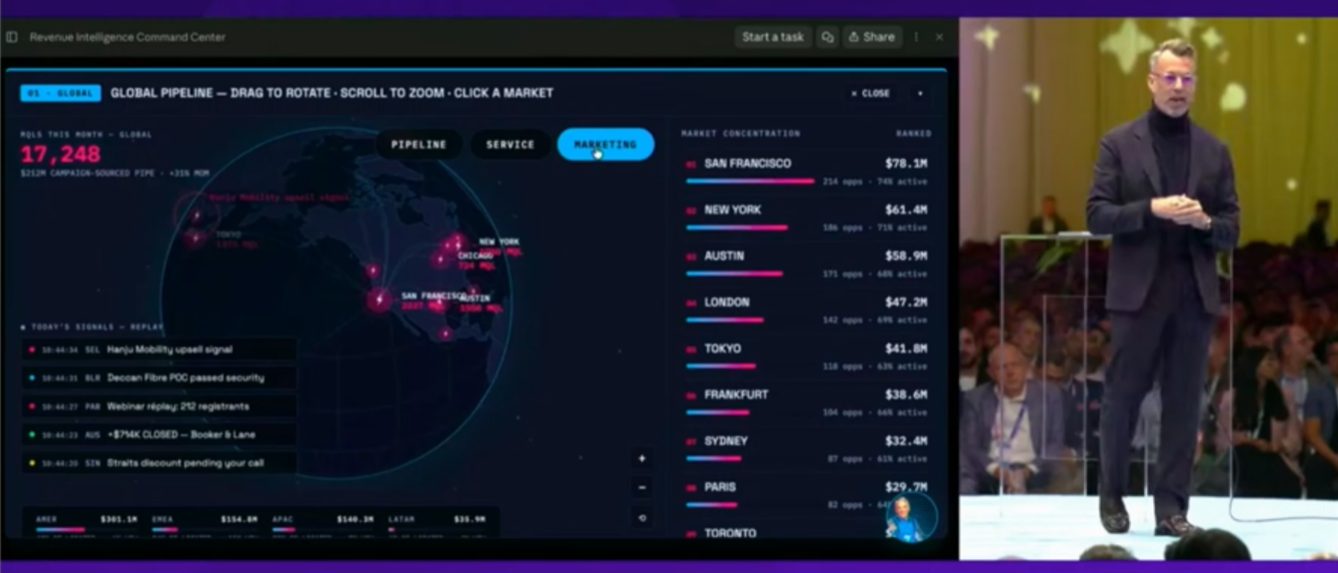
Global pipeline over MCP. Demo.
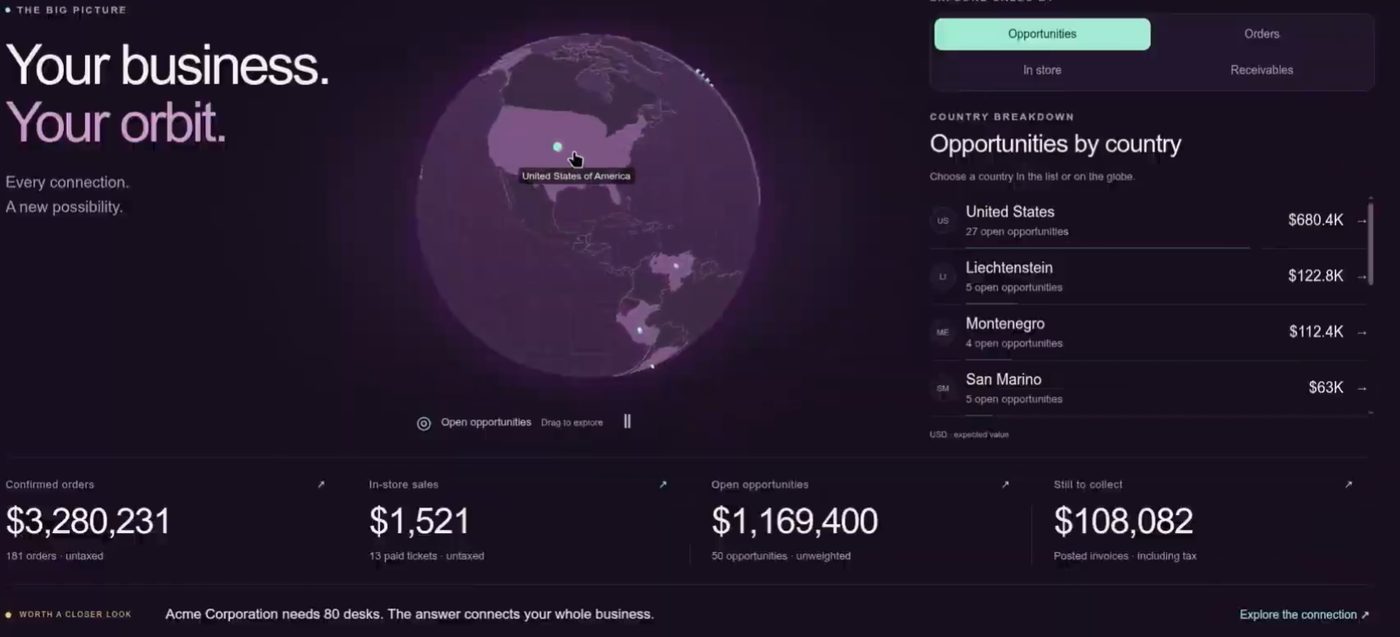
Antony (virtual CFO) and the country panel built with Claude over MCP.
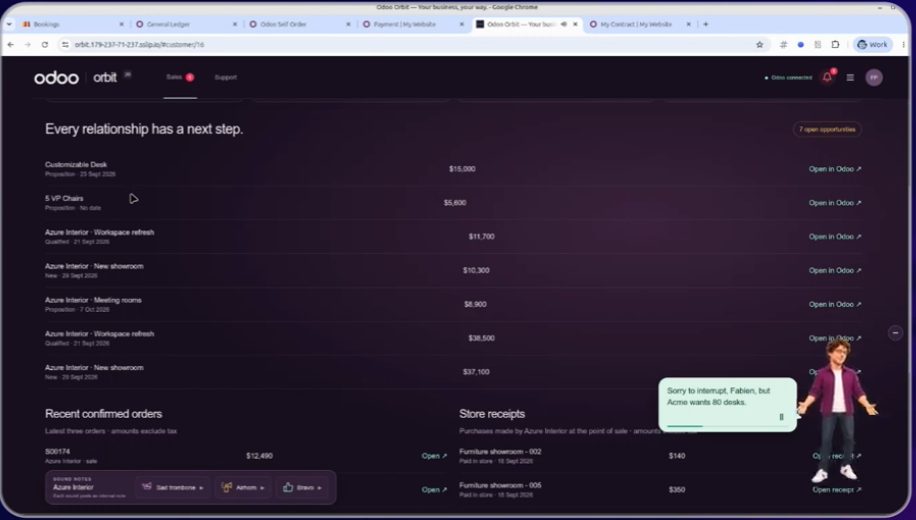
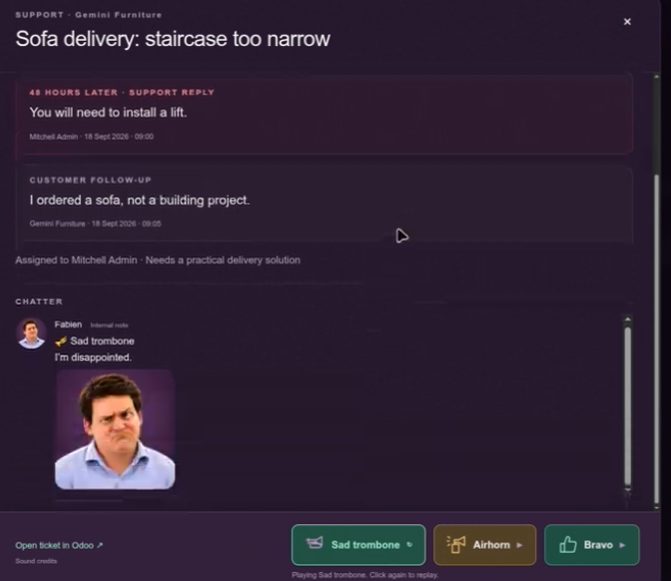
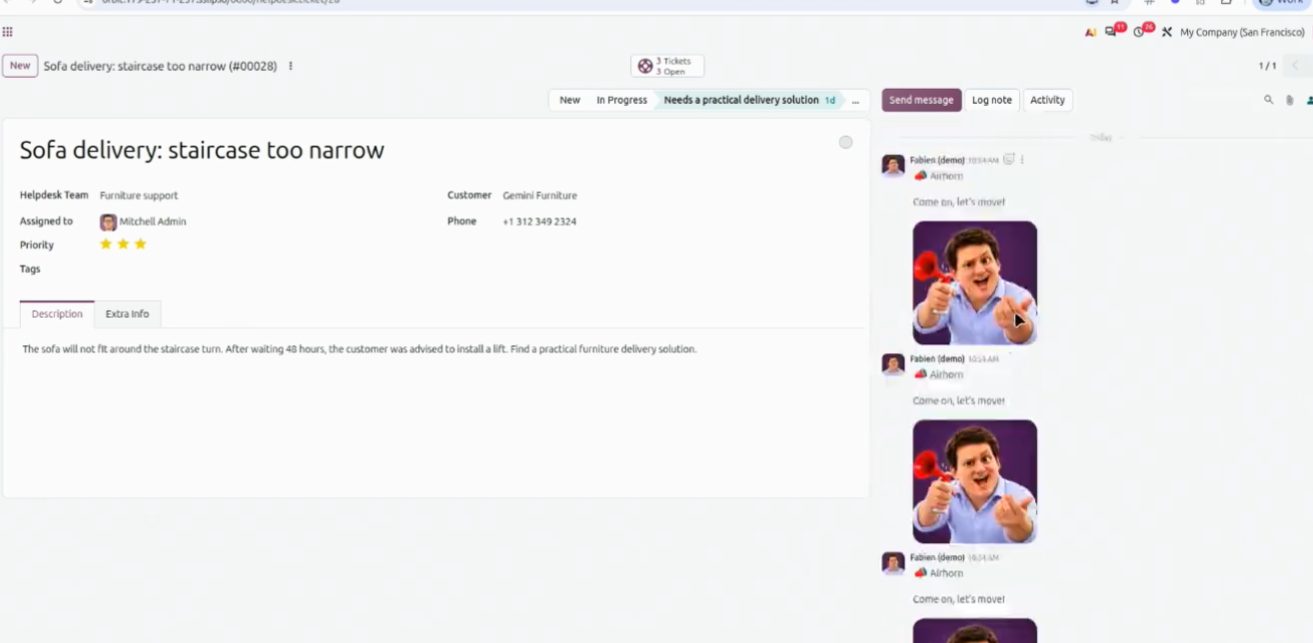
Orbit: the avatar interrupts with an alert. Demo.
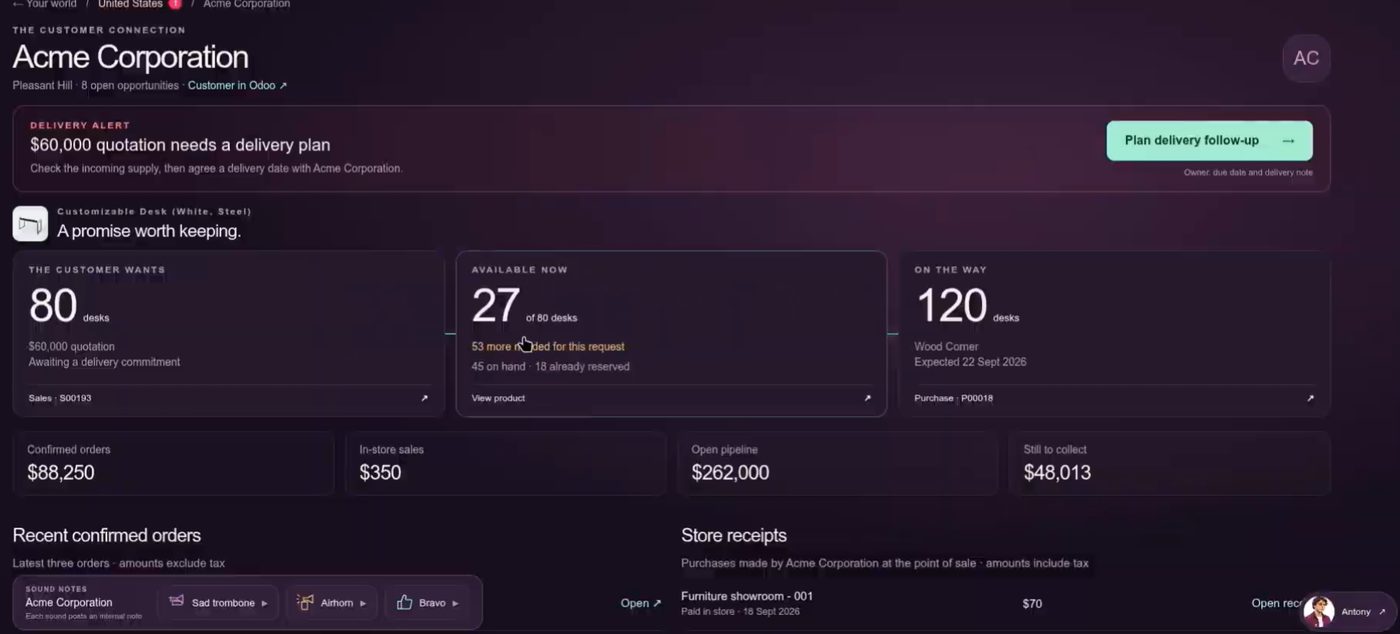
Business status by country. Demo figures.
Dashboard detail. OX 2026.
Alerts to the CEO. Demo.
Cash and margins in the same view. OX 2026.
Agents: skills, knowledge and triggers
Agents are a new app: skills, knowledge and triggers. Examples from the keynote: an email that prepares the order; another that creates an appointment; product images; SEO and website snippets; an accounting assistant you can ask about cash flow; AI that organizes documents and looks up data. Product AI remains Enterprise. Community 20.0 does not include the ai module.
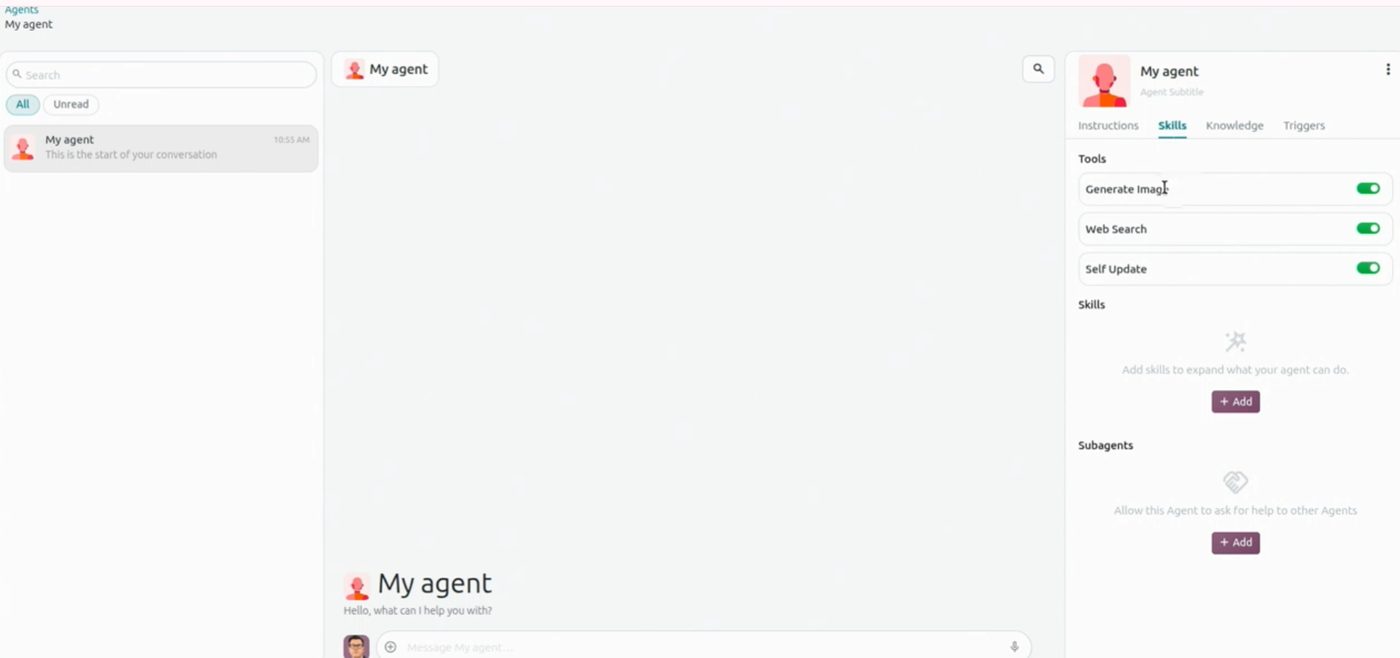
Agents: skills + knowledge + triggers. Slide.
Odoo contrasts it with “putting a chatbot on top of another ERP”: here the model works with the same data as the entry, not with a copy.
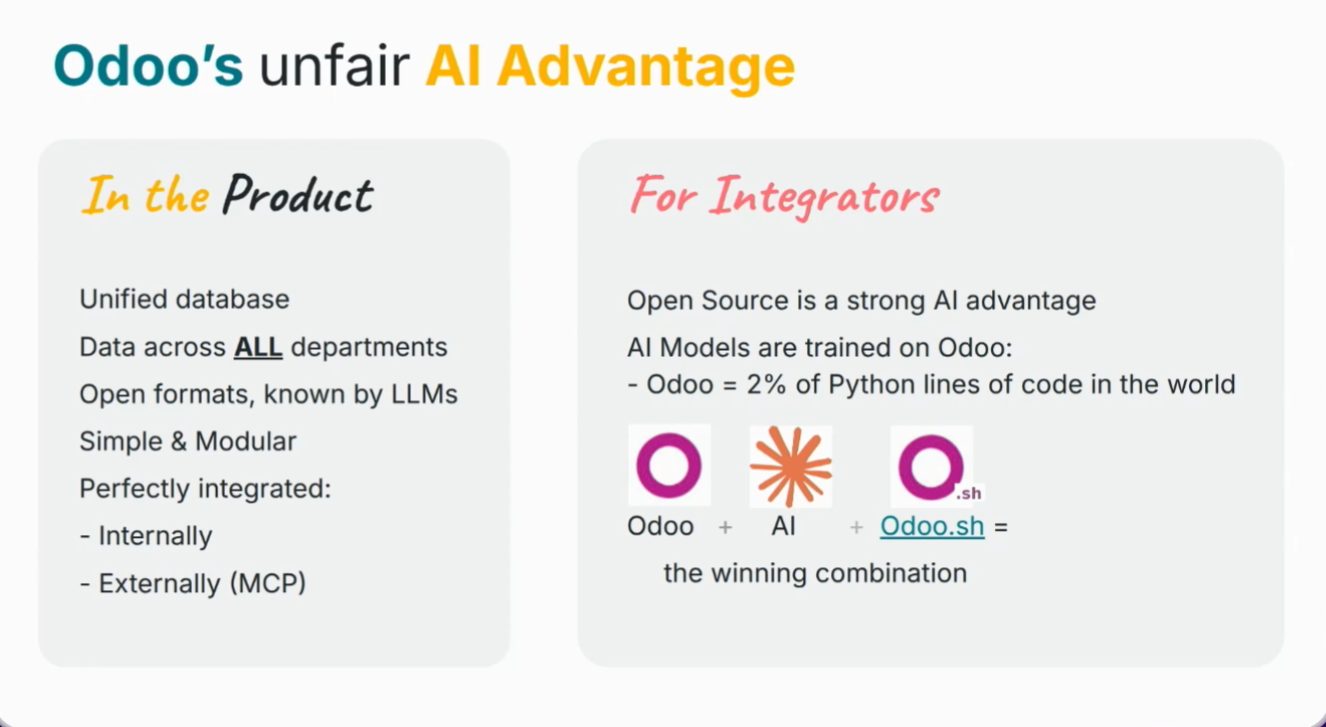
Diapositiva de ventaja vs otros ERP. Keynote OX 2026.
Price: Custom at €35.90 and Light user at €7.90
On the pricing slide (yearly): One App Free and Standard do not change (€0 and €19.90). Custom drops to €35.90 / user / month (44.90 struck through; Odoo presents it as 20% below inflation). New Light user at €7.90 / user / month. Keynote figures, not a Contaldia offer.
Earlier, Fabien added up ERP + CRM + POS + eCommerce + e-signature + HR from other vendors: €458 / user on the slide. It is his comparison, not a Contaldia study.
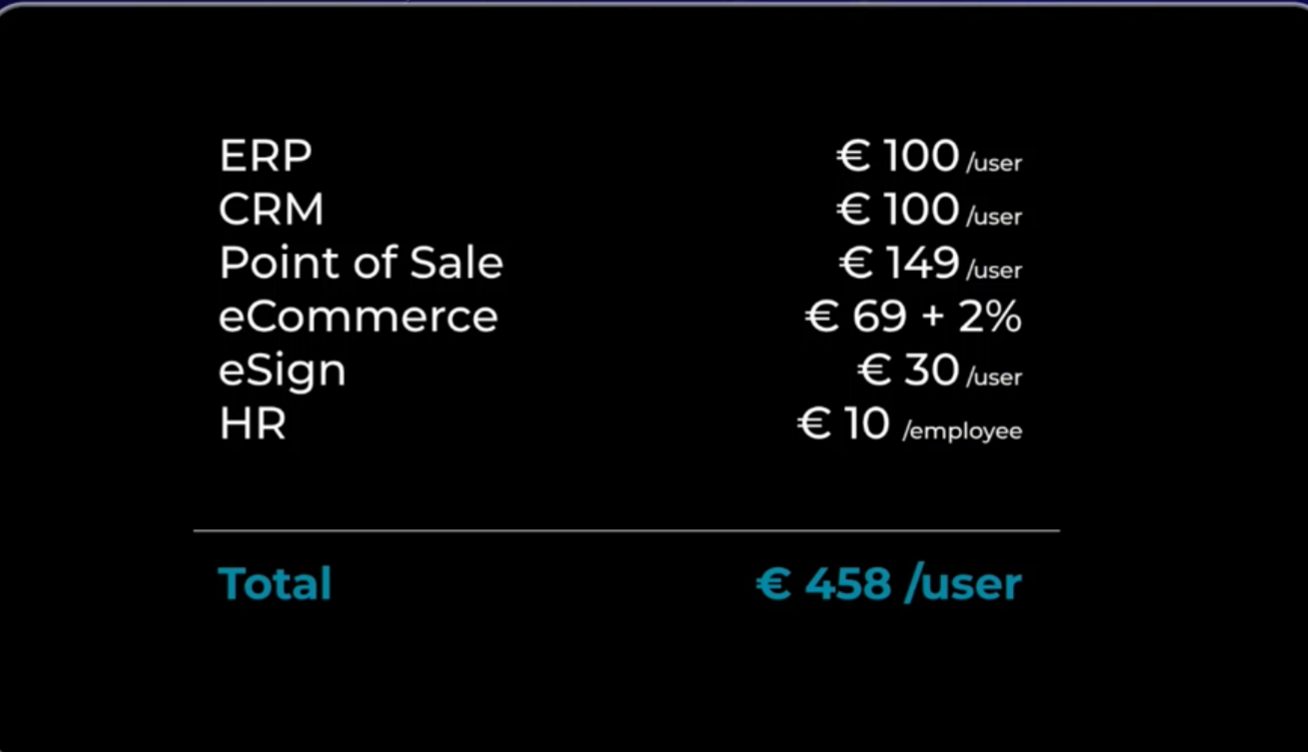
Suma de aplicaciones de terceros: 458 € / usuario. Diapositiva del keynote.
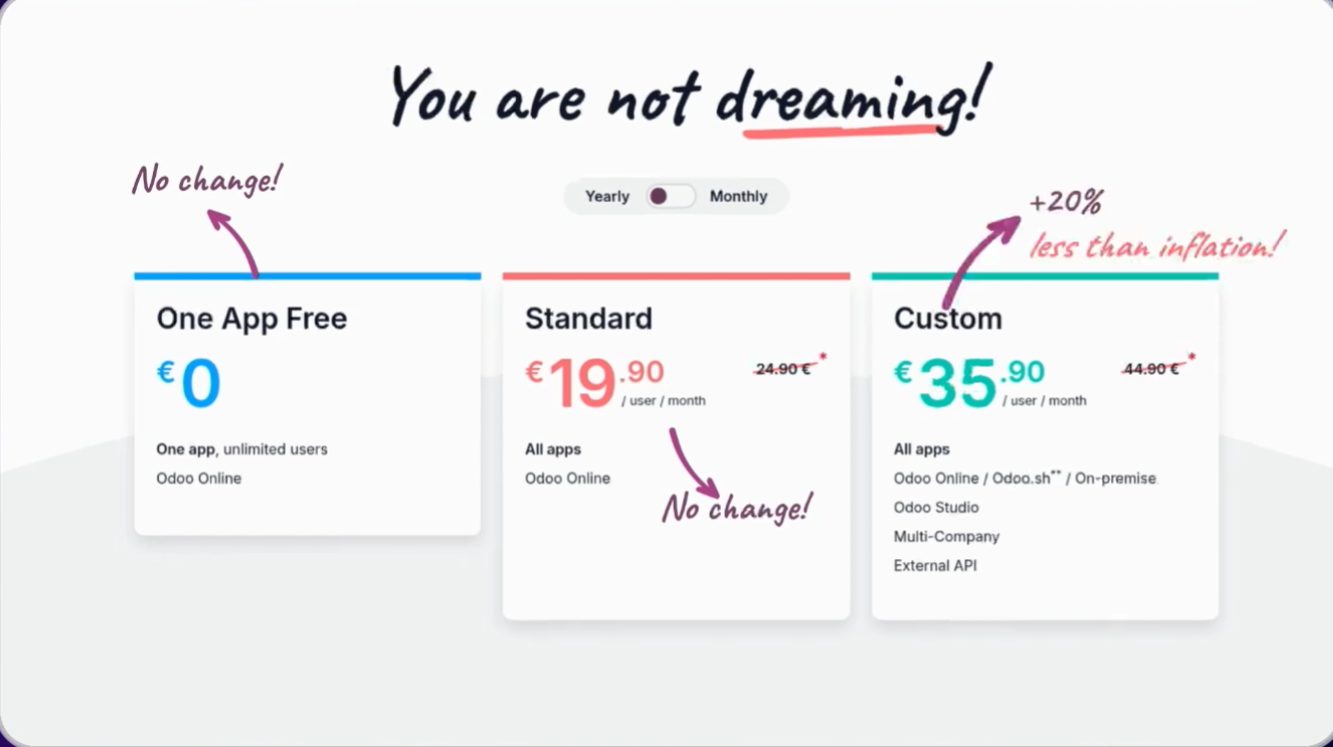
Misma comparativa, lado Odoo. Keynote OX 2026.
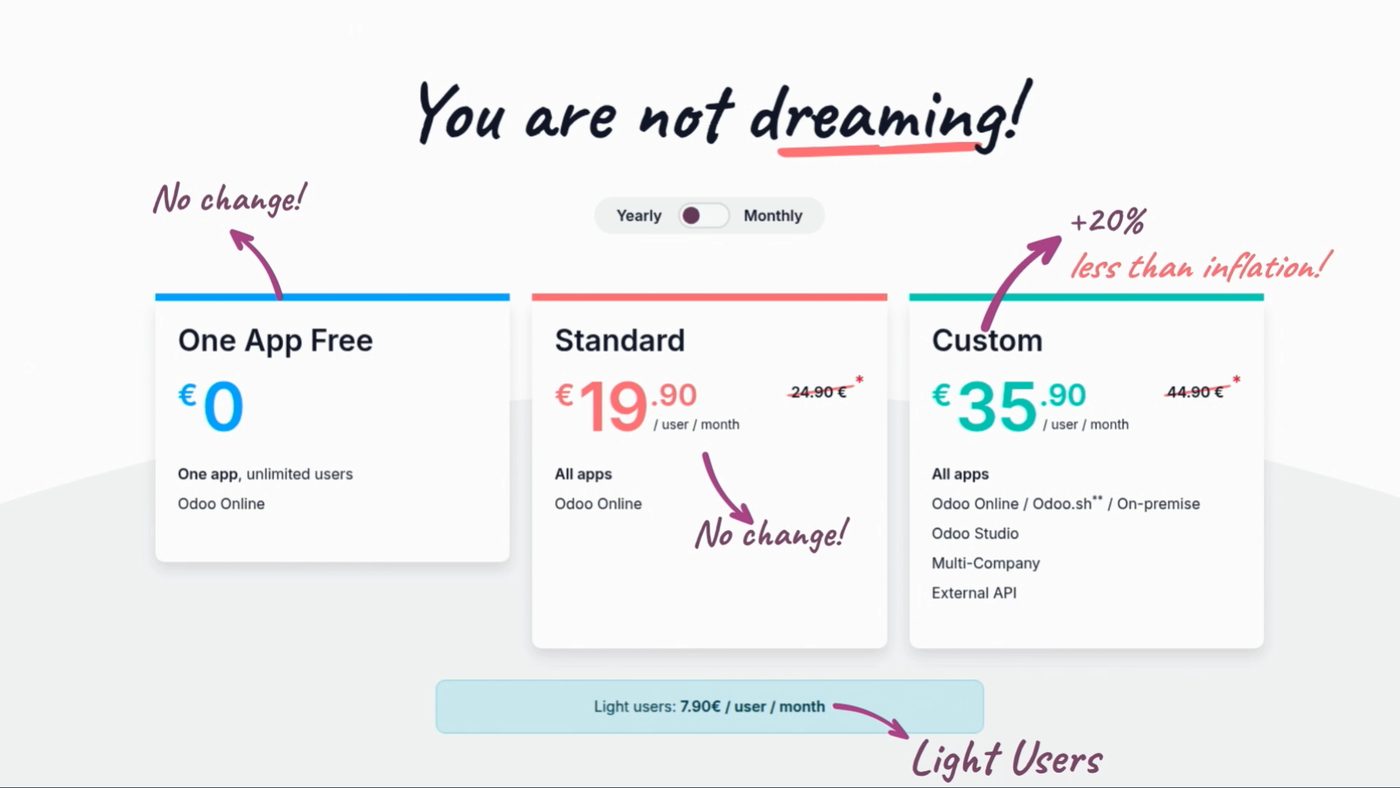
Prices shown in the keynote (Yearly toggle). Light users: €7.90.
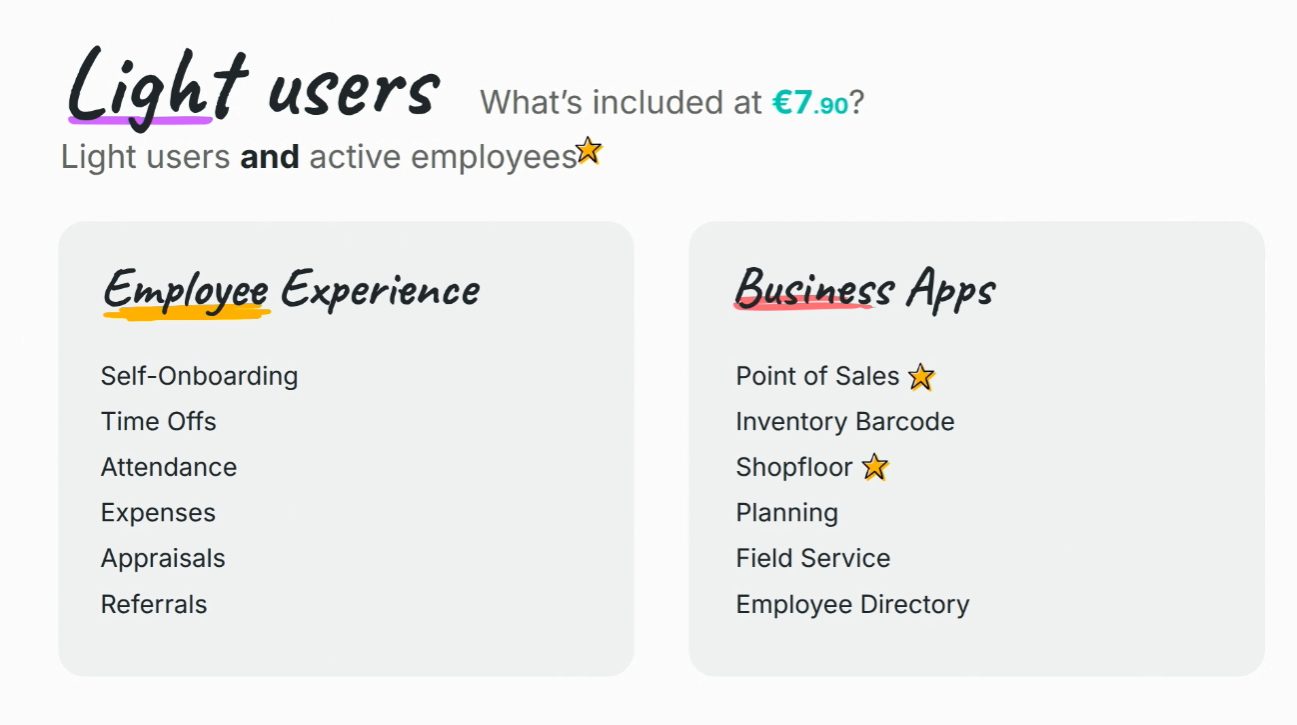
Light user at 7,90 €. OX 2026.
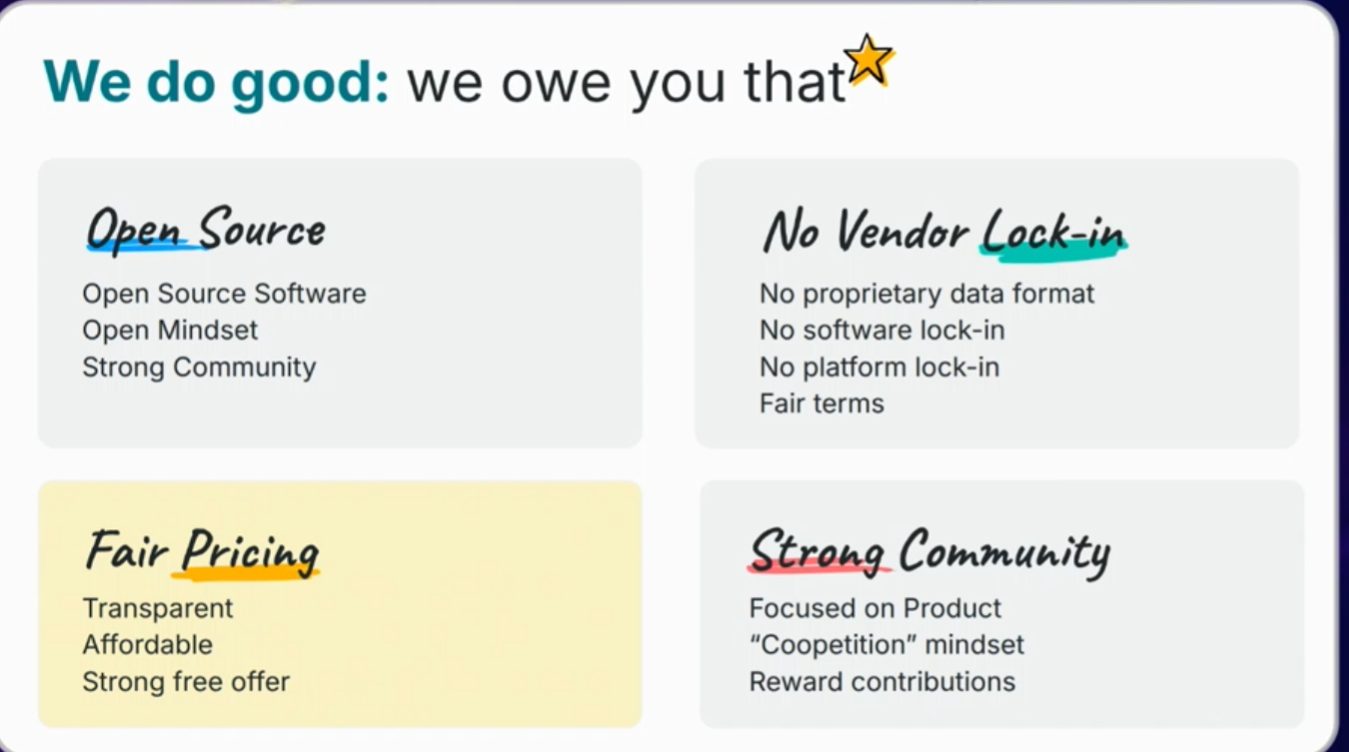
Cierre del bloque de precio. Keynote OX 2026.
How we will look at it
Contaldia has been on Odoo since 2009. On 1 October, at 16:00, the online updates course: what of this touches the closing, the 303 and the bank in Spain, and what is worth waiting for before upgrading a production database.
On 29 October, from 12:00 to 14:00, the full Spanish accounting course on Odoo 20.
Sources: Fabien Pinckaers keynote, Odoo Experience 2026 (Brussels, 24 Sep); session notes (Contaldia); branch odoo/odoo 20.0 (Community, no ai module). As of 24 Sep 2026 Odoo had not yet published formal 20 release notes on odoo.com. What only appears in partner blogs we still treat as rumour. The figure “49 AI features” is not in the keynote or official notes: we do not use it.
October 1 · 16:00 · online
Odoo 20 news, live. Limited spots. Free for the first 100.