
The LegalSign webinar is now on YouTube. A good half hour (32:16). José Ramón, manager at Data Analysis Consultores, showed advanced electronic signature on Odoo Sign, in both Community and Enterprise. Albert and Uriol moderated. Contaldia has been using it for two or three months: it is sent like any other document.
If the PDF has to stand up in court, Odoo’s native signature falls short. LegalSign adds unique identification, hashes and a trusted third party. The seal is not applied by Odoo.
the full video
session with Enterprise demo
evidence report
hashes, device, protocol
remote validity limit
the third party allows no more
What LegalSign covers
José Ramón is an Odoo partner. They have been implementing for more than ten years. He presents Odoo’s native signature (Community and Enterprise) as insufficient in legal evidence. LegalSign covers the eIDAS advanced signature, with trusted third parties. They do not implement the qualified one: it requires qualified certificates and special devices on the signer’s side.
Three pillars. Unique identification: email, SMS and positioning. Cryptographic traceability with hashes; the keys are held under notarial protocol and are not handed over except to a court-appointed expert. Time stamping. Odoo does not manage those platforms.
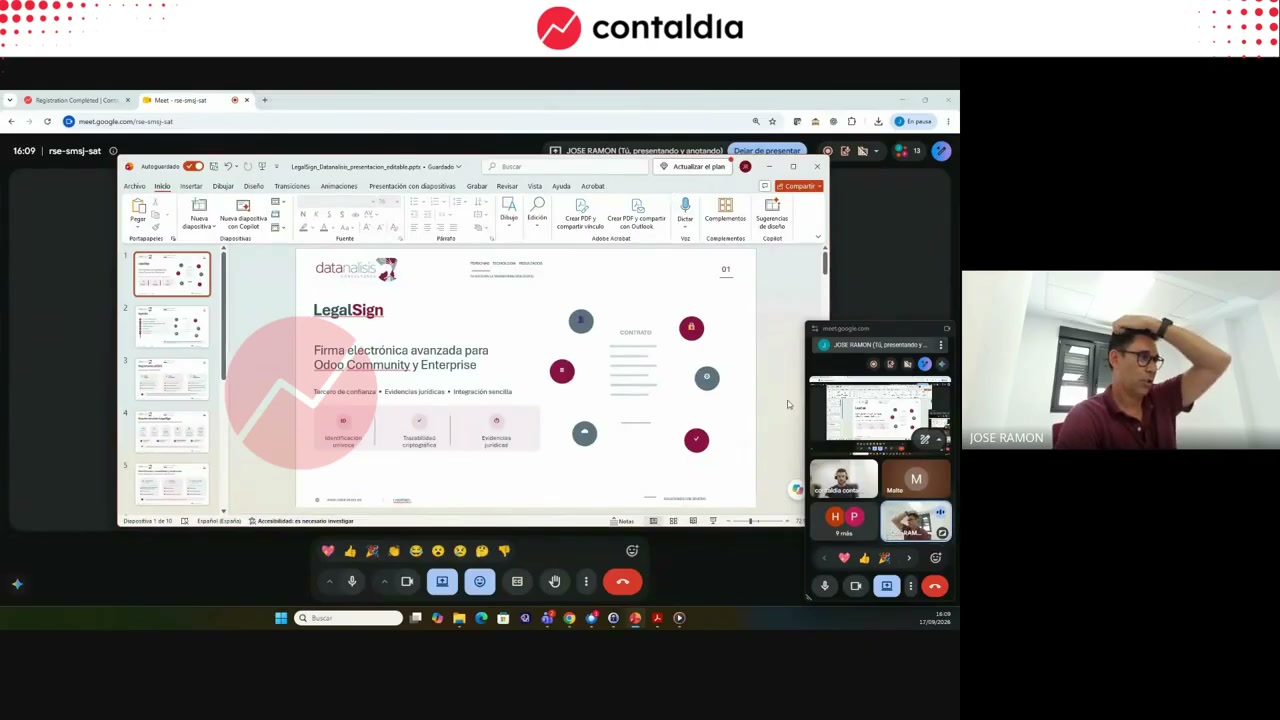
Session objective: evidence that can be defended in court, integrated into Odoo’s modules. Webinar screenshot.
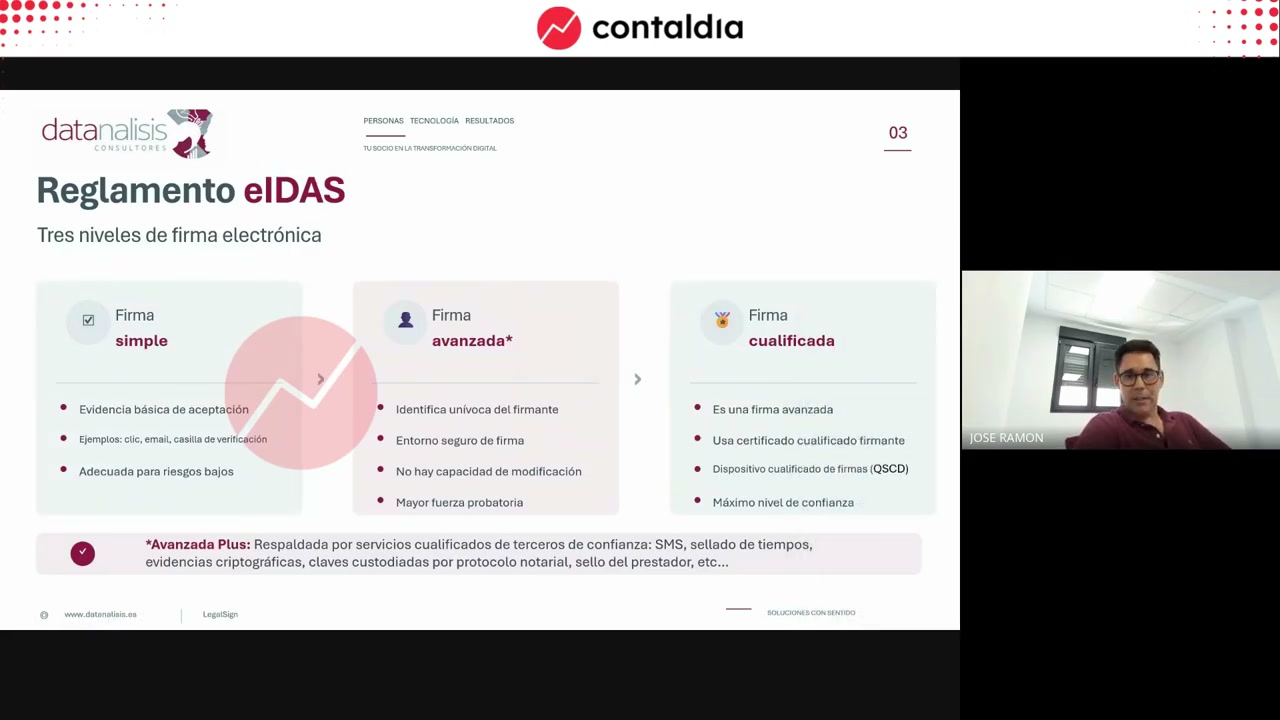
Simple, advanced, qualified
Simple: no legal guarantee. In the video, a checkbox on a web form or stamping a JPG/PNG with the signature.
Advanced: the one LegalSign implements. Unique identification of the signers, a secure environment from start to finish, and hash encryption so the document cannot be modified, not even by whoever starts the workflow. It is backed by qualified services from a trusted third party (SMS, time-stamping, key custody).
Qualified: they do not implement it. The workflow would depend too heavily on the origin.
Two paths
Biometric signature: in person, "similar to a handwritten signature" under the regulation. It captures speed, points of greater or lesser pressure, and the tilt of the pen relative to the screen.
Remote signature: signers who are not present in person. The workflow jumps between them and collects email, SMS and geolocation. It can also be signed with a mobile phone, via QR.
In both cases Odoo controls the start. LegalSign takes over the process and orchestrates the trusted providers. Identification and evidence are recorded. The PDF and the report return to Odoo.
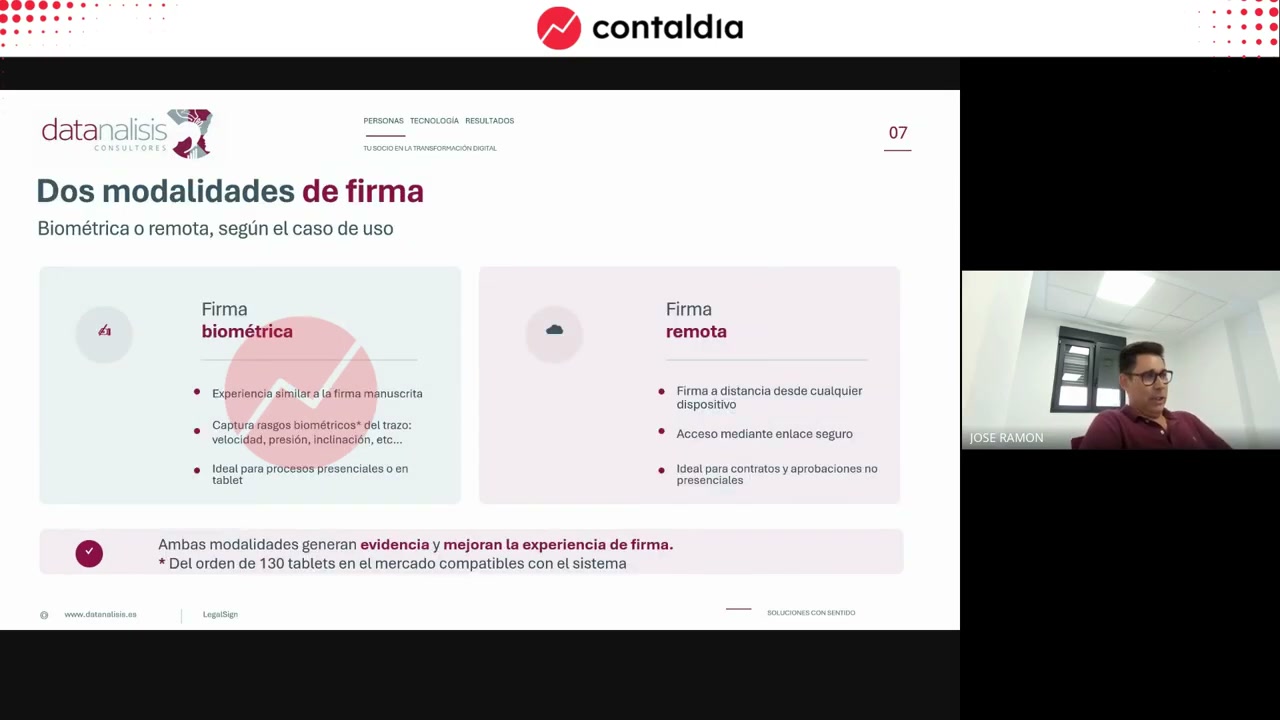
Remote or biometric. Compatible, depending on the session, with more than 100 commercial tablets. There is no single model.
Preparing the document in Sign
The demo uses Enterprise, on top of the standard Sign module. LegalSign is built on top of it. They do not add extra windows. Community exists (versions 17, 18 and 19; Enterprise 18 and 19), but only Enterprise was shown on screen.
The contract is a template. Controls are placed: fields to fill in and the signature box. There can be n signers; in the example there is one, for simplicity. In the demo, the Sign button is used as an in-person signature: all signers are on site (a clinic).
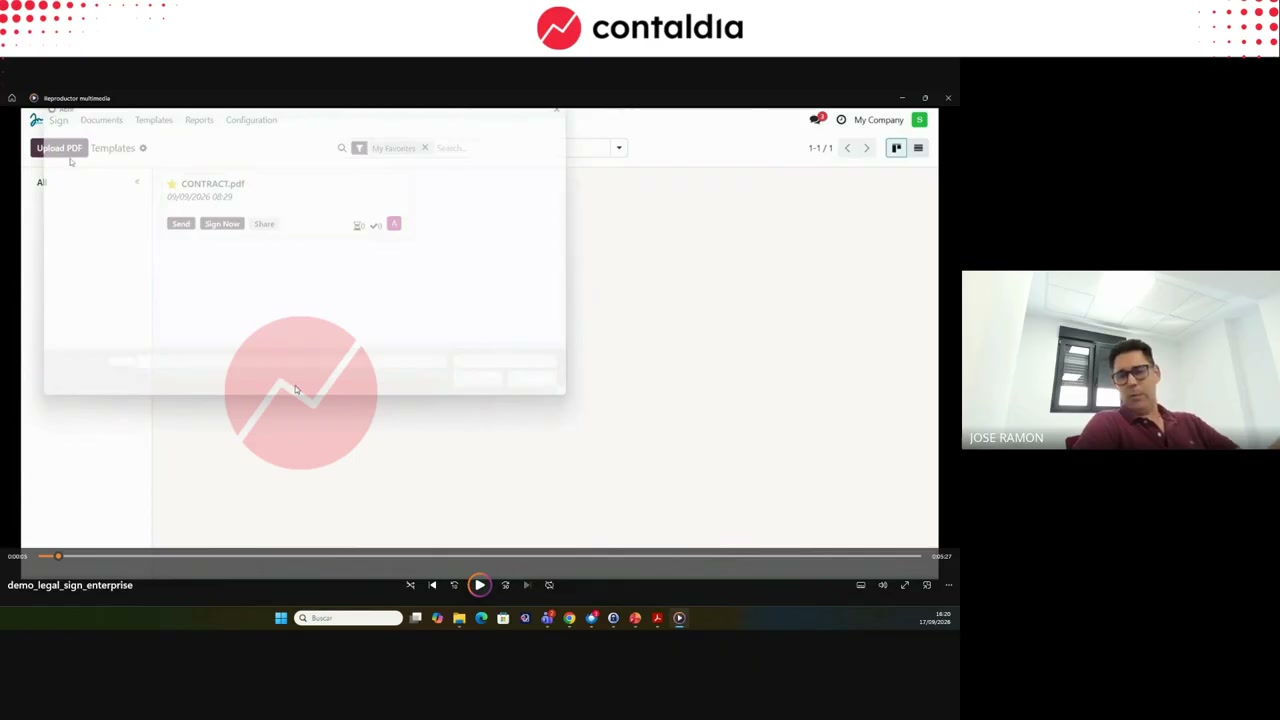
Template, controls, one signer
On the left, signer details. On the right, the Legal Sign Biometric checkbox. Without the check, the flow is the standard Odoo Sign. With the check, LegalSign starts in parallel. The two modes can coexist.
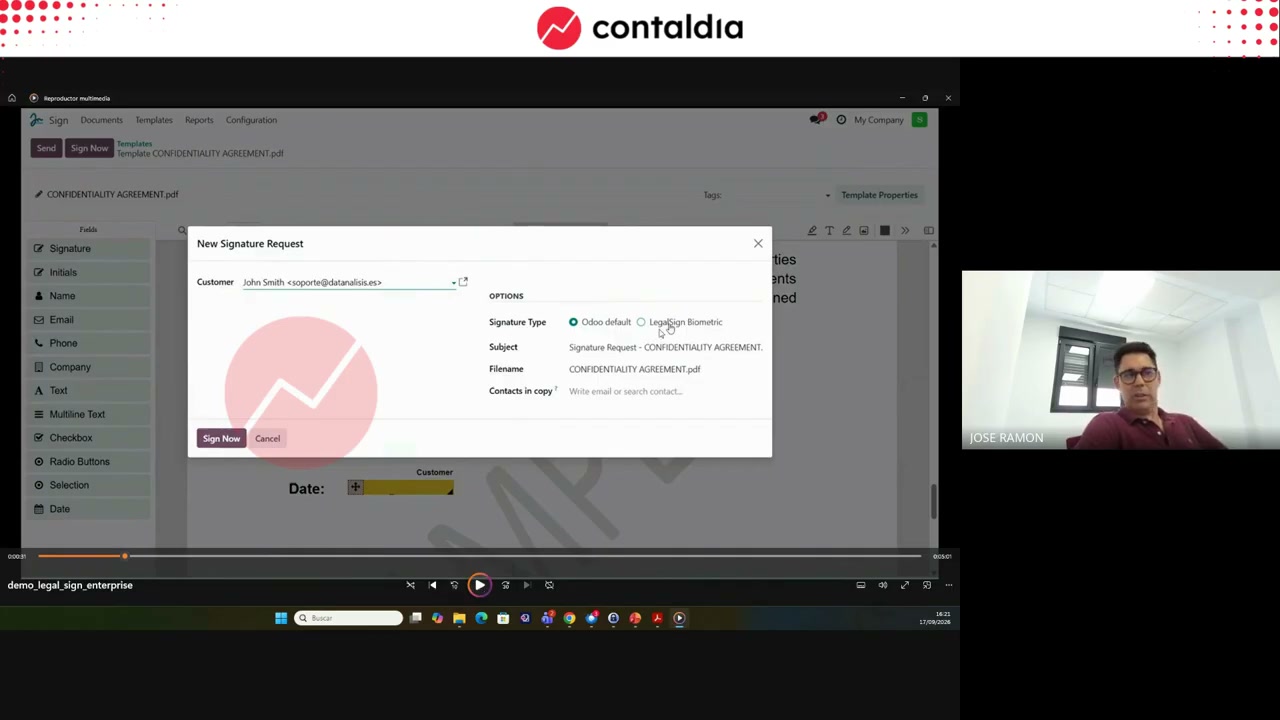
When you check LegalSign, the devices field appears: which tablet the PDF goes to. An Odoo installation can send the document to the screen you choose (reception or cardiology room).
Biometric signature on a tablet
It works when the signer is present: a clinic room, a counter. You register the tablet with the app (Apple Store or Android) and a code. A biometric pen is required. A signature drawn without speed, pressure and tilt is not the flow they showed.
From Odoo you send the document to that tablet. For each signer there are two distinct flags: filled in versus signed. After sending, the document is only filled in.
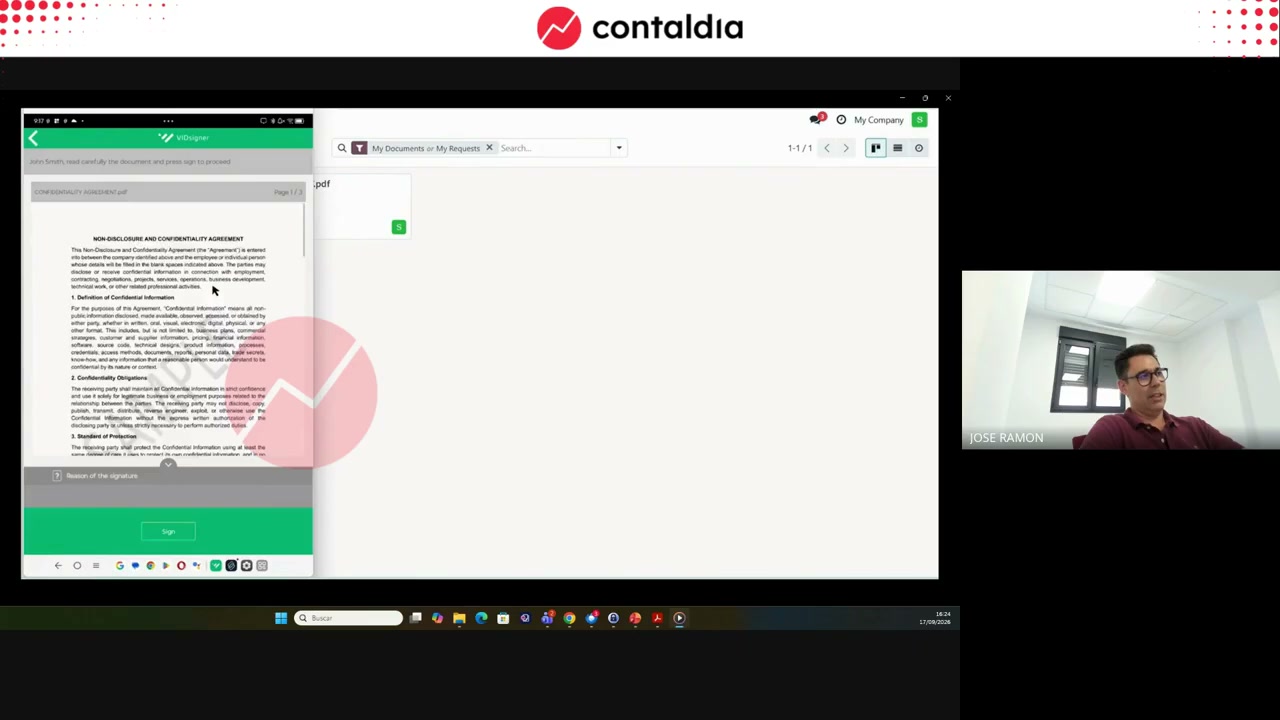
Inbox, pen, Accept
On the tablet, the app retrieves the pending documents. Signing is done with the biometric pen. When you tap Accept, the third party calculates hashes, stores the private keys and returns the result.
Odoo is updated. Notification emails arrive. The flag changes to signed.
Reading the evidence and the PDF
The third party stamps its seal on the PDF, in the box. The evidence report runs to four pages: who signed, company header, document, participants, device (operating system, biometric pen, tablet, version), hashes, keys in a notarial protocol and strokes.
José Ramón: the evidence is handed over when the process needs to be secured. It is not just a decoration on the PDF. The signed PDF can also be downloaded separately.
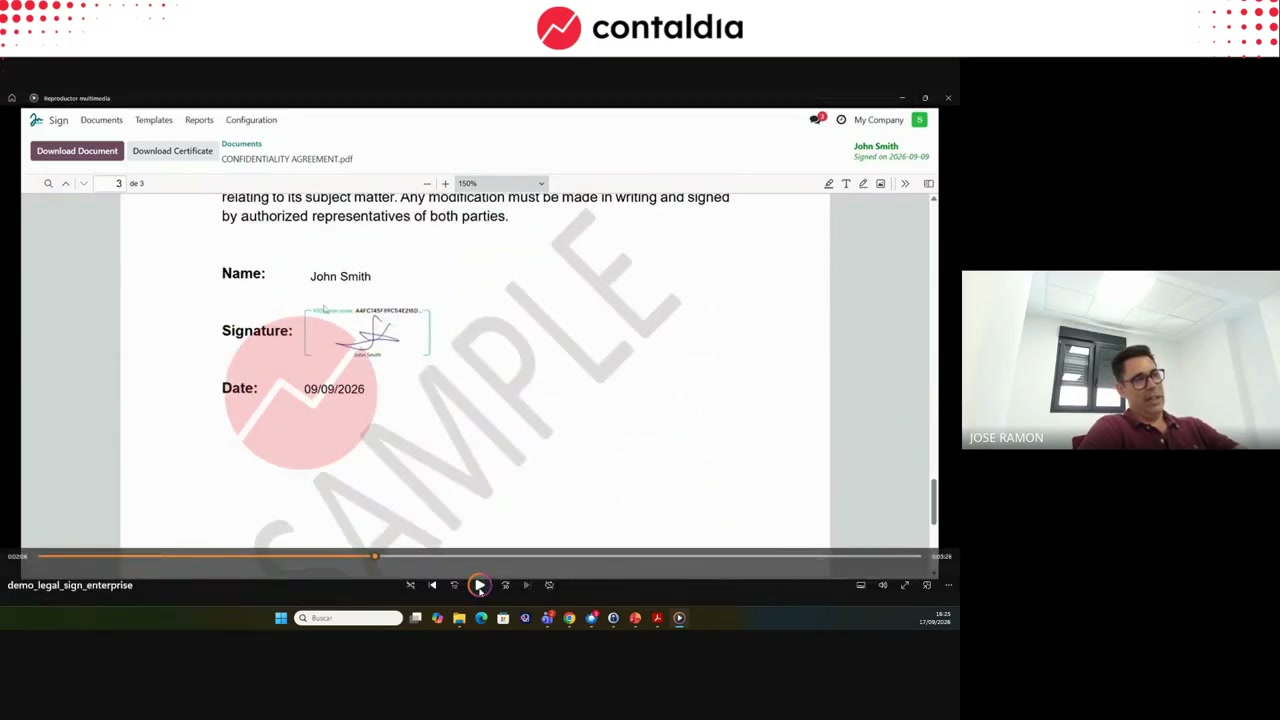
Third-party seal in the box. Evidence report: participants, device, hashes and notarial protocol.
Remote signing
Same Sign template. Another checkbox. The validity date and the native Odoo reminders to the third party are integrated. Limit: 60 days. Do not set a longer date.
The signer receives an email that looks like the one from Odoo. When they click the link, the third party's environment starts: expiry notice, the document can be reviewed, identification, SMS, geolocation, QR code if signing on a mobile phone.
Odoo's signature grid is ignored: the seal is stamped by the third party. The remote evidence includes the geolocation and the notarial protocol number, among other things.
Octavi asked in the Q&A whether it works with the signer's digital certificate. No. The validity certificate is provided by the trusted third party. The signer is not expected to sign with their own.
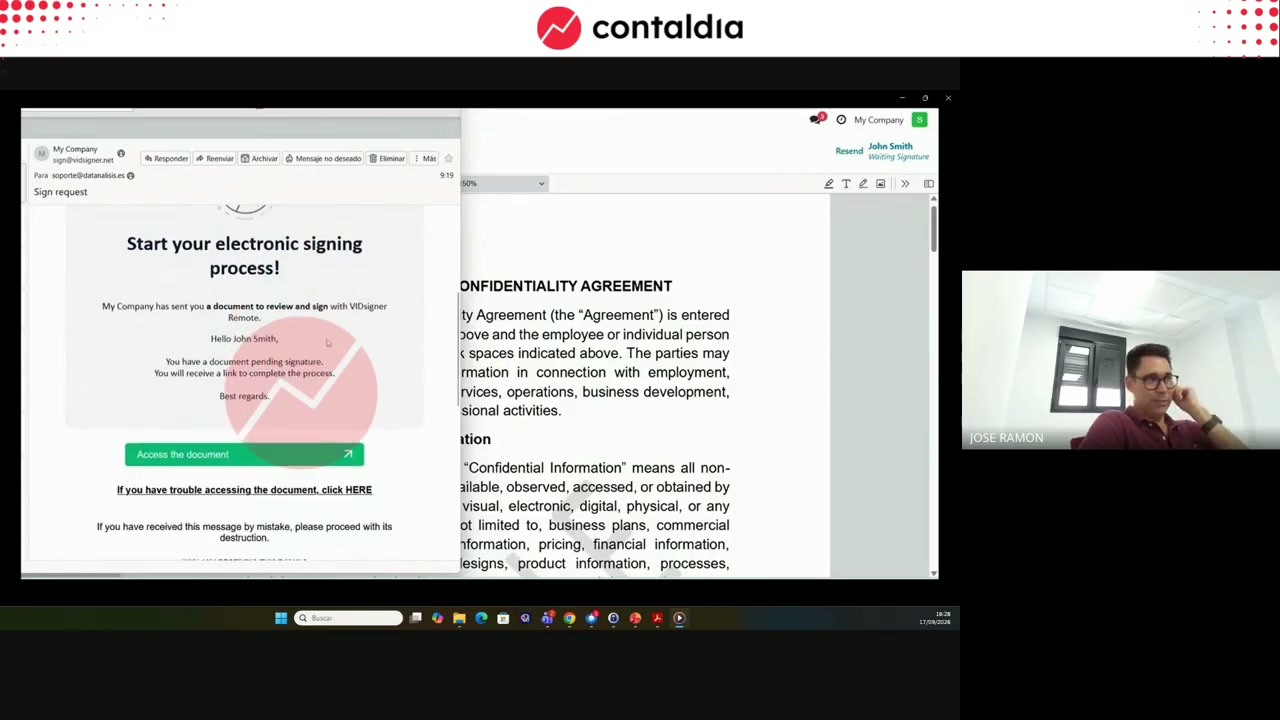
Email, secure environment, 60 days
The signer reviews, identifies themselves and signs. The third party confirms, stores the codes and returns the PDF to Odoo. The same Sign as always; the legal work is done by the provider.
Activating the service
Install the module for the right version: Community 17, 18 and 19, or Enterprise 18 and 19. Two fields appear in the company form (res.company). Installation ID: a hash that the system generates on its own. Activation ID: the code that is sent back to you.
You send Data Analysis the hash plus the company name and CIF. Paste the code and save the pair of values. Without that pair, the third party's flow does not start. This is not an "install and you're done" module.
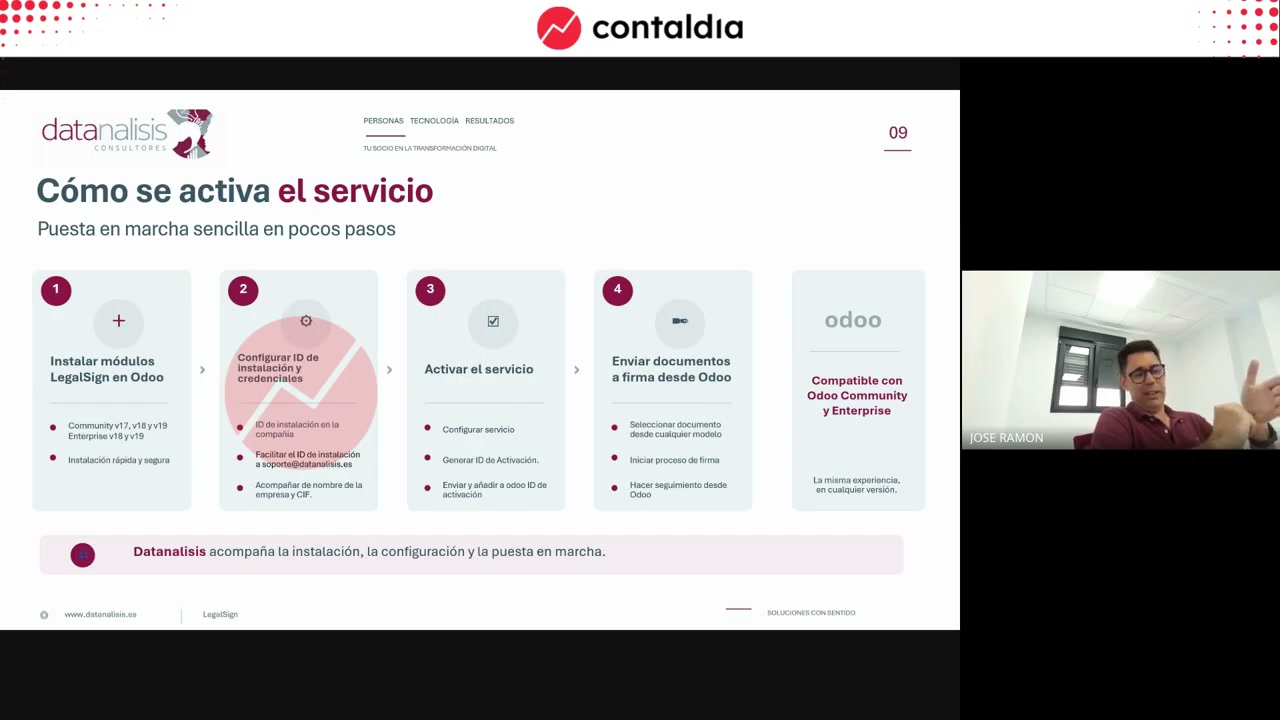
Company: installation ID (automatic hash) and activation ID. You send the hash, name and CIF. They send you back the code.
Registered attendees were offered 50 trial signatures. Registration was handled by email from Contaldia (Odoo version, modules). It is not a public rate.
The video is above. If you want to set up LegalSign in your Odoo, the next step is a test database and registering with the third party.
Want to set up LegalSign in your Odoo?