
Financial accounting tells you if you made a profit. Analytic accounting tells you where. It is not a tax. It is not the official P&L. It is an internal tree: plans (dimensions) and accounts, to see a business, a customer, or a grant without touching the chart of accounts.
In Odoo 16 tags became plans. Accounts kept the same name. The video is recorded in Odoo 19 Enterprise. In Community the base module is the same. Albert Cabedo, Contaldia. About 67 minutes plus Q&A.
project, business, grant
at ~70% of Contaldia clients
a mandatory plan must sum to 100
or Odoo will not let you post
the full video
demo in Odoo 19 + Q&A
Turn on analytic accounting
You need the Spanish localization (Spanish accounting installed). Accounting → Configuration → one checkbox turns on analytic accounting. In Enterprise there is nothing else to install. In Community the base module is the same; extras (parents, product category in older versions) are OCA.
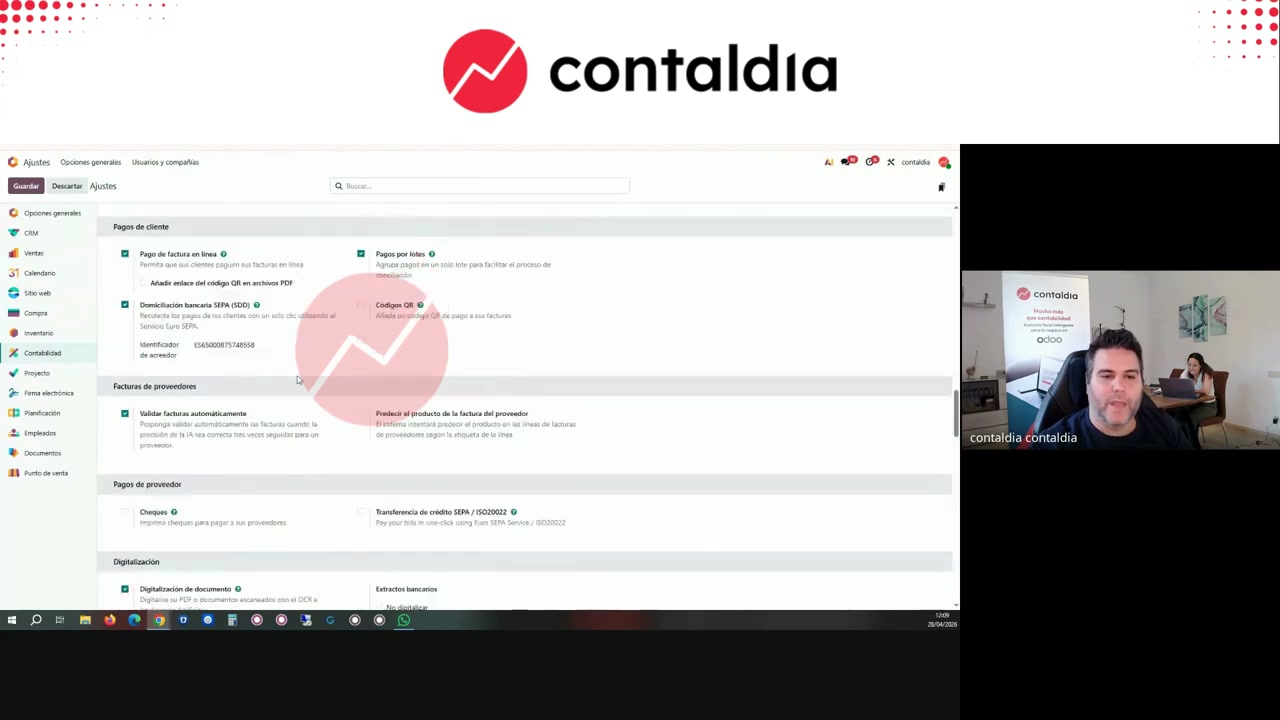
Accounting settings. The checkbox that turns on plans and accounts. Video screenshot, 04:29.
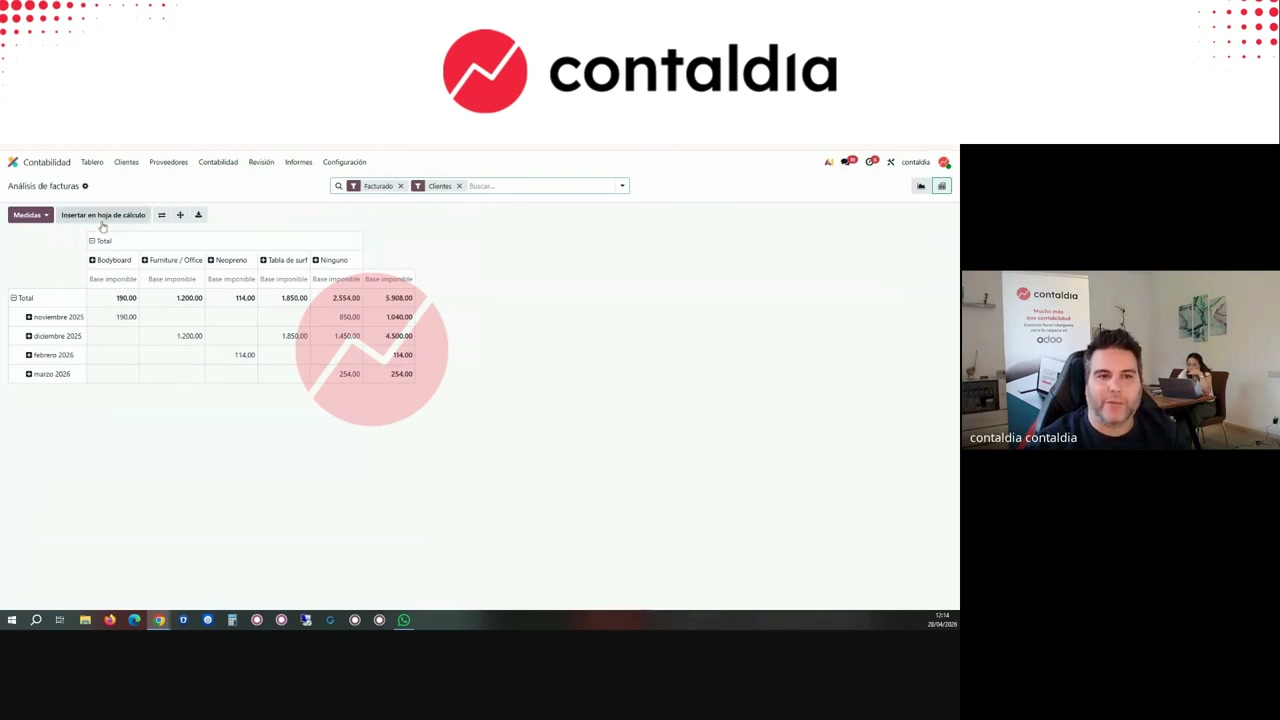
Before you create a plan
Invoice analysis (pivot table) is not analytic accounting. Albert uses it every day and has not configured anything. Columns: base, quantity, margin, average price, product category, month, customer, year, product, country.
Other paths he shows before touching a plan: 629 and 700 subaccounts, several sales journals, the margins module. Invoice sequences: in 99% of cases he does not recommend them; that is what analytic accounting is for.
Plans and accounts (the tree)
Create few plans. The three that show up at ~70% of Contaldia clients: project or customer, business, and grants. Install Projects if you want the customer plan: each project creates the account and nests it. On each plan, the actual accounts. Overhead: a «general expenses» or «administration» account on the business plan.
In the demo: project plan → PL SL and Peter SL; business plan → IT and Recursos humanos; grants plan → one ICO. On the plan: optional / mandatory / unavailable, color, and a domain only if needed.
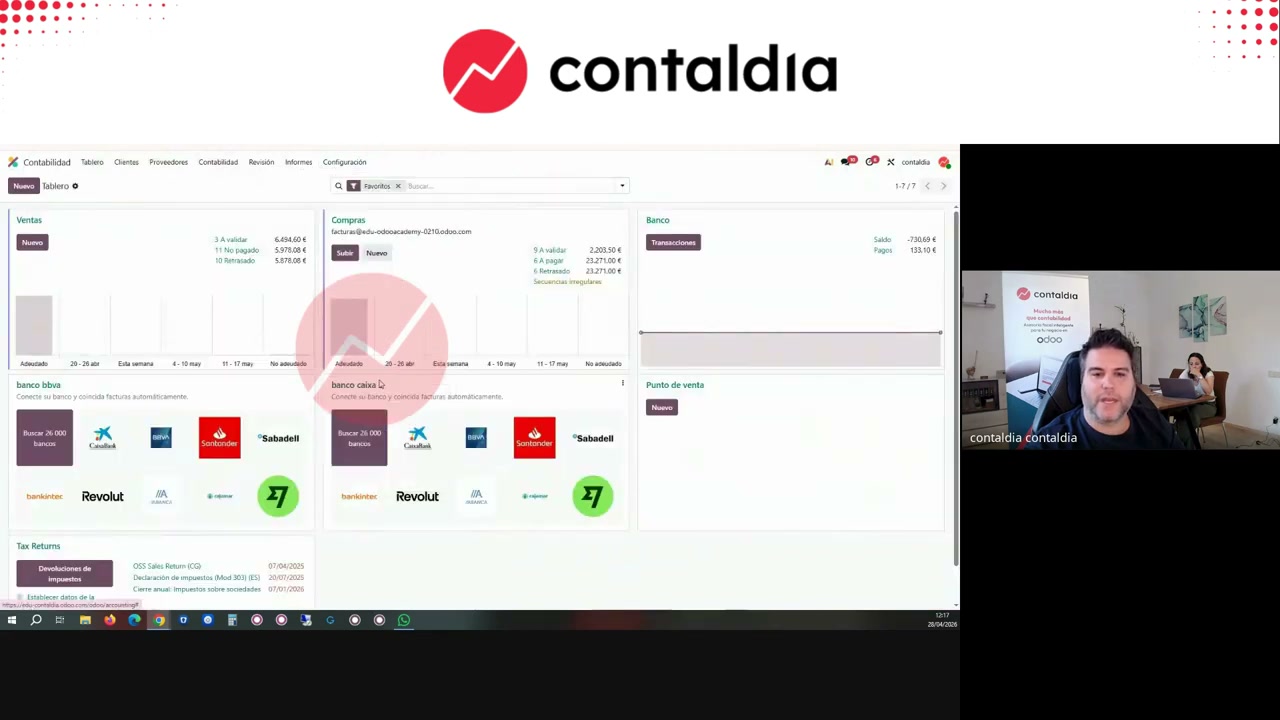
The project already is an account
When you install Projects, the plan appears. Each project creates the nested analytic account. In the demo, Power/Peter is linked to the plan. You do not need to invent the tree twice.
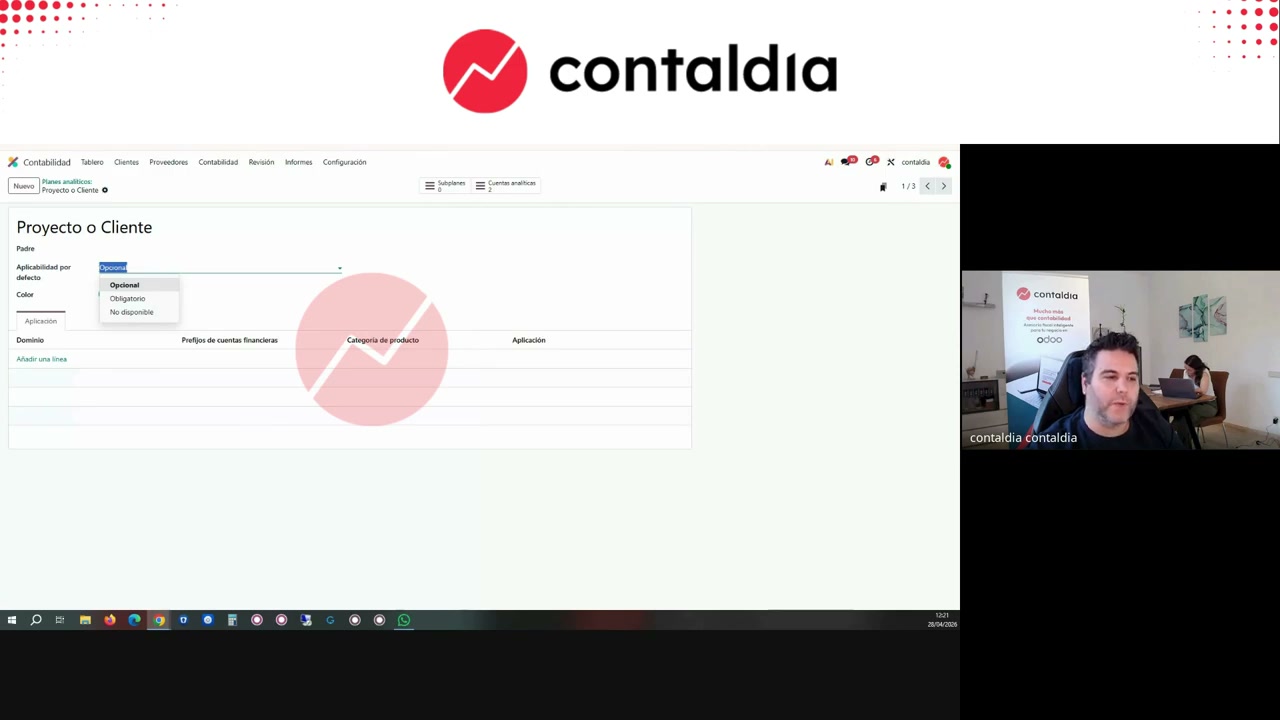
Plan form: sub-plans, optional / mandatory / unavailable, color, and domain. 16:42.
account_analytic_parent. Albert does not need it to see profitability by business and by customer.
Automate: distribution models
By hand on every invoice it does not hold: it is a nest of errors. Configuration → analytic distribution models. Turn on columns (product category is often hidden). Criteria: contact, product, product category, GL accounts.
Albert's usual recipe: contact → customer plan; product category → business plan. Limit to accounts 6 and 7. A grant with its own account: often by hand. Sort the list: the one on top wins if they clash (in the video he flags it with doubt).
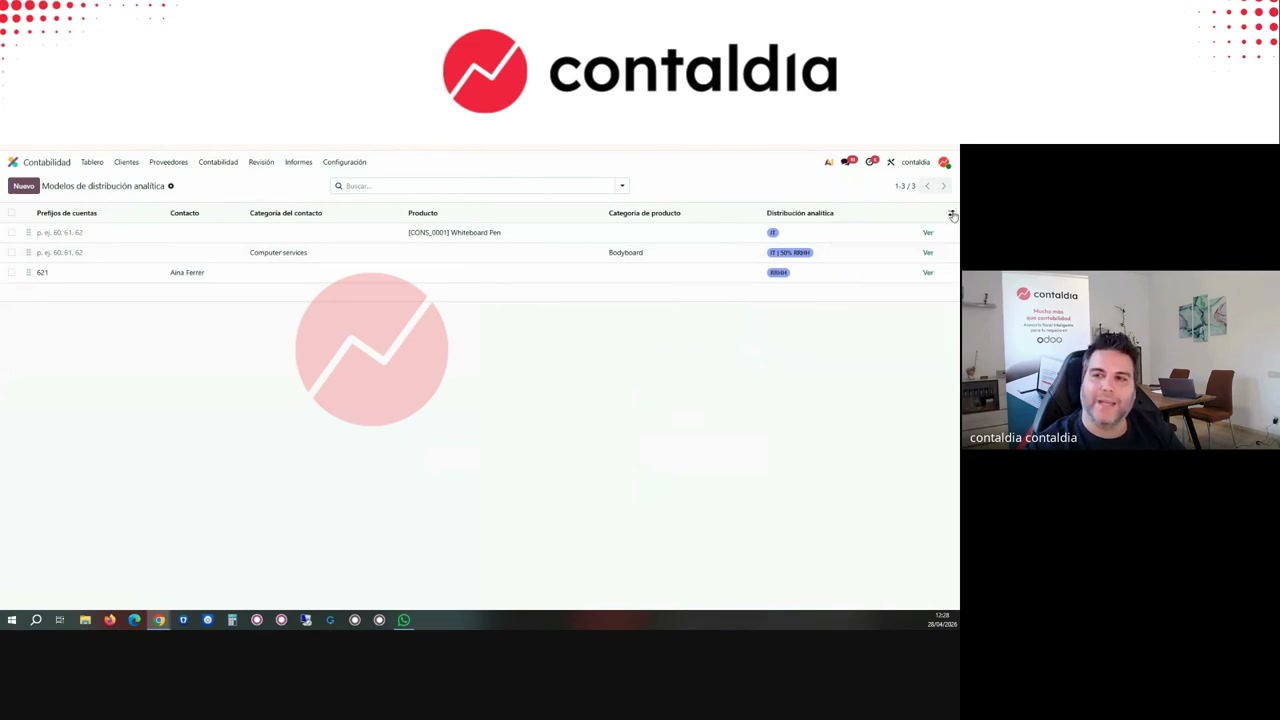
Distribution models. Turn on the product category column if it is hidden. 23:10.
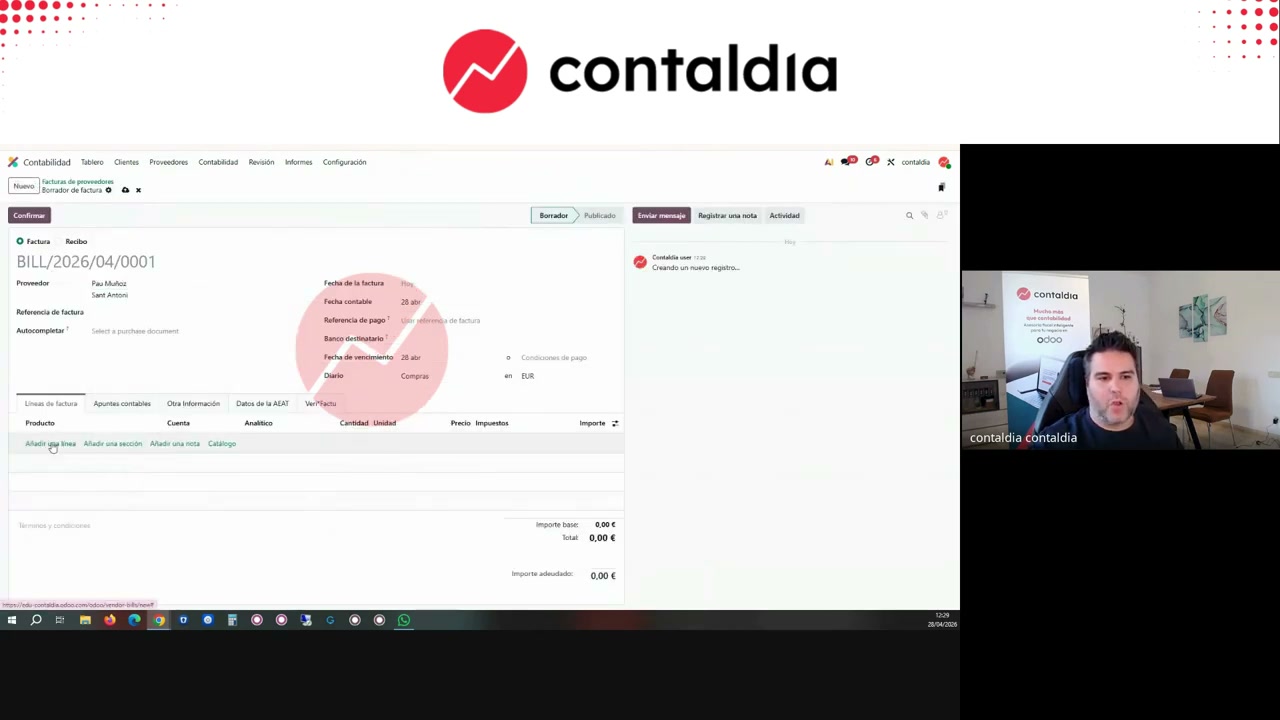
It has to fill itself in
Test: an invoice for the contact or a product (Bodyboard in the demo) must carry analytic without typing it. In the demo, everything from Pau Muñoz goes to Paul SL. The product gets the analytic accounts when you pick it.
Want to build the tree on your Spanish chart of accounts?
Where it is fed from (always the journal entry)
It is fed from financial accounting, wherever it comes from. Posted invoice → the 6/7 journal item carries the distribution. Manual journal entry (inventory variation, payroll): distribution on the line. Sale or subscription: there is an analytic column (you have to turn it on); it counts when you post the invoice, not on a draft quotation.
Assets: analytic goes on depreciation (681), not on the asset purchase. The purchase is not group 6/7. You set it on the asset or on the asset model. You can automate it: everything on 681 → general expenses.
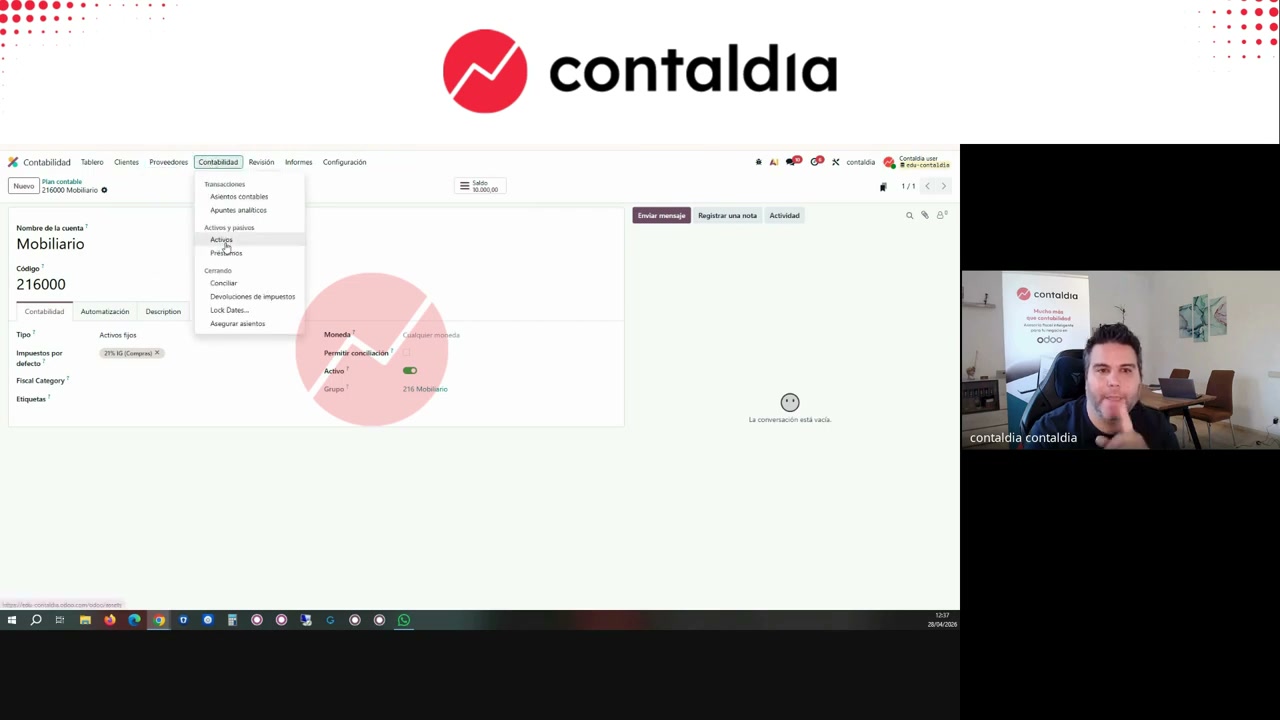
681 yes, purchase no
The fixed-asset purchase does not carry analytic. Depreciation does. On the asset model you set the 681 distribution. 32:30 in the video.
group 7 lines
with no analytic, in the demo
group 6 lines
also empty
the only accounts
that should carry analytic
Check that nothing is missing (or extra)
In v19: Journal Entries (create few) versus Journal Items (Review) = every line. Accounting → Review → Journal Items. Filter: account 6… or 7… + analytic not set → fill in. The other way: if a 430, a VAT, or a 2xx carries analytic, remove it. Add the column if it is hidden and save the filter.
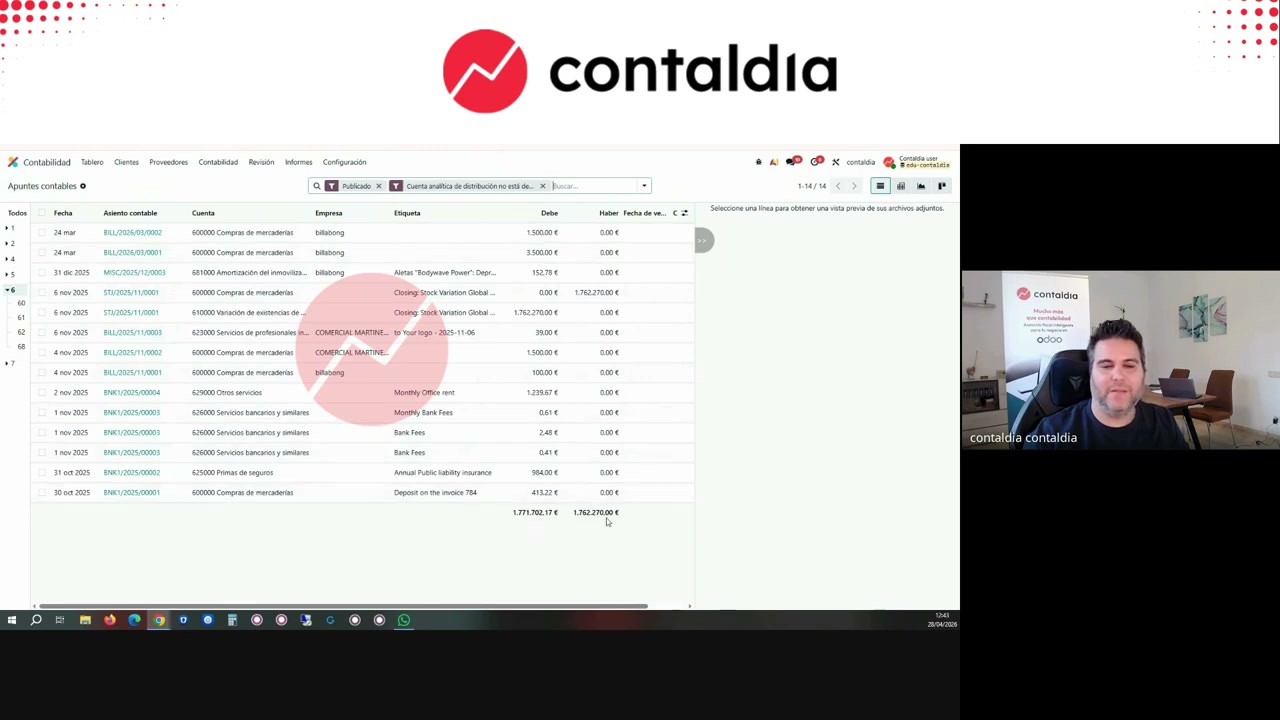
Journal items. Group 6 + analytic account not set. 38:09. Forty-two and fourteen empty, as in the demo, mean the tree exists and automation does not cover everything.
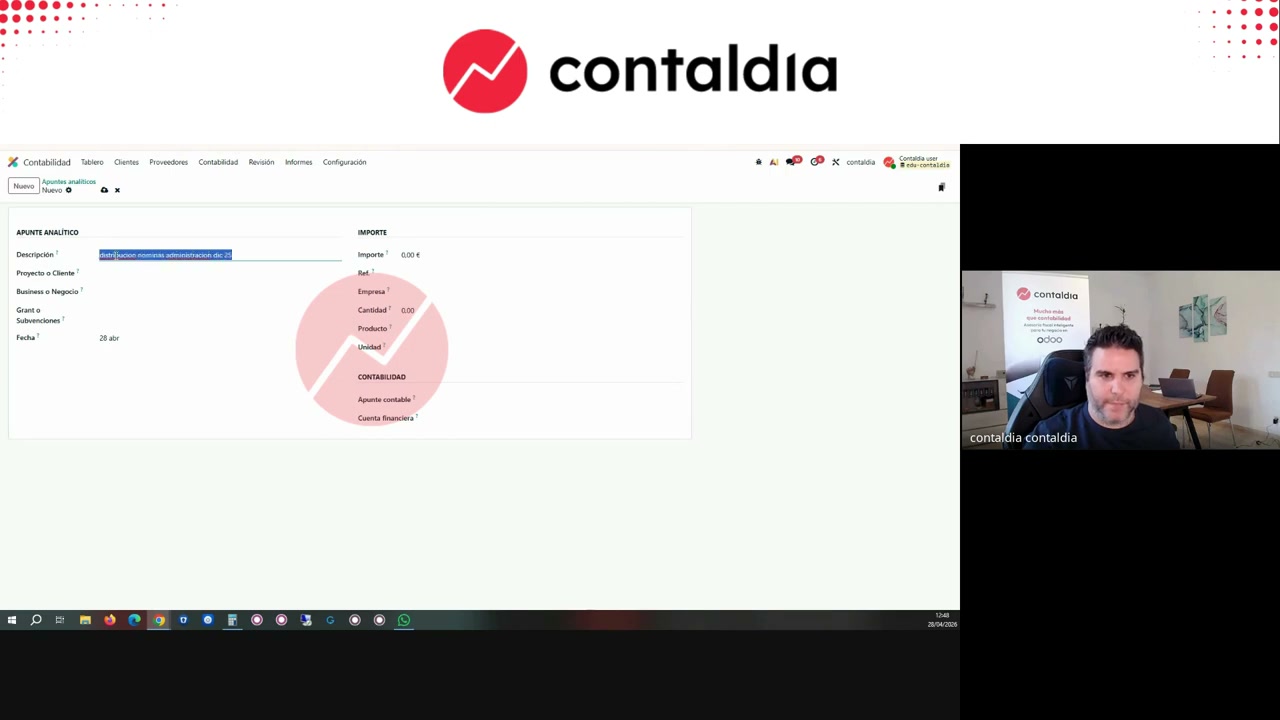
Reallocate general expenses
Analytic items are not journal entries: one line, no debit or credit. The 5,000 of overhead is not moved with a journal entry. You post a manual analytic item: −5,000 on general expenses (it goes to 0), +3,000 on IT, +2,000 on the other line. Basis: sales, hours, whatever the company uses. It is internal.
Reports: pivot, P&L, and MIS
Analytic items → pivot view. Month, business, customer. «None» = expense with no customer. If «analytic report» exists, it is the same pivot; if it is not there, the pivot view is in every version. Enterprise: Reporting → P&L → filter by plan and by account. Community: MIS → analytic filter.
One plan at a time. Two plans at once on the v19 P&L show as columns. To filter a plan on journal items: «project is set», not an «analytic plan» field. One hundred percent on the customer and one hundred percent on the business is not double income: they are two readings. Adding them into a single total is the mistake. This does not replace knowing the company: without clear lines the tree is useless. Analytic accounting comes in when the invoice pivot is not enough.
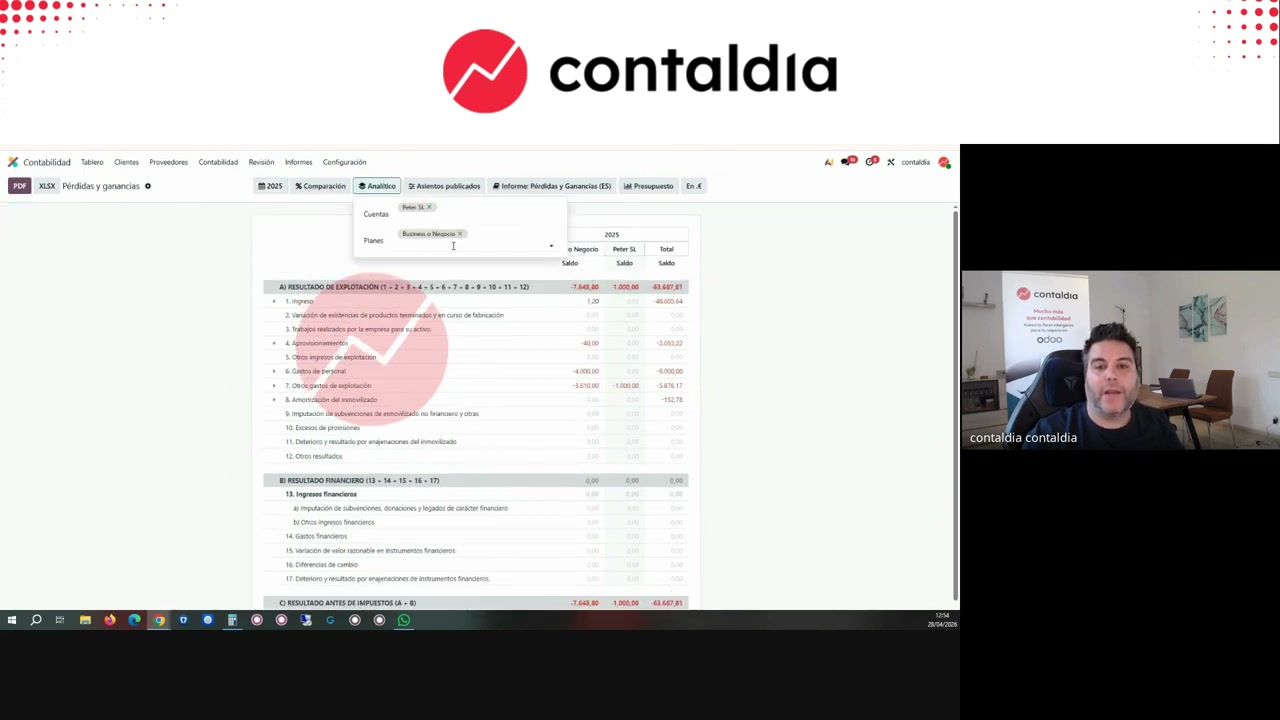
P&L filtered by plans and accounts: one business, one customer, one grant. 49:41. In the demo, Peter account: 1,100 € of income and 5,000 € of expense → the customer is not profitable.
October 29 · 12:00–14:00 · online
Full course on Spanish accounting in Odoo 20.
Full video: YouTube. Tree on your Spanish chart: info@contaldia.com · 931 94 94 80.